# OpenAvatarChat
**Repository Path**: TF-boy/OpenAvatarChat
## Basic Information
- **Project Name**: OpenAvatarChat
- **Description**: No description available
- **Primary Language**: Unknown
- **License**: Apache-2.0
- **Default Branch**: main
- **Homepage**: None
- **GVP Project**: No
## Statistics
- **Stars**: 0
- **Forks**: 0
- **Created**: 2025-05-08
- **Last Updated**: 2025-05-08
## Categories & Tags
**Categories**: Uncategorized
**Tags**: None
## README
Open Avatar Chat
English | 中文
A modular interactive digital human conversation implementation that runs full-featured on a single PC.
🤗 Demo |  Demo | 💬 WeChat
## 🔥 Core Highlights
- **Low-latency digital human real-time conversation: The average response delay is about 2.2 seconds.**
- **Multimodal language model: Supports multimodal language models including text, audio, video, etc.**
- **Modular design: Uses modular design, allowing flexible component replacement to achieve different function combinations.**
## 📢 News
### Changelog
- [2025.04.18] ⭐️⭐️⭐️ Version 0.3.0 Released:
- 🎉🎉🎉 Congratulations to the [LAM](https://github.com/aigc3d/LAM) team on their paper being accepted to SIGGRAPH 2025! 🎉🎉🎉
- Added support for [LAM](https://github.com/aigc3d/LAM) in digital humans, enabling concurrent configuration when LAM is selected. TTS now supports edge_tts and BaiLian CosyVoice.
- Updated dependency management approach based on UV and handler modules, supporting direct execution or using Docker.
- CSS responsive layout updated.
- [2025.04.14] ⭐️⭐️⭐️ Version 0.2.2 released:
- 100 new avatars released, visit [LiteAvatarGallery](https://modelscope.cn/models/HumanAIGC-Engineering/LiteAvatarGallery)
- Run [LiteAvatar](https://github.com/HumanAIGC/lite-avatar) use GPU by default
- [2025.04.07] ⭐️⭐️⭐️ Version 0.2.1 released:
- Added support for history logging
- Support for text input
- Camera requirement removed at startup
- Optimized modular loading method
- [2025.02.20] ⭐️⭐️⭐️ Version 0.1.0 released:
- Modular real-time interactive digital human
- Supports MiniCPM-o as a multimodal language model with cloud API options
### Todo List
- [x] Pre-set digital human models reach 100
- [x] Integrated [LAM](https://github.com/aigc3d/LAM): An open-source project capable of creating ultra-realistic 3D digital humans from a single image in seconds
- [ ] Integrate [Qwen2.5-Omni](https://github.com/QwenLM/Qwen2.5-Omni)
## Demo
### Try it Online
We have deployed a demo service on
ModelScope
and
🤗
HuggingFace
. The audio part is implemented using ``SenseVoice + Qwen-VL + CosyVoice``. Now you can switch between ``LiteAvatar`` and ``LAM``. Feel free to try it out.
### Demo Video
## 📖 Contents
- [Overview](#overview)
- [Introduction](#introduction)
- [Requirements](#requirements)
- [Performance](#performance)
- [Component Dependencies](#component-dependencies)
- [Pre-set Modes](#pre-set-modes)
- [Get Started](#-get-started)
- [Select a Config](#select-a-config)
- [Local Execution](#local-execution)
- [UV Installation](#uv-installation)
- [Dependency Installation](#dependency-installation)
- [Run](#run)
- [Docker Execution](#docker-execution)
- [Handler Dependencies Installation Notes](#handler-dependencies-installation-notes)
- [Server Rendering RTC Client Handler](#server-rendering-rtc-client-handler)
- [LAM Client Rendering Handler](#lam-client-rendering-handler)
- [OpenAI Compatible LLM Handler](#openai-compatible-llm-handler)
- [MiniCPM Omni Speech2Speech Handler](#minicpm-omni-speech2speech-handler)
- [Bailian CosyVoice Handler](#bailian-cosyvoice-handler)
- [CosyVoice Local Inference Handler](#cosyvoice-local-inference-handler)
- [Edge TTS Handler](#edge-tts-handler)
- [LiteAvatar Avatar Handler](#liteavatar-avatar-handler)
- [LAM Avatar Driver Handler](#lam-avatar-driver-handler)
- [Optional Deployment](#optional-deployment)
- [Prepare ssl certificates](#prepare-ssl-certificates)
- [TURN Server](#turn-server)
- [Configuration](#configuration)
## Overview
### Introduction
Open Avatar Chat is a modular interactive digital human dialogue implementation that can run full functionality on a single PC. It currently supports MiniCPM-o as a multimodal language model or using cloud-based APIs to replace the conventional ASR + LLM + TTS setup. The architecture of these two modes is illustrated in the diagram below. For more pre-set modes, see [below](#pre-set-modes).

### Requirements
* Python version >=3.10, <3.12
* CUDA-enabled GPU. The CUDA version supported by the NVIDIA driver needs to be >= 12.4.
* The unquantized multimodal language model MiniCPM-o requires more than 20GB of VRAM.
* The digital human component can perform inference using GPU/CPU. The test device is an i9-13980HX CPU, achieving up to 30 FPS for CPU inference.
> [!TIP]
>
> Using the int4 quantized version of the language model can run on graphics cards with less than 10GB of VRAM, but quantization may affect the performance.
>
> Replacing MiniCPM-o with cloud APIs to implement the typical ASR + LLM + TTS functions can greatly reduce configuration requirements. For more details, see [ASR + LLM + TTS Mode](#chat_with_openai_compatible_bailian_cosyvoiceyaml).
### Performance
In our tests, using a PC equipped with an i9-13900KF processor and Nvidia RTX 4090 graphics card, we recorded the response delay. After ten tests, the average delay was about 2.2 seconds. The delay time is the interval from the end of the user's speech to the start of the digital human's speech, including RTC two-way data transmission time, VAD (Voice Activity Detection) stop delay, and the entire process computation time.
### Component Dependencies
| Type | Open Source Project | GitHub Link | Model Link |
|----------|-------------------------------------|---|---|
| RTC | HumanAIGC-Engineering/gradio-webrtc |[ ](https://github.com/HumanAIGC-Engineering/gradio-webrtc)||
| VAD | snakers4/silero-vad |[](https://github.com/snakers4/silero-vad)||
| LLM | OpenBMB/MiniCPM-o |[](https://github.com/OpenBMB/MiniCPM-o)| [🤗](https://huggingface.co/openbmb/MiniCPM-o-2_6) [](https://modelscope.cn/models/OpenBMB/MiniCPM-o-2_6) |
| LLM-int4 | OpenBMB/MiniCPM-o |[](https://github.com/OpenBMB/MiniCPM-o)|[🤗](https://huggingface.co/openbmb/MiniCPM-o-2_6-int4) [](https://modelscope.cn/models/OpenBMB/MiniCPM-o-2_6-int4)|
| Avatar | HumanAIGC/lite-avatar |[](https://github.com/HumanAIGC/lite-avatar)||
| TTS | FunAudioLLM/CosyVoice |[](https://github.com/FunAudioLLM/CosyVoice)||
|Avatar|aigc3d/LAM_Audio2Expression|[](https://github.com/aigc3d/LAM_Audio2Expression)|[🤗](https://huggingface.co/3DAIGC/LAM_audio2exp)|
||facebook/wav2vec2-base-960h||[🤗](https://huggingface.co/facebook/wav2vec2-base-960h) [](https://modelscope.cn/models/AI-ModelScope/wav2vec2-base-960h)|
### Pre-set Modes
| CONFIG Name | ASR | LLM | TTS | AVATAR |
|------------------------------------------------------|------------|:---------:|:---------:|--------------|
| chat_with_gs.yaml | SenseVoice | API | API | LAM |
| chat_with_minicpm.yaml | MiniCPM-o | MiniCPM-o | MiniCPM-o | lite-avatar |
| chat_with_openai_compatible.yaml | SenseVoice | API | CosyVoice | lite-avatar |
| chat_with_openai_compatible_bailian_cosyvoice.yaml | SenseVoice | API | API | lite-avatar |
| chat_with_openai_compatible_edge_tts.yaml | SenseVoice | API | edgetts | lite-avatar |
## 🚀 Get Started
Before installing and deploying the corresponding mode, please refer to the **installation methods for relevant modules** and [Optional Deployment](#optional-deployment).
### Select a config
The functionalities of OpenAvatarChat will follow the config specified during startup. We provided several sample config files under the config folder.
#### chat_with_gs.yaml
This config uses [LAM](https://github.com/aigc3d/LAM) generated gaussion splatting asset as client-side rendered avatar. With api based openai compatible llm and tts from Bailian platform, only vad and asr handlers are run locally, so this is the lightest config choice, which supports multiple connection on single service.
##### Used Handlers
|Type|Handler|Install Notes|
|---|---|---|
|Client|client/h5_rendering_client/cllient_handler_lam| [LAM Client Rendering Handler](#lam-client-rendering-handler)|
|VAD|vad/silerovad/vad_handler/silero||
|ASR|asr/sensevoice/asr_handler_sensevoice||
|LLM|llm/openai_compatible/llm_handler/llm_handler_openai_compatible|[OpenAI Compatible LLM Handler](#openai-compatible-llm-handler)
|TTS|tts/bailian_tts/tts_handler_cosyvoice_bailian|[Bailian CosyVoice Handler](#bailian-cosyvoice-handler)|
|Avatar|avatar/lam/avatar_handler_lam_audio2expression|[LAM Avatar Driver Handler](#lam-avatar-driver-handler)|
||||
#### chat_with_minicpm.yaml
Use MiniCPM-o-2.6 as audio2audio chat model, it need enough VRAM and GPU computaion power.
##### Used Handlers
|Type|Handler|Install Notes|
|---|---|---|
|Client|client/rtc_client/client_handler_rtc|[Server Rendering RTC Client Handler](#server-rendering-rtc-client-handler)|
|VAD|vad/silerovad/vad_handler/silero||
|LLM|llm/minicpm/llm_handler_minicpm|[MiniCPM Omni Speech2Speech Handler](#minicpm-omni-speech2speech-handler)|
|Avatar|avatar/liteavatar/avatar_handler_liteavatar|[LiteAvatar Avatar Handler](#liteavatar-avatar-handler)|
||||
#### chat_with_openai_compatible.yaml
This config use openai-compatible api as llm provider and CosyVoice as local tts model.
##### Used Handlers
|Type|Handler|Install Notes|
|---|---|---|
|Client|client/rtc_client/client_handler_rtc|[Server Rendering RTC Client Handler](#server-rendering-rtc-client-handler)|
|VAD|vad/silerovad/vad_handler/silero||
|ASR|asr/sensevoice/asr_handler_sensevoice||
|LLM|llm/openai_compatible/llm_handler/llm_handler_openai_compatible|[OpenAI Compatible LLM Handler](#openai-compatible-llm-handler)
|TTS|tts/cosyvoice/tts_handler_cosyvoice|[CosyVoice Local Inference Handler](#cosyvoice-local-inference-handler)|
|Avatar|avatar/liteavatar/avatar_handler_liteavatar|[LiteAvatar Avatar Handler](#liteavatar-avatar-handler)|
#### chat_with_openai_compatible_bailian_cosyvoice.yaml
Both LLM and TTS are provided by API, it is the lightest config for LiteAvatar.
##### Used Handlers
|Type|Handler|Install Notes|
|---|---|---|
|Client|client/rtc_client/client_handler_rtc|[Server Rendering RTC Client Handler](#server-rendering-rtc-client-handler)|
|VAD|vad/silerovad/vad_handler/silero||
|ASR|asr/sensevoice/asr_handler_sensevoice||
|LLM|llm/openai_compatible/llm_handler/llm_handler_openai_compatible|[OpenAI Compatible LLM Handler](#openai-compatible-llm-handler)
|TTS|tts/bailian_tts/tts_handler_cosyvoice_bailian|[Bailian CosyVoice Handler](#bailian-cosyvoice-handler)|
|Avatar|avatar/liteavatar/avatar_handler_liteavatar|[LiteAvatar Avatar Handler](#liteavatar-avatar-handler)|
||||
#### chat_with_openai_compatible_edge_tts.yaml
This config use Edge TTS, it does not need an API Key of Bailian.
|Type|Handler|Install Notes|
|---|---|---|
|Client|client/rtc_client/client_handler_rtc|[Server Rendering RTC Client Handler](#server-rendering-rtc-client-handler)|
|VAD|vad/silerovad/vad_handler/silero||
|ASR|asr/sensevoice/asr_handler_sensevoice||
|LLM|llm/openai_compatible/llm_handler/llm_handler_openai_compatible|[OpenAI Compatible LLM Handler](#openai-compatible-llm-handler)
|TTS|tts/edgetts/tts_handler_edgetts|[Edge TTS Handler](#edge-tts-handler)|
|Avatar|avatar/liteavatar/avatar_handler_liteavatar|[LiteAvatar Avatar Handler](#liteavatar-avatar-handler)|
||||
### Local Execution
> [!IMPORTANT]
> Submodules and dependent models in this project require the git LFS module. Please ensure that the LFS functionality is installed:
> ```bash
> sudo apt install git-lfs
> git lfs install
> ```
> This project references third-party libraries via git submodules, so you need to update submodules before running:
> ```bash
> git submodule update --init --recursive
> ```
>
> If you encounter any issues, feel free to submit an [issue](https://github.com/HumanAIGC-Engineering/OpenAvatarChat/issues) to us.
>
> This project depends on CUDA, please make sure that the CUDA version supported by the local NVIDIA driver is >= 12.4
#### UV Installation
It is recommended to install [UV](https://docs.astral.sh/uv/), using UV for local environment management.
> Official standalone installer
> ```bash
> # On Windows.
> powershell -ExecutionPolicy ByPass -c "irm https://astral.sh/uv/install.ps1 | iex"
> # On macOS and Linux.
> curl -LsSf https://astral.sh/uv/install.sh | sh
> ```
> PyPI installation
> ```
> # With pip.
> pip install uv
> # Or pipx.
> pipx install uv
> ```
#### Dependency Installation
##### Install all dependencies
```bash
uv sync --all-packages
```
##### Install dependencies for the required mode only
```bash
uv run install.py --uv --config .yaml
```
#### Run
```bash
uv run src/demo.py --config .yaml
```
### Docker Execution
Containerized execution: The container relies on NVIDIA's container environment. After preparing a Docker environment that supports GPUs, execute the following command to complete the construction and deployment of the image:
```bash
./build_and_run.sh --config .yaml
```
## Handler Dependencies Installation Notes
### Server Rendering RTC Client Handler
Currently there is no extra dependency or essential configs.
### LAM Client Rendering Handler
Client rendering handler is derived from [Server Rendering RTC Client Handler](#server-rendering-rtc-client-handler). It supports multi-connection. Client avatar asset can be selected in handler config.
#### Select the Avatar Asset
LAM avatar asset can be generated by the [LAM project](https://github.com/aigc3d/LAM) (The ready-to-use generation pipeline is not ready yet. Stay tunned!). OpenAvatarChat provides 4 sample asset. They can be found under
src/handlers/client/h5_rendering_client/lam_samples. The selected asset should be set to the asset_path field in the handler config. You can use one of the sample asset, a your own asset that created by LAM, please refer to the follow handler config sample:
```yaml
LamClient:
module: client/h5_rendering_client/client_handler_lam
asset_path: "lam_samples/barbara.zip"
concurrent_limit: 5
```
### OpenAI Compatible LLM Handler
Local llm handler has relatively high startup requirements. If you already have an available LLM api_key, you can start it this way to experience interactive digital humans.
Modify the corresponding config, such as the LLM_Bailian configuration in config/chat_with_openai_compatible.yaml. The invocation method in the code uses the standard OpenAI approach, which should theoretically be compatible with similar setups.
```yaml
LLM_Bailian:
model_name: "qwen-plus"
system_prompt: "You are an AI digital human. Respond to my questions briefly and insert punctuation where appropriate."
api_url: 'https://dashscope.aliyuncs.com/compatible-mode/v1'
api_key: 'yourapikey' # default=os.getenv("DASHSCOPE_API_KEY")
```
>[!TIP]
>OpenAvatarChat will acquire the .env file in current working directory, it is can be used to set the environment variables without change the config file.
> [!Note]
> * Internal Code Calling Method
> ```python
> client = OpenAI(
> api_key= self.api_key,
> base_url=self.api_url,
> )
> completion = client.chat.completions.create(
> model=self.model_name,
> messages=[
> self.system_prompt,
> {'role': 'user', 'content': chat_text}
> ],
> stream=True
> )
> ```
> * The default LLM API is Bailian api_url.
### MiniCPM Omni Speech2Speech Handler
#### Models used
In this project, MiniCPM-o-2.6 can be used as a multimodal language model to provide dialogue capabilities for digital humans. Users can download the relevant model as needed from [Huggingface](https://huggingface.co/openbmb/MiniCPM-o-2_6) or [Modelscope](https://modelscope.cn/models/OpenBMB/MiniCPM-o-2_6). It is recommended to directly download the model to /models/. The default configuration points to this path, so if the model is placed elsewhere, you need to modify the configuration file. There is a corresponding model download script in the scripts directory, which can be used in a Linux environment. Please run the script in the project root directory:
```bash
scripts/download_MiniCPM-o_2.6.sh
```
```bash
scripts/download_MiniCPM-o_2.6-int4.sh
```
> [!NOTE]
> Both full precision version and the int4 quantized one are supported. However,the int4 version need a special version of AutoGPTQ to load, refer to the [model card](https://huggingface.co/openbmb/MiniCPM-o-2_6-int4) please.
### Bailian CosyVoice Handler
Bailian provides CosyVoice API, it can be used as an alternative to local tts inference handler. Though it requires an Bailian API Key, it reduces quite amount of system requirments.
Sample handler config looks like this:
```
CosyVoice:
module: tts/bailian_tts/tts_handler_cosyvoice_bailian
voice: "longxiaocheng"
model_name: "cosyvoice-v1"
api_key: 'yourapikey' # default=os.getenv("DASHSCOPE_API_KEY")
```
Same as [OpenAI Compatible LLM Handler](#openai-compatible-llm-handler), api_key can be set in the handler config or from environment variables.
>[!TIP]
>OpenAvatarChat will acquire the .env file in current working directory, it is can be used to set the environment variables without change the config file.
### CosyVoice Local Inference Handler
> [!WARNING]
> Due to an issue where the pynini package dependency fails to compile with unsupported parameters when fetched via PyPI on Windows, the current recommended workaround by CosyVoice is to install the precompiled pynini package from conda-forge on Windows using Conda.
When using CosyVoice locally as TTS on Windows, it is necessary to combine Conda and UV for installation. The specific dependency installation and execution process are as follows:
1. Install Anaconda or [Miniconda](https://docs.anaconda.net.cn/miniconda/install/)
```bash
conda create -n openavatarchat python=3.10
conda activate openavatarchat
conda install -c conda-forge pynini==2.1.6
```
2. Set the environment variable indexed by UV to the Conda environment
```bash
# cmd
set VIRTUAL_ENV=%CONDA_PREFIX%
# powershell
$env:VIRTUAL_ENV=$env:CONDA_PREFIX
```
3. When installing dependencies and running with UV, add the `--active` parameter to prioritize the use of the activated virtual environment
```bash
# Install dependencies
uv sync --active --all-packages
# Install required dependencies only
uv run --active install.py --uv --config config/chat_with_openai_compatible.yaml
# Run CosyVoice
uv run --active src/demo.py --config config/chat_with_openai_compatible.yaml
```
> [!Note]
> - TTS defaults to CosyVoice's `iic/CosyVoice-300M-SFT` + `Chinese Female` You can modify it to other models and use `ref_audio_path` and `ref_audio_text` for voice cloning.
### Edge TTS Handler
OpenAvatarChat integrated Microsoft Edge TTS, it is inference on the cloud and api key is not esstential, the sample handler config looks like:
```yaml
Edge_TTS:
module: tts/edgetts/tts_handler_edgetts
voice: "zh-CN-XiaoxiaoNeural"
```
### LiteAvatar Avatar Handler
LiteAvatar is integarted to provide 2D avatar feature. Currenty, 100 avatar assets are provided on modelscope project [LiteAvatarGallery](https://modelscope.cn/models/HumanAIGC-Engineering/LiteAvatarGallery), please refer to this project for detail.
LiteAvatar can be run on CPU as well as GPU. If other GPU heavy handlers are used, let liteavatar run on cpu may be a good choice.
Sample handler config looks like:
```yaml
LiteAvatar:
module: avatar/liteavatar/avatar_handler_liteavatar
avatar_name: 20250408/sample_data
fps: 25
use_gpu: true
```
### LAM Avatar Driver Handler
#### Models used
* facebook/wav2vec2-base-960h [🤗](https://huggingface.co/facebook/wav2vec2-base-960h) [](https://modelscope.cn/models/AI-ModelScope/wav2vec2-base-960h)
* Download from huggingface, ensure lfs is installed properly,run following cmd under root of the project:
```
git clone --depth 1 https://huggingface.co/facebook/wav2vec2-base-960h ./models/wav2vec2-base-960h
```
* Download from modelscope, ensure lfs is installed properly,run following cmd under root of the project:
```
git clone --depth 1 https://www.modelscope.cn/AI-ModelScope/wav2vec2-base-960h.git ./models/wav2vec2-base-960h
```
* LAM_audio2exp [🤗](https://huggingface.co/3DAIGC/LAM_audio2exp)
* Download form huggingface, ensure lfs is installed properly,run following cmds under root of the project:
```
wget https://huggingface.co/3DAIGC/LAM_audio2exp/resolve/main/LAM_audio2exp_streaming.tar -P ./models/LAM_audio2exp/
tar -xzvf ./models/LAM_audio2exp/LAM_audio2exp_streaming.tar -C ./models/LAM_audio2exp && rm ./models/LAM_audio2exp/LAM_audio2exp_streaming.tar
```
* If huggingface is reachable, it can also be downloaded from oss, run following cmds under root of the project:
```
wget https://virutalbuy-public.oss-cn-hangzhou.aliyuncs.com/share/aigc3d/data/LAM/LAM_audio2exp_streaming.tar -P ./models/LAM_audio2exp/
tar -xzvf ./models/LAM_audio2exp/LAM_audio2exp_streaming.tar -C ./models/LAM_audio2exp && rm ./models/LAM_audio2exp/LAM_audio2exp_streaming.tar
```
## Optional Deployment
### Prepare ssl certificates
Since we use rtc to stream the video and audio, if not linked from localhost an ssl certificates is needed, user can put exist ones into the ssl_certs folder and config them in the config file or create a new self signed one with the provided script. Run the script under project root to put the result into proper position.
```bash
scripts/create_ssl_certs.sh
```
### TURN Server
If you encounter a continuous waiting state after clicking "Start Conversation", it may be due to NAT traversal issues in your deployment environment (such as deployment on cloud machines). In this case, data relay is required. On Linux systems, you can use coturn to set up a TURN server. Follow these steps to install, start, and configure coturn on the same machine:
* Run the installation script
```console
$ chmod 777 scripts/setup_coturn.sh
# scripts/setup_coturn.sh
```
* Modify the config file, add the following configuration and start the service
```yaml
default:
chat_engine:
handler_configs:
RtcClient: # If using Lam, this config should be LamClient
turn_config:
turn_provider: "turn_server"
urls: ["turn:your-turn-server.com:3478", "turns:your-turn-server.com:5349"]
username: "your-username"
credential: "your-credential"
```
* Ensure that the firewall (including cloud machine security group policies) opens the ports required by coturn
## Configuration
The default parameter will load config from **/configs/chat_with_minicpm.yaml**. Config can be loaded from other file by add the --config parameter.
```bash
uv run src/demo.py --config .yaml
```
Configurable parameters are listed here:
|Parameter|Default|Description|
|---|---|---|
|log.log_level|INFO|Log level of the demo.|
|service.host|0.0.0.0|Address to start gradio application on.|
|service.port|8282|Port to start gradio application on.|
|service.cert_file|ssl_certs/localhost.crt|Certificate file for ssl, if both cert_file and cert_key are found, https will be enabled.|
|service.cert_key|ssl_certs/localhost.key|Certificate file for ssl, if both cert_file and cert_key are found, https will be enabled.|
|chat_engine.model_root|models|Path to find models.|
|chat_engine.handler_configs|N/A|Handler configs are provided by each handler.|
Current implemented handler provide following configs:
* VAD
|Parameter|Default|Description|
|---|---|---|
|SileraVad.speaking_threshold|0.5|Threshold to determine whether user starts speaking or end speaking.|
|SileraVad.start_delay|2048|Speaking probability should be higher than threshold longer than this period to be recognized as start of speaking, unit in audio sample.|
|SileraVad.end_delay|2048|Speaking probability should be lower than threshold longer than this period to be recognized as end of speaking, unit in audio sample.|
|SileraVad.buffer_look_back|1024|For high threshold, the very start part to the voice may be clipped, use this to compensate, unit in audio sample.|
|SileraVad.speech_padding|512|Silence of this length will be padded on both start and end, unit in audio sample.|
* LLM
|Parameter|Default| Description |
|---|---|-------------------------------------------------------------------------------------------------------------------------------------------------------------------------------------------------------------------------------------------------------------------------------------------------------------|
|S2S_MiniCPM.model_name|MiniCPM-o-2_6| Which model to load, can be "MiniCPM-o-2_6" or "MiniCPM-o-2_6-int4", it should match the folder's name under model directory. |
|S2S_MiniCPM.voice_prompt|| Voice prompt for MiniCPM-o. |
|S2S_MiniCPM.assistant_prompt|| Assistant prompt for MiniCPM-o. |
| S2S_MiniCPM.enable_video_input | False | Whether video input is enabled.**when video input is enbaled vram consumption will be increased largely, on 24GB gpu with non-quantized model, oom may occur during inference.** |
| S2S_MiniCPM.skip_video_frame | -1 | Decide how many frames will be used when video modality is used. -1 means only the latest frame in every 1 second interval will be used. 0 means all frames will be used. n>0 means n frames will be skipped after each accepted frame.|
*ASR FunASR Model*
| Parameter | Default Value | Description |
|------------------------|------------------------|-----------------------------------------------------------------------------|
| ASR_Funasr.model_name | iic/SenseVoiceSmall | This parameter selects a model from [FunASR](https://github.com/modelscope/FunASR). Models are downloaded automatically. To use a local model, provide an absolute path. |
---
*LLM Plain Text Model*
| Parameter | Default Value | Description |
|----------------------------|---------------|-----------------------------------------------------------------------------|
| LLM_Bailian.model_name | qwen-plus | The API for Bailian's testing environment. Free quotas can be obtained from [Bailian](https://bailian.console.aliyun.com/#/home). |
| LLM_Bailian.system_prompt | | Default system prompt |
| LLM_Bailian.api_url | | API URL for the model |
| LLM_Bailian.api_key | | API key for the model |
---
*TTS CosyVoice Model*
| Parameter | Default Value | Description |
|--------------------------------|---------------|-----------------------------------------------------------------------------|
| TTS_CosyVoice.api_url | | Required if deploying CosyVoice server on another machine. |
| TTS_CosyVoice.model_name | | Refer to [CosyVoice](https://github.com/FunAudioLLM/CosyVoice) for details. |
| TTS_CosyVoice.spk_id | '中文女' | Use official SFT voices like '英文女' or '英文男'. Mutually exclusive with `ref_audio_path`. |
| TTS_CosyVoice.ref_audio_path | | Absolute path to the reference audio. Mutually exclusive with `spk_id`. |
| TTS_CosyVoice.ref_audio_text | | Text content of the reference audio. |
| TTS_CosyVoice.sample_rate | 24000 | Output audio sample rate |
---
*LiteAvatar Digital Human*
| Parameter | Default Value | Description |
|-------------------------------|---------------|-----------------------------------------------------------------------------|
| LiteAvatar.avatar_name | 20250408/sample_data | Name of the digital human data. 100 avatars provided on ModelScope. Refer to [LiteAvatarGallery](https://modelscope.cn/models/HumanAIGC-Engineering/LiteAvatarGallery) for more details. |
| LiteAvatar.fps | 25 | Frame rate for the digital human. On high-performance CPUs, it can be set to 30 FPS. |
| LiteAvatar.enable_fast_mode | False | Low-latency mode. Enabling this reduces response delay but may cause stuttering at the beginning of responses on underpowered systems. |
| LiteAvatar.use_gpu | True | Whether to use GPU acceleration. CUDA backend for now.|
> [!IMPORTANT]
> All path parameters in the configuration can use either absolute paths or paths relative to the project root directory.
## Community Thanks
- Thanks to community member "titan909" for posting the [deployment tutorial video](https://www.bilibili.com/video/BV1FNZ8YNEA8) on Bilibili.
- Thanks to another community member, “十字鱼”, for sharing a video on Bilibili featuring a one-click installation package, along with the download link. (The extraction code is included in the video description—take a close look!) [One-click package](https://www.bilibili.com/video/BV1V1oLYmEu3/?vd_source=29463f5b63a3510553325ba70f325293)
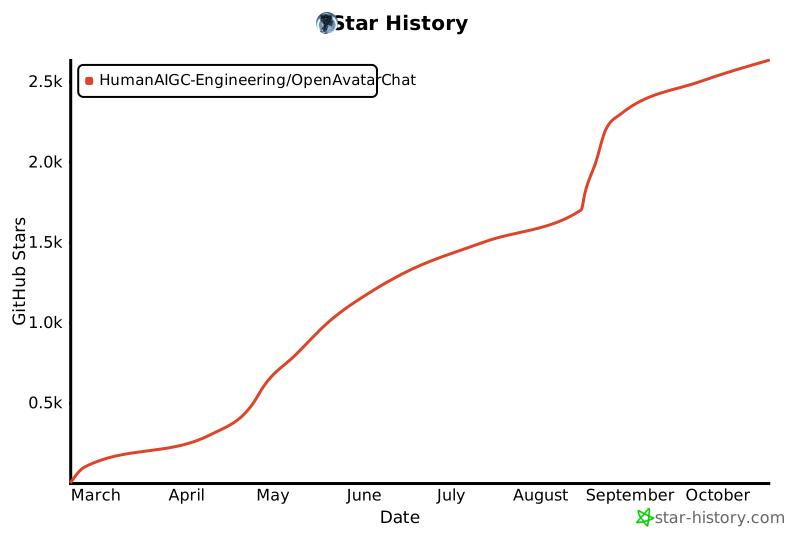
## Star History
## Citation
If you found OpenAvatarChat helpful in your research/project, we would appreciate a Star⭐ and citation✏️
```
@software{avatarchat2025,
author = {Gang Cheng, Tao Chen, Feng Wang, Binchao Huang, Hui Xu, Guanqiao He, Yi Lu, Shengyin Tan},
title = {OpenAvatarChat},
year = {2025},
publisher = {GitHub},
url = {https://github.com/HumanAIGC-Engineering/OpenAvatarChat}
}
```
](https://github.com/HumanAIGC-Engineering/gradio-webrtc)||
| VAD | snakers4/silero-vad |[](https://github.com/snakers4/silero-vad)||
| LLM | OpenBMB/MiniCPM-o |[](https://github.com/OpenBMB/MiniCPM-o)| [🤗](https://huggingface.co/openbmb/MiniCPM-o-2_6) [](https://modelscope.cn/models/OpenBMB/MiniCPM-o-2_6) |
| LLM-int4 | OpenBMB/MiniCPM-o |[](https://github.com/OpenBMB/MiniCPM-o)|[🤗](https://huggingface.co/openbmb/MiniCPM-o-2_6-int4) [](https://modelscope.cn/models/OpenBMB/MiniCPM-o-2_6-int4)|
| Avatar | HumanAIGC/lite-avatar |[](https://github.com/HumanAIGC/lite-avatar)||
| TTS | FunAudioLLM/CosyVoice |[](https://github.com/FunAudioLLM/CosyVoice)||
|Avatar|aigc3d/LAM_Audio2Expression|[](https://github.com/aigc3d/LAM_Audio2Expression)|[🤗](https://huggingface.co/3DAIGC/LAM_audio2exp)|
||facebook/wav2vec2-base-960h||[🤗](https://huggingface.co/facebook/wav2vec2-base-960h) [](https://modelscope.cn/models/AI-ModelScope/wav2vec2-base-960h)|
### Pre-set Modes
| CONFIG Name | ASR | LLM | TTS | AVATAR |
|------------------------------------------------------|------------|:---------:|:---------:|--------------|
| chat_with_gs.yaml | SenseVoice | API | API | LAM |
| chat_with_minicpm.yaml | MiniCPM-o | MiniCPM-o | MiniCPM-o | lite-avatar |
| chat_with_openai_compatible.yaml | SenseVoice | API | CosyVoice | lite-avatar |
| chat_with_openai_compatible_bailian_cosyvoice.yaml | SenseVoice | API | API | lite-avatar |
| chat_with_openai_compatible_edge_tts.yaml | SenseVoice | API | edgetts | lite-avatar |
## 🚀 Get Started
Before installing and deploying the corresponding mode, please refer to the **installation methods for relevant modules** and [Optional Deployment](#optional-deployment).
### Select a config
The functionalities of OpenAvatarChat will follow the config specified during startup. We provided several sample config files under the config folder.
#### chat_with_gs.yaml
This config uses [LAM](https://github.com/aigc3d/LAM) generated gaussion splatting asset as client-side rendered avatar. With api based openai compatible llm and tts from Bailian platform, only vad and asr handlers are run locally, so this is the lightest config choice, which supports multiple connection on single service.
##### Used Handlers
|Type|Handler|Install Notes|
|---|---|---|
|Client|client/h5_rendering_client/cllient_handler_lam| [LAM Client Rendering Handler](#lam-client-rendering-handler)|
|VAD|vad/silerovad/vad_handler/silero||
|ASR|asr/sensevoice/asr_handler_sensevoice||
|LLM|llm/openai_compatible/llm_handler/llm_handler_openai_compatible|[OpenAI Compatible LLM Handler](#openai-compatible-llm-handler)
|TTS|tts/bailian_tts/tts_handler_cosyvoice_bailian|[Bailian CosyVoice Handler](#bailian-cosyvoice-handler)|
|Avatar|avatar/lam/avatar_handler_lam_audio2expression|[LAM Avatar Driver Handler](#lam-avatar-driver-handler)|
||||
#### chat_with_minicpm.yaml
Use MiniCPM-o-2.6 as audio2audio chat model, it need enough VRAM and GPU computaion power.
##### Used Handlers
|Type|Handler|Install Notes|
|---|---|---|
|Client|client/rtc_client/client_handler_rtc|[Server Rendering RTC Client Handler](#server-rendering-rtc-client-handler)|
|VAD|vad/silerovad/vad_handler/silero||
|LLM|llm/minicpm/llm_handler_minicpm|[MiniCPM Omni Speech2Speech Handler](#minicpm-omni-speech2speech-handler)|
|Avatar|avatar/liteavatar/avatar_handler_liteavatar|[LiteAvatar Avatar Handler](#liteavatar-avatar-handler)|
||||
#### chat_with_openai_compatible.yaml
This config use openai-compatible api as llm provider and CosyVoice as local tts model.
##### Used Handlers
|Type|Handler|Install Notes|
|---|---|---|
|Client|client/rtc_client/client_handler_rtc|[Server Rendering RTC Client Handler](#server-rendering-rtc-client-handler)|
|VAD|vad/silerovad/vad_handler/silero||
|ASR|asr/sensevoice/asr_handler_sensevoice||
|LLM|llm/openai_compatible/llm_handler/llm_handler_openai_compatible|[OpenAI Compatible LLM Handler](#openai-compatible-llm-handler)
|TTS|tts/cosyvoice/tts_handler_cosyvoice|[CosyVoice Local Inference Handler](#cosyvoice-local-inference-handler)|
|Avatar|avatar/liteavatar/avatar_handler_liteavatar|[LiteAvatar Avatar Handler](#liteavatar-avatar-handler)|
#### chat_with_openai_compatible_bailian_cosyvoice.yaml
Both LLM and TTS are provided by API, it is the lightest config for LiteAvatar.
##### Used Handlers
|Type|Handler|Install Notes|
|---|---|---|
|Client|client/rtc_client/client_handler_rtc|[Server Rendering RTC Client Handler](#server-rendering-rtc-client-handler)|
|VAD|vad/silerovad/vad_handler/silero||
|ASR|asr/sensevoice/asr_handler_sensevoice||
|LLM|llm/openai_compatible/llm_handler/llm_handler_openai_compatible|[OpenAI Compatible LLM Handler](#openai-compatible-llm-handler)
|TTS|tts/bailian_tts/tts_handler_cosyvoice_bailian|[Bailian CosyVoice Handler](#bailian-cosyvoice-handler)|
|Avatar|avatar/liteavatar/avatar_handler_liteavatar|[LiteAvatar Avatar Handler](#liteavatar-avatar-handler)|
||||
#### chat_with_openai_compatible_edge_tts.yaml
This config use Edge TTS, it does not need an API Key of Bailian.
|Type|Handler|Install Notes|
|---|---|---|
|Client|client/rtc_client/client_handler_rtc|[Server Rendering RTC Client Handler](#server-rendering-rtc-client-handler)|
|VAD|vad/silerovad/vad_handler/silero||
|ASR|asr/sensevoice/asr_handler_sensevoice||
|LLM|llm/openai_compatible/llm_handler/llm_handler_openai_compatible|[OpenAI Compatible LLM Handler](#openai-compatible-llm-handler)
|TTS|tts/edgetts/tts_handler_edgetts|[Edge TTS Handler](#edge-tts-handler)|
|Avatar|avatar/liteavatar/avatar_handler_liteavatar|[LiteAvatar Avatar Handler](#liteavatar-avatar-handler)|
||||
### Local Execution
> [!IMPORTANT]
> Submodules and dependent models in this project require the git LFS module. Please ensure that the LFS functionality is installed:
> ```bash
> sudo apt install git-lfs
> git lfs install
> ```
> This project references third-party libraries via git submodules, so you need to update submodules before running:
> ```bash
> git submodule update --init --recursive
> ```
>
> If you encounter any issues, feel free to submit an [issue](https://github.com/HumanAIGC-Engineering/OpenAvatarChat/issues) to us.
>
> This project depends on CUDA, please make sure that the CUDA version supported by the local NVIDIA driver is >= 12.4
#### UV Installation
It is recommended to install [UV](https://docs.astral.sh/uv/), using UV for local environment management.
> Official standalone installer
> ```bash
> # On Windows.
> powershell -ExecutionPolicy ByPass -c "irm https://astral.sh/uv/install.ps1 | iex"
> # On macOS and Linux.
> curl -LsSf https://astral.sh/uv/install.sh | sh
> ```
> PyPI installation
> ```
> # With pip.
> pip install uv
> # Or pipx.
> pipx install uv
> ```
#### Dependency Installation
##### Install all dependencies
```bash
uv sync --all-packages
```
##### Install dependencies for the required mode only
```bash
uv run install.py --uv --config .yaml
```
#### Run
```bash
uv run src/demo.py --config .yaml
```
### Docker Execution
Containerized execution: The container relies on NVIDIA's container environment. After preparing a Docker environment that supports GPUs, execute the following command to complete the construction and deployment of the image:
```bash
./build_and_run.sh --config .yaml
```
## Handler Dependencies Installation Notes
### Server Rendering RTC Client Handler
Currently there is no extra dependency or essential configs.
### LAM Client Rendering Handler
Client rendering handler is derived from [Server Rendering RTC Client Handler](#server-rendering-rtc-client-handler). It supports multi-connection. Client avatar asset can be selected in handler config.
#### Select the Avatar Asset
LAM avatar asset can be generated by the [LAM project](https://github.com/aigc3d/LAM) (The ready-to-use generation pipeline is not ready yet. Stay tunned!). OpenAvatarChat provides 4 sample asset. They can be found under
src/handlers/client/h5_rendering_client/lam_samples. The selected asset should be set to the asset_path field in the handler config. You can use one of the sample asset, a your own asset that created by LAM, please refer to the follow handler config sample:
```yaml
LamClient:
module: client/h5_rendering_client/client_handler_lam
asset_path: "lam_samples/barbara.zip"
concurrent_limit: 5
```
### OpenAI Compatible LLM Handler
Local llm handler has relatively high startup requirements. If you already have an available LLM api_key, you can start it this way to experience interactive digital humans.
Modify the corresponding config, such as the LLM_Bailian configuration in config/chat_with_openai_compatible.yaml. The invocation method in the code uses the standard OpenAI approach, which should theoretically be compatible with similar setups.
```yaml
LLM_Bailian:
model_name: "qwen-plus"
system_prompt: "You are an AI digital human. Respond to my questions briefly and insert punctuation where appropriate."
api_url: 'https://dashscope.aliyuncs.com/compatible-mode/v1'
api_key: 'yourapikey' # default=os.getenv("DASHSCOPE_API_KEY")
```
>[!TIP]
>OpenAvatarChat will acquire the .env file in current working directory, it is can be used to set the environment variables without change the config file.
> [!Note]
> * Internal Code Calling Method
> ```python
> client = OpenAI(
> api_key= self.api_key,
> base_url=self.api_url,
> )
> completion = client.chat.completions.create(
> model=self.model_name,
> messages=[
> self.system_prompt,
> {'role': 'user', 'content': chat_text}
> ],
> stream=True
> )
> ```
> * The default LLM API is Bailian api_url.
### MiniCPM Omni Speech2Speech Handler
#### Models used
In this project, MiniCPM-o-2.6 can be used as a multimodal language model to provide dialogue capabilities for digital humans. Users can download the relevant model as needed from [Huggingface](https://huggingface.co/openbmb/MiniCPM-o-2_6) or [Modelscope](https://modelscope.cn/models/OpenBMB/MiniCPM-o-2_6). It is recommended to directly download the model to /models/. The default configuration points to this path, so if the model is placed elsewhere, you need to modify the configuration file. There is a corresponding model download script in the scripts directory, which can be used in a Linux environment. Please run the script in the project root directory:
```bash
scripts/download_MiniCPM-o_2.6.sh
```
```bash
scripts/download_MiniCPM-o_2.6-int4.sh
```
> [!NOTE]
> Both full precision version and the int4 quantized one are supported. However,the int4 version need a special version of AutoGPTQ to load, refer to the [model card](https://huggingface.co/openbmb/MiniCPM-o-2_6-int4) please.
### Bailian CosyVoice Handler
Bailian provides CosyVoice API, it can be used as an alternative to local tts inference handler. Though it requires an Bailian API Key, it reduces quite amount of system requirments.
Sample handler config looks like this:
```
CosyVoice:
module: tts/bailian_tts/tts_handler_cosyvoice_bailian
voice: "longxiaocheng"
model_name: "cosyvoice-v1"
api_key: 'yourapikey' # default=os.getenv("DASHSCOPE_API_KEY")
```
Same as [OpenAI Compatible LLM Handler](#openai-compatible-llm-handler), api_key can be set in the handler config or from environment variables.
>[!TIP]
>OpenAvatarChat will acquire the .env file in current working directory, it is can be used to set the environment variables without change the config file.
### CosyVoice Local Inference Handler
> [!WARNING]
> Due to an issue where the pynini package dependency fails to compile with unsupported parameters when fetched via PyPI on Windows, the current recommended workaround by CosyVoice is to install the precompiled pynini package from conda-forge on Windows using Conda.
When using CosyVoice locally as TTS on Windows, it is necessary to combine Conda and UV for installation. The specific dependency installation and execution process are as follows:
1. Install Anaconda or [Miniconda](https://docs.anaconda.net.cn/miniconda/install/)
```bash
conda create -n openavatarchat python=3.10
conda activate openavatarchat
conda install -c conda-forge pynini==2.1.6
```
2. Set the environment variable indexed by UV to the Conda environment
```bash
# cmd
set VIRTUAL_ENV=%CONDA_PREFIX%
# powershell
$env:VIRTUAL_ENV=$env:CONDA_PREFIX
```
3. When installing dependencies and running with UV, add the `--active` parameter to prioritize the use of the activated virtual environment
```bash
# Install dependencies
uv sync --active --all-packages
# Install required dependencies only
uv run --active install.py --uv --config config/chat_with_openai_compatible.yaml
# Run CosyVoice
uv run --active src/demo.py --config config/chat_with_openai_compatible.yaml
```
> [!Note]
> - TTS defaults to CosyVoice's `iic/CosyVoice-300M-SFT` + `Chinese Female` You can modify it to other models and use `ref_audio_path` and `ref_audio_text` for voice cloning.
### Edge TTS Handler
OpenAvatarChat integrated Microsoft Edge TTS, it is inference on the cloud and api key is not esstential, the sample handler config looks like:
```yaml
Edge_TTS:
module: tts/edgetts/tts_handler_edgetts
voice: "zh-CN-XiaoxiaoNeural"
```
### LiteAvatar Avatar Handler
LiteAvatar is integarted to provide 2D avatar feature. Currenty, 100 avatar assets are provided on modelscope project [LiteAvatarGallery](https://modelscope.cn/models/HumanAIGC-Engineering/LiteAvatarGallery), please refer to this project for detail.
LiteAvatar can be run on CPU as well as GPU. If other GPU heavy handlers are used, let liteavatar run on cpu may be a good choice.
Sample handler config looks like:
```yaml
LiteAvatar:
module: avatar/liteavatar/avatar_handler_liteavatar
avatar_name: 20250408/sample_data
fps: 25
use_gpu: true
```
### LAM Avatar Driver Handler
#### Models used
* facebook/wav2vec2-base-960h [🤗](https://huggingface.co/facebook/wav2vec2-base-960h) [](https://modelscope.cn/models/AI-ModelScope/wav2vec2-base-960h)
* Download from huggingface, ensure lfs is installed properly,run following cmd under root of the project:
```
git clone --depth 1 https://huggingface.co/facebook/wav2vec2-base-960h ./models/wav2vec2-base-960h
```
* Download from modelscope, ensure lfs is installed properly,run following cmd under root of the project:
```
git clone --depth 1 https://www.modelscope.cn/AI-ModelScope/wav2vec2-base-960h.git ./models/wav2vec2-base-960h
```
* LAM_audio2exp [🤗](https://huggingface.co/3DAIGC/LAM_audio2exp)
* Download form huggingface, ensure lfs is installed properly,run following cmds under root of the project:
```
wget https://huggingface.co/3DAIGC/LAM_audio2exp/resolve/main/LAM_audio2exp_streaming.tar -P ./models/LAM_audio2exp/
tar -xzvf ./models/LAM_audio2exp/LAM_audio2exp_streaming.tar -C ./models/LAM_audio2exp && rm ./models/LAM_audio2exp/LAM_audio2exp_streaming.tar
```
* If huggingface is reachable, it can also be downloaded from oss, run following cmds under root of the project:
```
wget https://virutalbuy-public.oss-cn-hangzhou.aliyuncs.com/share/aigc3d/data/LAM/LAM_audio2exp_streaming.tar -P ./models/LAM_audio2exp/
tar -xzvf ./models/LAM_audio2exp/LAM_audio2exp_streaming.tar -C ./models/LAM_audio2exp && rm ./models/LAM_audio2exp/LAM_audio2exp_streaming.tar
```
## Optional Deployment
### Prepare ssl certificates
Since we use rtc to stream the video and audio, if not linked from localhost an ssl certificates is needed, user can put exist ones into the ssl_certs folder and config them in the config file or create a new self signed one with the provided script. Run the script under project root to put the result into proper position.
```bash
scripts/create_ssl_certs.sh
```
### TURN Server
If you encounter a continuous waiting state after clicking "Start Conversation", it may be due to NAT traversal issues in your deployment environment (such as deployment on cloud machines). In this case, data relay is required. On Linux systems, you can use coturn to set up a TURN server. Follow these steps to install, start, and configure coturn on the same machine:
* Run the installation script
```console
$ chmod 777 scripts/setup_coturn.sh
# scripts/setup_coturn.sh
```
* Modify the config file, add the following configuration and start the service
```yaml
default:
chat_engine:
handler_configs:
RtcClient: # If using Lam, this config should be LamClient
turn_config:
turn_provider: "turn_server"
urls: ["turn:your-turn-server.com:3478", "turns:your-turn-server.com:5349"]
username: "your-username"
credential: "your-credential"
```
* Ensure that the firewall (including cloud machine security group policies) opens the ports required by coturn
## Configuration
The default parameter will load config from **/configs/chat_with_minicpm.yaml**. Config can be loaded from other file by add the --config parameter.
```bash
uv run src/demo.py --config .yaml
```
Configurable parameters are listed here:
|Parameter|Default|Description|
|---|---|---|
|log.log_level|INFO|Log level of the demo.|
|service.host|0.0.0.0|Address to start gradio application on.|
|service.port|8282|Port to start gradio application on.|
|service.cert_file|ssl_certs/localhost.crt|Certificate file for ssl, if both cert_file and cert_key are found, https will be enabled.|
|service.cert_key|ssl_certs/localhost.key|Certificate file for ssl, if both cert_file and cert_key are found, https will be enabled.|
|chat_engine.model_root|models|Path to find models.|
|chat_engine.handler_configs|N/A|Handler configs are provided by each handler.|
Current implemented handler provide following configs:
* VAD
|Parameter|Default|Description|
|---|---|---|
|SileraVad.speaking_threshold|0.5|Threshold to determine whether user starts speaking or end speaking.|
|SileraVad.start_delay|2048|Speaking probability should be higher than threshold longer than this period to be recognized as start of speaking, unit in audio sample.|
|SileraVad.end_delay|2048|Speaking probability should be lower than threshold longer than this period to be recognized as end of speaking, unit in audio sample.|
|SileraVad.buffer_look_back|1024|For high threshold, the very start part to the voice may be clipped, use this to compensate, unit in audio sample.|
|SileraVad.speech_padding|512|Silence of this length will be padded on both start and end, unit in audio sample.|
* LLM
|Parameter|Default| Description |
|---|---|-------------------------------------------------------------------------------------------------------------------------------------------------------------------------------------------------------------------------------------------------------------------------------------------------------------|
|S2S_MiniCPM.model_name|MiniCPM-o-2_6| Which model to load, can be "MiniCPM-o-2_6" or "MiniCPM-o-2_6-int4", it should match the folder's name under model directory. |
|S2S_MiniCPM.voice_prompt|| Voice prompt for MiniCPM-o. |
|S2S_MiniCPM.assistant_prompt|| Assistant prompt for MiniCPM-o. |
| S2S_MiniCPM.enable_video_input | False | Whether video input is enabled.**when video input is enbaled vram consumption will be increased largely, on 24GB gpu with non-quantized model, oom may occur during inference.** |
| S2S_MiniCPM.skip_video_frame | -1 | Decide how many frames will be used when video modality is used. -1 means only the latest frame in every 1 second interval will be used. 0 means all frames will be used. n>0 means n frames will be skipped after each accepted frame.|
*ASR FunASR Model*
| Parameter | Default Value | Description |
|------------------------|------------------------|-----------------------------------------------------------------------------|
| ASR_Funasr.model_name | iic/SenseVoiceSmall | This parameter selects a model from [FunASR](https://github.com/modelscope/FunASR). Models are downloaded automatically. To use a local model, provide an absolute path. |
---
*LLM Plain Text Model*
| Parameter | Default Value | Description |
|----------------------------|---------------|-----------------------------------------------------------------------------|
| LLM_Bailian.model_name | qwen-plus | The API for Bailian's testing environment. Free quotas can be obtained from [Bailian](https://bailian.console.aliyun.com/#/home). |
| LLM_Bailian.system_prompt | | Default system prompt |
| LLM_Bailian.api_url | | API URL for the model |
| LLM_Bailian.api_key | | API key for the model |
---
*TTS CosyVoice Model*
| Parameter | Default Value | Description |
|--------------------------------|---------------|-----------------------------------------------------------------------------|
| TTS_CosyVoice.api_url | | Required if deploying CosyVoice server on another machine. |
| TTS_CosyVoice.model_name | | Refer to [CosyVoice](https://github.com/FunAudioLLM/CosyVoice) for details. |
| TTS_CosyVoice.spk_id | '中文女' | Use official SFT voices like '英文女' or '英文男'. Mutually exclusive with `ref_audio_path`. |
| TTS_CosyVoice.ref_audio_path | | Absolute path to the reference audio. Mutually exclusive with `spk_id`. |
| TTS_CosyVoice.ref_audio_text | | Text content of the reference audio. |
| TTS_CosyVoice.sample_rate | 24000 | Output audio sample rate |
---
*LiteAvatar Digital Human*
| Parameter | Default Value | Description |
|-------------------------------|---------------|-----------------------------------------------------------------------------|
| LiteAvatar.avatar_name | 20250408/sample_data | Name of the digital human data. 100 avatars provided on ModelScope. Refer to [LiteAvatarGallery](https://modelscope.cn/models/HumanAIGC-Engineering/LiteAvatarGallery) for more details. |
| LiteAvatar.fps | 25 | Frame rate for the digital human. On high-performance CPUs, it can be set to 30 FPS. |
| LiteAvatar.enable_fast_mode | False | Low-latency mode. Enabling this reduces response delay but may cause stuttering at the beginning of responses on underpowered systems. |
| LiteAvatar.use_gpu | True | Whether to use GPU acceleration. CUDA backend for now.|
> [!IMPORTANT]
> All path parameters in the configuration can use either absolute paths or paths relative to the project root directory.
## Community Thanks
- Thanks to community member "titan909" for posting the [deployment tutorial video](https://www.bilibili.com/video/BV1FNZ8YNEA8) on Bilibili.
- Thanks to another community member, “十字鱼”, for sharing a video on Bilibili featuring a one-click installation package, along with the download link. (The extraction code is included in the video description—take a close look!) [One-click package](https://www.bilibili.com/video/BV1V1oLYmEu3/?vd_source=29463f5b63a3510553325ba70f325293)
## Star History

## Citation
If you found OpenAvatarChat helpful in your research/project, we would appreciate a Star⭐ and citation✏️
```
@software{avatarchat2025,
author = {Gang Cheng, Tao Chen, Feng Wang, Binchao Huang, Hui Xu, Guanqiao He, Yi Lu, Shengyin Tan},
title = {OpenAvatarChat},
year = {2025},
publisher = {GitHub},
url = {https://github.com/HumanAIGC-Engineering/OpenAvatarChat}
}
``` 