# hope-boot
**Repository Path**: WeChatSpring/hope-boot
## Basic Information
- **Project Name**: hope-boot
- **Description**: 基于SpringBoot开发的后台管理系统
- **Primary Language**: Java
- **License**: GPL-3.0
- **Default Branch**: master
- **Homepage**: None
- **GVP Project**: No
## Statistics
- **Stars**: 1
- **Forks**: 0
- **Created**: 2019-05-31
- **Last Updated**: 2020-12-19
## Categories & Tags
**Categories**: Uncategorized
**Tags**: None
## README







# 𝓘𝓷𝓽𝓻𝓸𝓭𝓾𝓬𝓽𝓲𝓸𝓷
>𝓗𝓪𝓿𝓮 𝔂𝓸𝓾 𝓮𝓿𝓮𝓻 𝓫𝓮𝓮𝓷 𝓵𝓸𝓸𝓴𝓲𝓷𝓰 𝓯𝓸𝓻 𝓪 𝓫𝓪𝓬𝓴-𝓮𝓷𝓭 𝓼𝔂𝓼𝓽𝓮𝓶 𝓽𝓱𝓪𝓽 𝓼𝓾𝓲𝓽𝓼 𝔂𝓸𝓾?... 𝓗𝓸𝓹𝓮-𝓫𝓸𝓸𝓽 𝓲𝓼 𝓱𝓮𝓻𝓮 𝓷𝓸𝔀. 𝓕𝓮𝓮𝓵 𝓯𝓻𝓮𝓮 𝓽𝓸 𝓪𝓼𝓴 𝓺𝓾𝓮𝓼𝓽𝓲𝓸𝓷𝓼, 𝓼𝓸 𝓽𝓱𝓪𝓽 𝔀𝓮 𝓬𝓪𝓷 𝓬𝓸𝓷𝓽𝓲𝓷𝓾𝓮 𝓽𝓸 𝓲𝓶𝓹𝓻𝓸𝓿𝓮
>𝓑𝓪𝓼𝓮𝓭 𝓸𝓷 𝓢𝓹𝓻𝓲𝓷𝓰 𝓑𝓸𝓸𝓽 2.𝔁 𝓭𝓮𝓿𝓮𝓵𝓸𝓹𝓶𝓮𝓷𝓽 𝓲𝓷𝓽𝓮𝓰𝓻𝓪𝓽𝓲𝓸𝓷: 𝓢𝓹𝓻𝓲𝓷𝓰 𝓑𝓸𝓸𝓽 2.𝔁/𝓐𝓹𝓪𝓬𝓱𝓮 𝓢𝓱𝓲𝓻𝓸+𝓙𝓦𝓣/𝓢𝓹𝓻𝓲𝓷𝓰 𝓓𝓪𝓽𝓪 𝓙𝓟𝓐+𝓜𝔂𝓫𝓪𝓽𝓲𝓼+𝓣𝓴.𝓜𝔂𝓫𝓪𝓽𝓲𝓼+𝓟𝓪𝓰𝓮𝓗𝓮𝓵𝓹𝓮𝓻/𝓡𝓮𝓭𝓲𝓼/𝓕𝓵𝔂𝔀𝓪𝔂/𝓢𝔀𝓪𝓰𝓰𝓮𝓻/𝓢𝓢𝓞/𝓣𝓱𝔂𝓶𝓮𝓵𝓮𝓪𝓯 𝓓𝔂𝓷𝓪𝓶𝓲𝓬 𝓡𝓲𝓰𝓱𝓽𝓼 𝓜𝓪𝓷𝓪𝓰𝓮𝓶𝓮𝓷𝓽 𝓐𝓔𝓢+𝓜𝓓5+ 𝓢𝓪𝓵𝓽 𝓮𝓷𝓬𝓻𝔂𝓹𝓽𝓲𝓸𝓷 𝓪𝓷𝓭 𝓭𝓮𝓬𝓻𝔂𝓹𝓽𝓲𝓸𝓷 𝓒𝓸𝓭𝓮 𝓰𝓮𝓷𝓮𝓻𝓪𝓽𝓲𝓸𝓷 𝓵𝓸𝓰 𝓻𝓮𝓬𝓸𝓻𝓭 𝓖𝓸𝓸𝓰𝓵𝓮 𝓿𝓮𝓻𝓲𝓯𝓲𝓬𝓪𝓽𝓲𝓸𝓷 𝓬𝓸𝓭𝓮 𝓵𝓸𝓰𝓲𝓷 𝓼𝓲𝓷𝓰𝓵𝓮 𝓼𝓲𝓰𝓷-𝓸𝓷 𝓽𝓲𝓶𝓮𝓭 𝓽𝓪𝓼𝓴 𝓹𝓻𝓸𝓳𝓮𝓬𝓽 𝓪𝓭𝓭𝓻𝓮𝓼𝓼: https://github.com/hope-for/hope-boot 𝓶𝓪𝓲𝓷 𝓵𝓪𝓷𝓰𝓾𝓪𝓰𝓮 [𝓳𝓪𝓿𝓪]
> 𝓣𝓱𝓲𝓼 𝓲𝓼 𝓶𝔂 𝓯𝓲𝓻𝓼𝓽 𝓸𝓹𝓮𝓷 𝓼𝓸𝓾𝓻𝓬𝓮 𝔀𝓸𝓻𝓴, 𝔀𝓮𝓵𝓬𝓸𝓶𝓮 𝓽𝓸 𝓼𝓽𝓪𝓻. 𝓢𝓮𝓬𝓸𝓷𝓭 𝓸𝓹𝓮𝓷 𝓼𝓸𝓾𝓻𝓬𝓮 𝓪𝓭𝓭𝓻𝓮𝓼𝓼:https://github.com/hope-for/hope-cloud
------------------------------
🇺🇸𝓔𝓷𝓰𝓵𝓲𝓼𝓱 | 🇨🇳[简体中文](./README-EN.md) | [𝓤𝓹𝓭𝓪𝓽𝓮 𝓵𝓸𝓰](https://github.com/hope-for/hope-boot/commits/master) | 𝓬𝓾𝓻𝓻𝓮𝓷𝓽 𝓿𝓮𝓻𝓼𝓲𝓸𝓷:label:[0.0.4](https://github.com/hope-for/hope-boot)
# 𝓢𝓽𝓻𝓾𝓬𝓽𝓾𝓻𝓮
| 𝓜𝓸𝓭𝓾𝓵𝓮 | 𝓘𝓷𝓽𝓮𝓻𝓹𝓻𝓮𝓽𝓪𝓽𝓲𝓸𝓷 |
| ---------- | ----------------------- |
| 𝓱𝓸𝓹𝓮-𝓪𝓭𝓶𝓲𝓷 | 𝓑𝓪𝓬𝓴𝓰𝓻𝓸𝓾𝓷𝓭 𝓶𝓪𝓷𝓪𝓰𝓮𝓶𝓮𝓷𝓽 𝓶𝓸𝓭𝓾𝓵𝓮 |
| 𝓱𝓸𝓹𝓮-𝓬𝓸𝓻𝓮 | 𝓒𝓸𝓻𝓮 𝓫𝓾𝓼𝓲𝓷𝓮𝓼𝓼 𝓶𝓸𝓭𝓾𝓵𝓮 |
| 𝓱𝓸𝓹𝓮-𝓯𝓻𝓪𝓶𝓮𝔀𝓸𝓻𝓴 | 𝓕𝓻𝓪𝓶𝓮𝔀𝓸𝓻𝓴 𝓶𝓸𝓭𝓾𝓵𝓮, 𝓹𝓻𝓸𝓿𝓲𝓭𝓲𝓷𝓰 𝓭𝓪𝓽𝓪 𝓶𝓪𝓷𝓲𝓹𝓾𝓵𝓪𝓽𝓲𝓸𝓷, 𝓽𝓸𝓸𝓵 𝓹𝓻𝓸𝓬𝓮𝓼𝓼𝓲𝓷𝓰, 𝓰𝓮𝓷𝓮𝓻𝓲𝓬 𝓜𝓪𝓹𝓹𝓮𝓻, 𝓰𝓮𝓷𝓮𝓻𝓪𝓵 𝓼𝓮𝓻𝓿𝓲𝓬𝓮, 𝓮𝓽𝓬. |
| 𝓱𝓸𝓹𝓮-𝓼𝓼𝓸-𝓼𝓮𝓻𝓿𝓮𝓻 | 𝓢𝓲𝓷𝓰𝓵𝓮 𝓼𝓲𝓰𝓷-𝓸𝓷-𝓬𝓮𝓻𝓽𝓲𝓯𝓲𝓬𝓪𝓽𝓲𝓸𝓷 𝓬𝓮𝓷𝓽𝓮𝓻 𝓶𝓸𝓭𝓾𝓵𝓮, 𝓼𝓾𝓹𝓹𝓸𝓻𝓽 𝓬𝓵𝓾𝓼𝓽𝓮𝓻 |
| 𝓱𝓸𝓹𝓮-𝓰𝓮𝓷𝓮𝓻𝓪𝓽𝓸𝓻 | 𝓒𝓸𝓭𝓮 𝓰𝓮𝓷𝓮𝓻𝓪𝓽𝓲𝓸𝓷 𝓶𝓸𝓭𝓾𝓵𝓮 - 𝓹𝓻𝓸𝓿𝓲𝓭𝓮𝓼 𝓼𝓺𝓵 𝓰𝓮𝓷𝓮𝓻𝓪𝓽𝓮𝓭 𝓬𝓸𝓭𝓮 |
| 𝓱𝓸𝓹𝓮-𝓯𝓵𝔂𝔀𝓪𝔂 | 𝒟𝒶𝓉𝒶𝒷𝒶𝓈ℯ 𝓋ℯ𝓇𝓈𝒾ℴ𝓃 𝓂𝒶𝓃𝒶ℊℯ𝓂ℯ𝓃𝓉 𝓉ℴℴ𝓁 𝓂ℴ𝒹𝓊𝓁ℯ |
| 𝓱𝓸𝓹𝓮-𝓺𝓾𝓪𝓻𝓽𝔃 | 𝓣𝓲𝓶𝓮𝓭 𝓽𝓪𝓼𝓴 𝓶𝓸𝓭𝓾𝓵𝓮 |
# 𝓘𝓷𝓼𝓽𝓻𝓾𝓬𝓽𝓲𝓸𝓷𝓼 𝓯𝓸𝓻 𝓾𝓼𝓮
```bash
# 1.𝓤𝓼𝓮 𝓽𝓱𝓮 𝓬𝓸𝓶𝓶𝓪𝓷𝓭 𝓽𝓸 𝓹𝓾𝓵𝓵 𝓽𝓱𝓮 𝓬𝓸𝓭𝓮:
git clone https://github.com/hope-for/hope-boot.git
# 2.𝓒𝓻𝓮𝓪𝓽𝓮 𝓪 𝓭𝓪𝓽𝓪𝓫𝓪𝓼𝓮 (𝓷𝓪𝓶𝓮):𝓱𝓸𝓹𝓮, 𝓬𝓱𝓪𝓻𝓪𝓬𝓽𝓮𝓻 𝓼𝓮𝓽:𝓾𝓽𝓯8𝓶𝓫4;(𝓝𝓸𝓽𝓮: 𝔂𝓸𝓾 𝓸𝓷𝓵𝔂 𝓷𝓮𝓮𝓭 𝓽𝓸 𝓬𝓻𝓮𝓪𝓽𝓮 𝓽𝓱𝓮 𝓭𝓪𝓽𝓪𝓫𝓪𝓼𝓮, 𝓽𝓱𝓮 𝓬𝓱𝓪𝓻𝓪𝓬𝓽𝓮𝓻 𝓼𝓮𝓽 𝓲𝓼 𝓷𝓸𝓽 𝓾𝓽𝓯8, 𝓫𝓾𝓽 𝓾𝓽𝓯8𝓶𝓫4)
# 3.𝓘𝓶𝓹𝓸𝓻𝓽 𝓽𝓱𝓮 𝓹𝓻𝓸𝓳𝓮𝓬𝓽 𝓾𝓼𝓲𝓷𝓰 𝓘𝓓𝓔𝓐
# 4.𝓒𝓱𝓪𝓷𝓰𝓮 𝓼𝓮𝓽𝓽𝓲𝓷𝓰
A.𝓞𝓹𝓮𝓷 𝓽𝓱𝓮 𝓱𝓸𝓹𝓮-𝓯𝓵𝔂𝔀𝓪𝔂 𝓶𝓸𝓭𝓾𝓵𝓮 𝓪𝓷𝓭 𝓬𝓸𝓷𝓯𝓲𝓰𝓾𝓻𝓮 𝓽𝓱𝓮 𝓭𝓪𝓽𝓪𝓫𝓪𝓼𝓮 𝓬𝓸𝓷𝓷𝓮𝓬𝓽𝓲𝓸𝓷:
spring:
datasource:
url: 𝓨𝓸𝓾𝓻 𝓭𝓪𝓽𝓪𝓫𝓪𝓼𝓮 𝓪𝓭𝓭𝓻𝓮𝓼𝓼
username: 𝓨𝓸𝓾𝓻 𝓭𝓪𝓽𝓪𝓫𝓪𝓼𝓮 𝓾𝓼𝓮𝓻𝓷𝓪𝓶𝓮
password: 𝓨𝓸𝓾𝓻 𝓭𝓪𝓽𝓪𝓫𝓪𝓼𝓮 𝓹𝓪𝓼𝓼𝔀𝓸𝓻𝓭
B.𝓞𝓹𝓮𝓷 𝓽𝓱𝓮 𝓱𝓸𝓹𝓮-𝓪𝓭𝓶𝓲𝓷 𝓶𝓸𝓭𝓾𝓵𝓮, 𝓬𝓸𝓷𝓯𝓲𝓰𝓾𝓻𝓮 𝓽𝓱𝓮 𝓭𝓪𝓽𝓪𝓫𝓪𝓼𝓮 𝓬𝓸𝓷𝓷𝓮𝓬𝓽𝓲𝓸𝓷 𝓪𝓷𝓭 𝓻𝓮𝓭𝓲𝓼 𝓬𝓸𝓷𝓷𝓮𝓬𝓽𝓲𝓸𝓷:
a.𝓓𝓪𝓽𝓪𝓫𝓪𝓼𝓮 𝓬𝓸𝓷𝓯𝓲𝓰𝓾𝓻𝓪𝓽𝓲𝓸𝓷 (𝓼𝓮𝓪𝓻𝓬𝓱𝓪𝓫𝓵𝓮 𝓭𝓪𝓽𝓪𝓼𝓸𝓾𝓻𝓬𝓮 𝓸𝓻 𝓵𝓸𝓬𝓪𝓽𝓮 𝓽𝓸 𝓛.17)
b.𝓡𝓮𝓭𝓲𝓼 𝓬𝓸𝓷𝓯𝓲𝓰𝓾𝓻𝓪𝓽𝓲𝓸𝓷 (𝓼𝓮𝓪𝓻𝓬𝓱 𝓯𝓸𝓻 𝓻𝓮𝓭𝓲𝓼 𝓸𝓻 𝓵𝓸𝓬𝓪𝓽𝓮 𝓛.29, 𝓷𝓸𝓽𝓮: 𝓽𝓱𝓮 𝓹𝓻𝓸𝓳𝓮𝓬𝓽 𝓶𝓾𝓼𝓽 𝓫𝓮 𝓲𝓷𝓼𝓽𝓪𝓵𝓵𝓮𝓭 𝔀𝓲𝓽𝓱 𝓻𝓮𝓭𝓲𝓼 𝓼𝓮𝓻𝓿𝓲𝓬𝓮 𝓽𝓸 𝓼𝓽𝓪𝓻𝓽)
# 5.𝓡𝓾𝓷𝓷𝓲𝓷𝓰 𝓽𝓱𝓮 𝓹𝓻𝓸𝓳𝓮𝓬𝓽 (𝓭𝓪𝓽𝓪𝓫𝓪𝓼𝓮 𝓶𝓪𝓷𝓪𝓰𝓮𝓶𝓮𝓷𝓽 𝓶𝓸𝓭𝓾𝓵𝓮)
a.𝓡𝓾𝓷 𝓭𝓲𝓻𝓮𝓬𝓽𝓵𝔂 𝓾𝓷𝓭𝓮𝓻 𝓽𝓱𝓮 𝓱𝓸𝓹𝓮-𝓯𝓵𝔂𝔀𝓪𝔂 𝓭𝓲𝓻𝓮𝓬𝓽𝓸𝓻𝔂 𝓗𝓸𝓹𝓮𝓕𝓵𝔂𝔀𝓪𝔂𝓐𝓹𝓹𝓵𝓲𝓬𝓪𝓽𝓲𝓸𝓷.𝓳𝓪𝓿𝓪
b.𝓒𝓱𝓮𝓬𝓴 𝓲𝓯 𝓽𝓱𝓮 𝓭𝓪𝓽𝓪𝓫𝓪𝓼𝓮 𝓪𝓾𝓽𝓸𝓶𝓪𝓽𝓲𝓬𝓪𝓵𝓵𝔂 𝓰𝓮𝓷𝓮𝓻𝓪𝓽𝓮𝓼 𝓽𝓪𝓫𝓵𝓮𝓼 𝓪𝓷𝓭 𝓲𝓷𝓲𝓽𝓲𝓪𝓵𝓲𝔃𝓮𝓭 𝓭𝓪𝓽𝓪
# 6.𝓡𝓾𝓷𝓷𝓲𝓷𝓰 𝓹𝓻𝓸𝓳𝓮𝓬𝓽 (𝓫𝓪𝓬𝓴𝓰𝓻𝓸𝓾𝓷𝓭 𝓶𝓪𝓷𝓪𝓰𝓮𝓶𝓮𝓷𝓽 𝓶𝓸𝓭𝓾𝓵𝓮)
a.𝓡𝓾𝓷 𝓭𝓲𝓻𝓮𝓬𝓽𝓵𝔂 𝓾𝓷𝓭𝓮𝓻 𝓽𝓱𝓮 𝓱𝓸𝓹𝓮-𝓪𝓭𝓶𝓲𝓷 𝓭𝓲𝓻𝓮𝓬𝓽𝓸𝓻𝔂𝓗𝓸𝓹𝓮𝓐𝓭𝓶𝓲𝓷𝓐𝓹𝓹𝓵𝓲𝓬𝓪𝓽𝓲𝓸𝓷.𝓳𝓪𝓿𝓪
b.𝓑𝓻𝓸𝔀𝓼𝓮𝓻 𝓪𝓬𝓬𝓮𝓼𝓼:http://127.0.0.1:8886
# 7.𝓡𝓾𝓷 𝓽𝓱𝓮 𝓹𝓻𝓸𝓳𝓮𝓬𝓽 (𝓼𝓲𝓷𝓰𝓵𝓮 𝓼𝓲𝓰𝓷-𝓸𝓷 𝓶𝓸𝓭𝓾𝓵𝓮)
a.𝓡𝓾𝓷 𝓭𝓲𝓻𝓮𝓬𝓽𝓵𝔂 𝓾𝓷𝓭𝓮𝓻 𝓽𝓱𝓮 𝓱𝓸𝓹𝓮-𝓼𝓼𝓸-𝓼𝓮𝓻𝓿𝓮𝓻 𝓭𝓲𝓻𝓮𝓬𝓽𝓸𝓻𝔂 𝓗𝓸𝓹𝓮𝓢𝓼𝓸𝓢𝓮𝓻𝓿𝓮𝓻𝓐𝓹𝓹𝓵𝓲𝓬𝓪𝓽𝓲𝓸𝓷.𝓳𝓪𝓿𝓪
b.𝓑𝓻𝓸𝔀𝓼𝓮𝓻 𝓪𝓬𝓬𝓮𝓼𝓼:http://127.0.0.1:8887
# 8.𝓡𝓾𝓷𝓷𝓲𝓷𝓰 𝓹𝓻𝓸𝓳𝓮𝓬𝓽 (𝓬𝓸𝓭𝓮 𝓰𝓮𝓷𝓮𝓻𝓪𝓽𝓲𝓸𝓷 𝓶𝓸𝓭𝓾𝓵𝓮)
a.𝓡𝓾𝓷 𝓭𝓲𝓻𝓮𝓬𝓽𝓵𝔂 𝓾𝓷𝓭𝓮𝓻 𝓽𝓱𝓮 𝓱𝓸𝓹𝓮-𝓰𝓮𝓷𝓮𝓻𝓪𝓽𝓸𝓻 𝓭𝓲𝓻𝓮𝓬𝓽𝓸𝓻𝔂 𝓗𝓸𝓹𝓮𝓖𝓮𝓷𝓮𝓻𝓪𝓽𝓸𝓻𝓐𝓹𝓹𝓵𝓲𝓬𝓪𝓽𝓲𝓸𝓷.𝓳𝓪𝓿𝓪
b.𝓑𝓻𝓸𝔀𝓼𝓮𝓻 𝓪𝓬𝓬𝓮𝓼𝓼:http://127.0.0.1:8888
# 9.𝓡𝓾𝓷𝓷𝓲𝓷𝓰 𝓹𝓻𝓸𝓳𝓮𝓬𝓽 (𝓽𝓲𝓶𝓮𝓭 𝓽𝓪𝓼𝓴 𝓶𝓸𝓭𝓾𝓵𝓮)
a.𝓡𝓾𝓷 𝓭𝓲𝓻𝓮𝓬𝓽𝓵𝔂 𝓾𝓷𝓭𝓮𝓻 𝓽𝓱𝓮 𝓱𝓸𝓹𝓮-𝓺𝓾𝓪𝓻𝓽𝔃 𝓭𝓲𝓻𝓮𝓬𝓽𝓸𝓻𝔂 𝓗𝓸𝓹𝓮𝓠𝓾𝓪𝓻𝓽𝔃𝓐𝓹𝓹𝓵𝓲𝓬𝓪𝓽𝓲𝓸𝓷.𝓳𝓪𝓿𝓪
b.𝓹𝓸𝓻𝓽:8889
# 10.𝓟𝓪𝓬𝓴𝓪𝓰𝓮 𝓪𝓽𝓽𝓮𝓷𝓽𝓲𝓸𝓷
a.𝓟𝓪𝓬𝓴𝓪𝓰𝓮𝓭 𝓭𝓲𝓻𝓮𝓬𝓽𝓵𝔂 𝓲𝓷 𝓽𝓱𝓮 𝓱𝓸𝓹𝓮-𝓫𝓸𝓸𝓽 𝓭𝓲𝓻𝓮𝓬𝓽𝓸𝓻𝔂:𝓶𝓿𝓷 𝓬𝓵𝓮𝓪𝓷 𝓲𝓷𝓼𝓽𝓪𝓵𝓵 𝓣𝓱𝓪𝓽 𝓲𝓼, 𝓽𝓱𝓮 𝓰𝓮𝓷𝓮𝓻𝓪𝓽𝓮𝓭 𝓳𝓪𝓻 𝓹𝓪𝓬𝓴𝓪𝓰𝓮 𝓲𝓼 𝓲𝓷 𝓽𝓱𝓮 𝓽𝓪𝓻𝓰𝓮𝓽 𝓭𝓲𝓻𝓮𝓬𝓽𝓸𝓻𝔂 𝓾𝓷𝓭𝓮𝓻 𝓽𝓱𝓮 𝓻𝓮𝓼𝓹𝓮𝓬𝓽𝓲𝓿𝓮 𝓶𝓸𝓭𝓾𝓵𝓮. 𝓻𝓾𝓷:𝓳𝓪𝓿𝓪 -𝓳𝓪𝓻 𝓟𝓪𝓬𝓴𝓪𝓰𝓮 𝓷𝓪𝓶𝓮𝓼
b.𝓣𝓱𝓮 𝓯𝓵𝔂𝔀𝓪𝔂 𝓶𝓸𝓭𝓾𝓵𝓮 𝓭𝓸𝓮𝓼 𝓷𝓸𝓽 𝓹𝓻𝓸𝓿𝓲𝓭𝓮 𝓪 𝓹𝓪𝓬𝓴𝓪𝓰𝓮 𝓹𝓵𝓾𝓰𝓲𝓷, 𝔀𝓱𝓲𝓬𝓱 𝓲𝓼 𝓶𝓪𝓲𝓷𝓵𝔂 𝓾𝓼𝓮𝓭 𝓫𝔂 𝓭𝓮𝓿𝓮𝓵𝓸𝓹𝓮𝓻𝓼 𝓪𝓷𝓭 𝓭𝓸𝓮𝓼 𝓷𝓸𝓽 𝓻𝓮𝓺𝓾𝓲𝓻𝓮 𝓭𝓮𝓹𝓵𝓸𝔂𝓶𝓮𝓷𝓽.
```
# 𝓓𝓮𝓿𝓮𝓵𝓸𝓹𝓮𝓻 𝓖𝓾𝓲𝓭𝓪𝓷𝓬𝓮
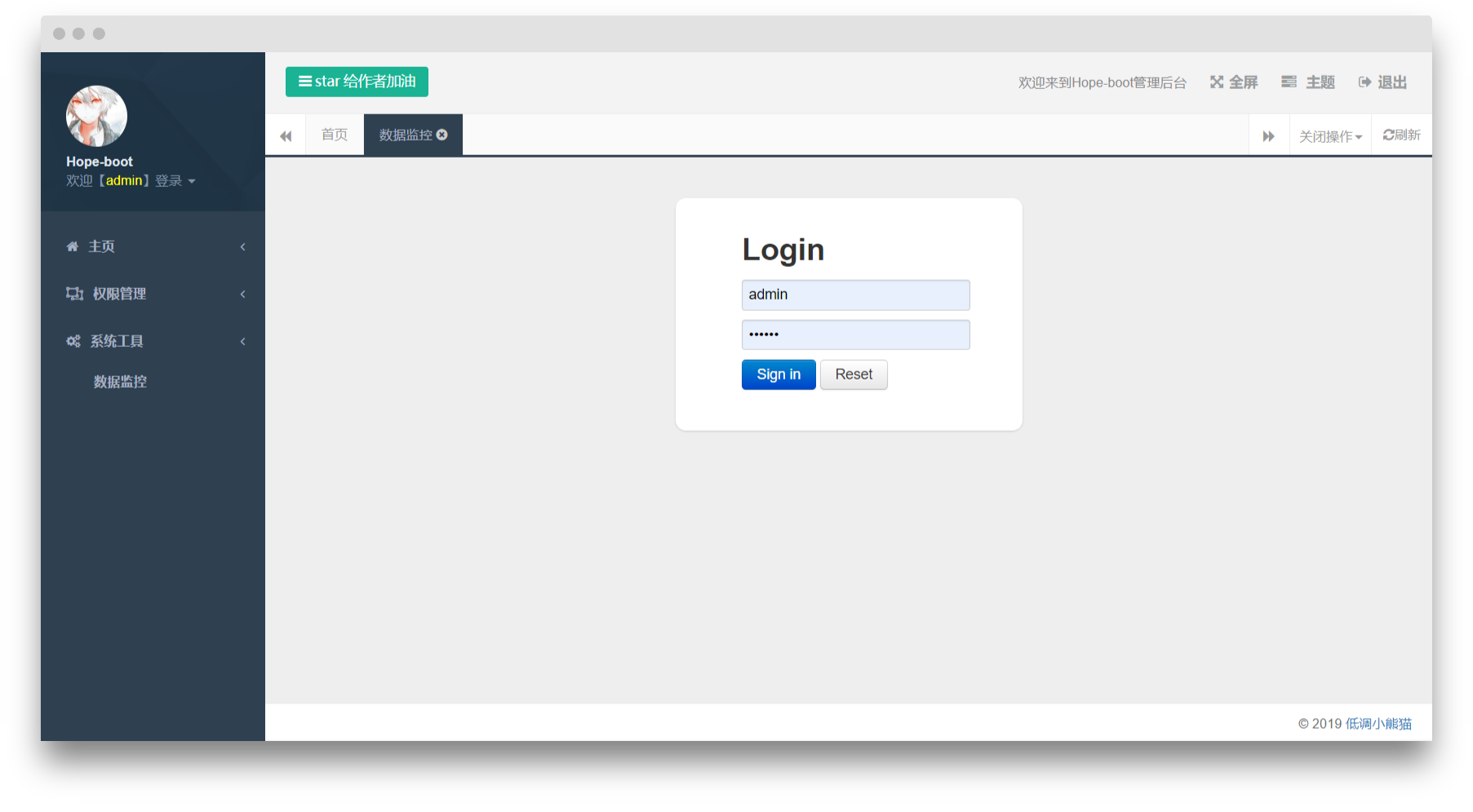
𝓛𝓸𝓰𝓲𝓷 𝓲𝓷 𝓽𝓱𝓮 𝓫𝓪𝓬𝓴𝓰𝓻𝓸𝓾𝓷𝓭: 𝓐𝓬𝓬𝓸𝓾𝓷𝓽: 𝓪𝓭𝓶𝓲𝓷 𝓟𝓪𝓼𝓼𝔀𝓸𝓻𝓭: 123456
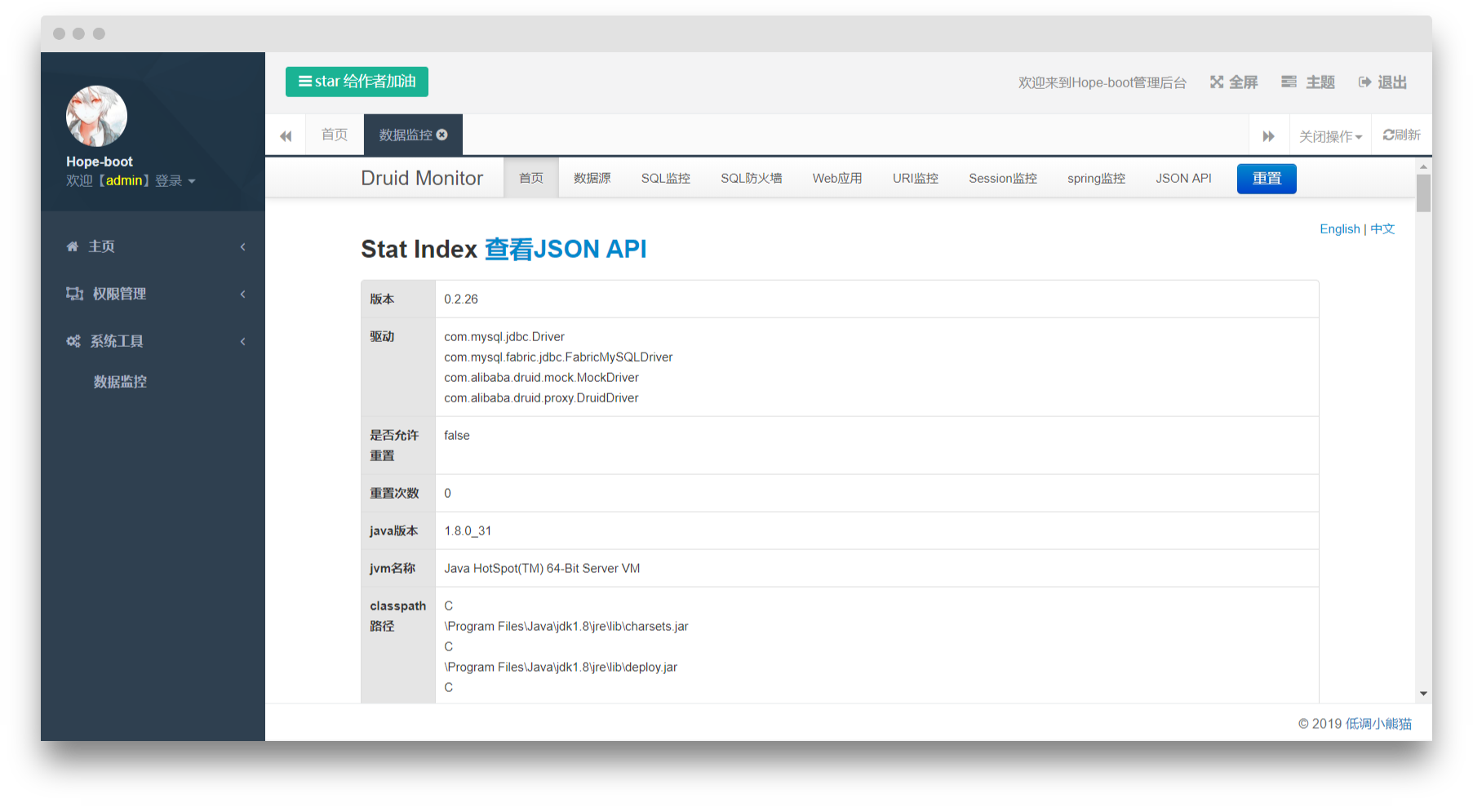
𝓡𝓮𝓼𝓸𝓾𝓻𝓬𝓮 𝓜𝓸𝓷𝓲𝓽𝓸𝓻𝓲𝓷𝓰: 𝓐𝓬𝓬𝓸𝓾𝓷𝓽: 𝓱𝓸𝓹𝓮-𝓭𝓻𝓾𝓲𝓭 𝓟𝓪𝓼𝓼𝔀𝓸𝓻𝓭: 𝓱𝓸𝓹𝓮-𝓭𝓻𝓾𝓲𝓭
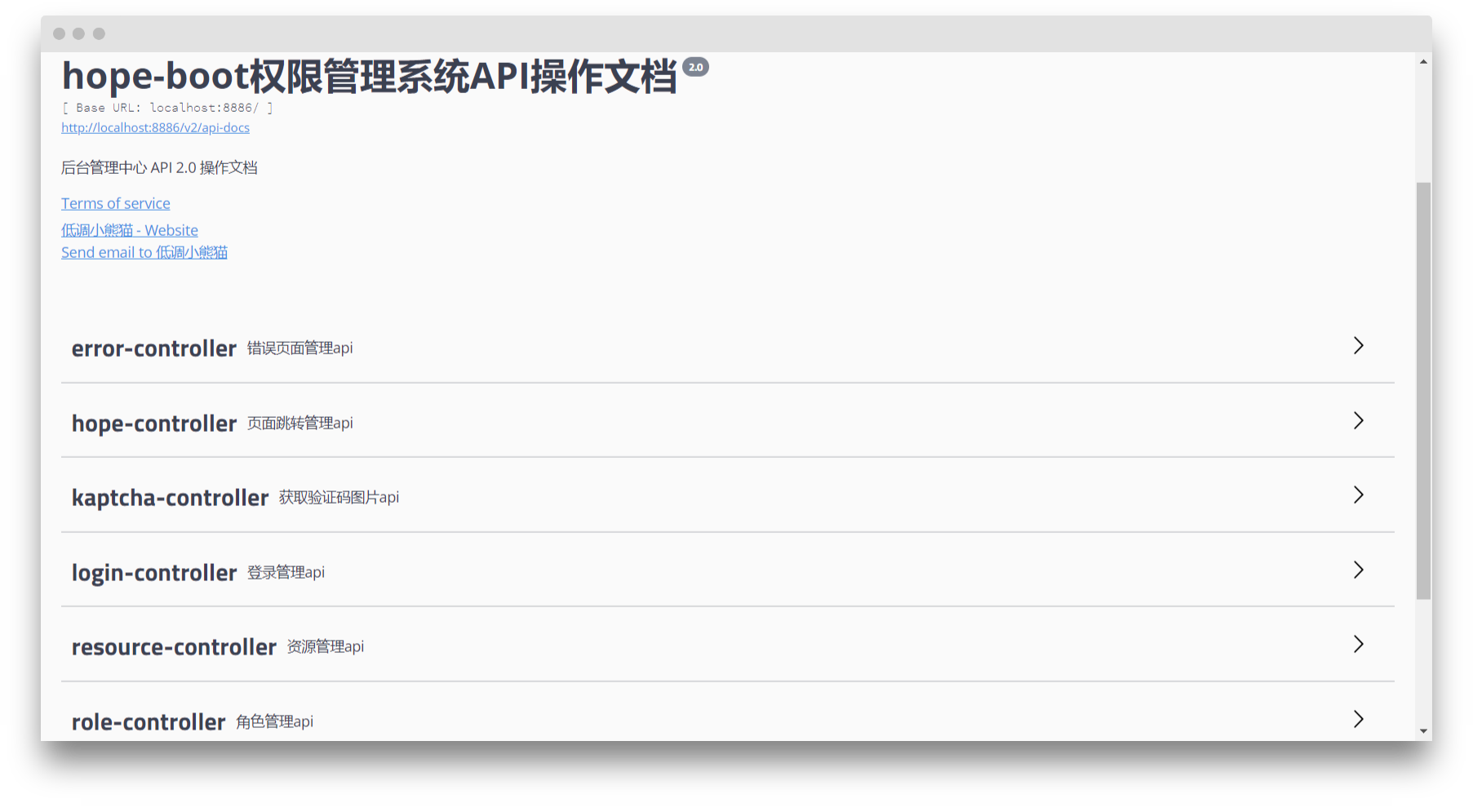
𝓑𝓪𝓬𝓴𝓮𝓷𝓭 𝓐𝓟𝓘 𝓭𝓸𝓬𝓾𝓶𝓮𝓷𝓽𝓪𝓽𝓲𝓸𝓷:http://localhost:8886/swagger-ui.html
# 𝓒𝓸𝓷𝓽𝓻𝓲𝓫𝓾𝓽𝓸𝓻𝓼 𝓪𝓷𝓭 𝓓𝓮𝓹𝓮𝓷𝓭𝓮𝓷𝓬𝓲𝓮𝓼
𝓣𝓱𝓮 𝓫𝓲𝓻𝓽𝓱 𝓸𝓯 𝓗𝓸𝓹𝓮-𝓫𝓸𝓸𝓽 𝓲𝓼 𝓲𝓷𝓼𝓮𝓹𝓪𝓻𝓪𝓫𝓵𝓮 𝓯𝓻𝓸𝓶 𝓽𝓱𝓮 𝓯𝓸𝓵𝓵𝓸𝔀𝓲𝓷𝓰 𝓹𝓻𝓸𝓳𝓮𝓬𝓽𝓼 (𝓸𝓹𝓮𝓷 𝓼𝓸𝓾𝓻𝓬𝓮, 𝓸𝓹𝓮𝓷 𝓼𝓸𝓾𝓻𝓬𝓮):
- [Spring Boot](https://github.com/spring-projects/spring-boot):Core framework
- [Apache Shiro](https://github.com/apache/shiro):Permission framework
- [Redis](https://github.com/antirez/redis):Cache framework
- [Thymeleaf](https://github.com/thymeleaf/thymeleaf):Template engine
- [MyBatis](https://github.com/mybatis/mybatis-3):MyBatis SQL Mapper framework for Java
- [jpa](https://github.com/spring-projects/spring-data-jpa):I don't know why I want to add this.
- [PageHelper](https://github.com/pagehelper/Mybatis-PageHelper):Paging plugin
- [tk.mybatis](https://github.com/abel533/Mapper):Generic Mapper
- [alibaba/druid](https://github.com/alibaba/druid):Database connection pool
- [alibaba/fastjson](https://github.com/alibaba/fastjson):Fast JSON parser/generator for Java
- [Apache Maven](https://maven.apache.org/):Dependency management
- [shiro-redis](https://github.com/alexxiyang/shiro-redis):A redis caching tool that can be used by shiro
- [Lombok](https://www.projectlombok.org/):Make the code simpler
- [Hutool](https://github.com/looly/hutool):A Java toolkit is just a toolkit that helps us simplify every line of code, reduce every method, and make the Java language "sweet"
- [Bootstrap](https://github.com/twbs/bootstrap.git):The most widely used front-end ui framework
- [JQuery](https://github.com/jquery/jquery.git):The most widely used JavaScript framework
- [Layer](https://github.com/sentsin/layer.git):Popup layer component
- [kaptcha](https://github.com/penggle/kaptcha):Google verification code
- [jrebel](https://zeroturnaround.com/software/jrebel/):Hot deployment
- [swagger](https://github.com/swagger-api/swagger-ui):Swagger is the world's most popular API expression tool.
- [flyway](https://github.com/flyway/flyway):Flyway by Boxfuse • Database Migrations Made Easy.
- [xxl-sso](https://github.com/xuxueli/xxl-sso/):A distributed single-sign-on framework.
- [xxl-code](https://github.com/xuxueli/xxl-code-generator/):A code generator for "controller/service/dao/mybatis/model" layer.
- [quartz](http://www.quartz-scheduler.org/):Timed task
# 𝓓𝓸𝓷𝓪𝓽𝓲𝓸𝓷
**𝓑𝓾𝔂 𝓶𝓮 𝓪 𝓵𝓾𝓷𝓬𝓱 𝓲𝓯 𝔂𝓸𝓾 𝔀𝓲𝓼𝓱 :) 𝓐𝓾𝓽𝓱𝓸𝓻 𝓫𝓵𝓸𝓰:[https://aodeng.cc](https://aodeng.cc)(𝓦𝓮 𝓭𝓸𝓷'𝓽 𝓬𝓱𝓪𝓷𝓰𝓮 𝓽𝓱𝓮 𝔀𝓸𝓻𝓵𝓭, 𝔀𝓮 𝓬𝓱𝓪𝓷𝓰𝓮 𝔀𝓲𝓽𝓱 𝓽𝓱𝓮 𝔀𝓸𝓻𝓵𝓭)𝓦𝓮𝓒𝓱𝓪𝓽 𝓹𝓾𝓫𝓵𝓲𝓬 𝓷𝓾𝓶𝓫𝓮𝓻: 𝓵𝓸𝔀-𝓴𝓮𝔂 𝓵𝓲𝓽𝓽𝓵𝓮 𝓹𝓪𝓷𝓭𝓪**

# 𝓕𝓻𝓸𝓷𝓽𝓮𝓷𝓭
𝓣𝓱𝓮 𝓯𝓻𝓸𝓷𝓽-𝓮𝓷𝓭 𝓹𝓪𝓰𝓮 𝓲𝓼 𝓽𝓮𝓶𝓹𝓸𝓻𝓪𝓻𝓲𝓵𝔂 𝓫𝓸𝓻𝓻𝓸𝔀𝓮𝓭 𝓯𝓻𝓸𝓶 [𝓡𝓾𝔂𝓲], 𝓪𝓷𝓭 𝓱𝓪𝓼 𝓸𝓫𝓽𝓪𝓲𝓷𝓮𝓭 𝓽𝓱𝓮 𝓪𝓾𝓽𝓱𝓸𝓻'𝓼 𝓬𝓸𝓷𝓼𝓮𝓷𝓽, 𝓽𝓱𝓪𝓷𝓴𝓼 𝓽𝓸 𝓸𝓹𝓮𝓷 𝓼𝓸𝓾𝓻𝓬𝓮. 𝓛𝓪𝓽𝓮𝓻, 𝓘 𝔀𝓲𝓵𝓵 𝓽𝓪𝓴𝓮 𝓽𝓲𝓶𝓮 𝓽𝓸 𝓻𝓮𝓬𝓸𝓷𝓼𝓽𝓻𝓾𝓬𝓽 𝔀𝓲𝓽𝓱 [𝓐𝓷𝓽]
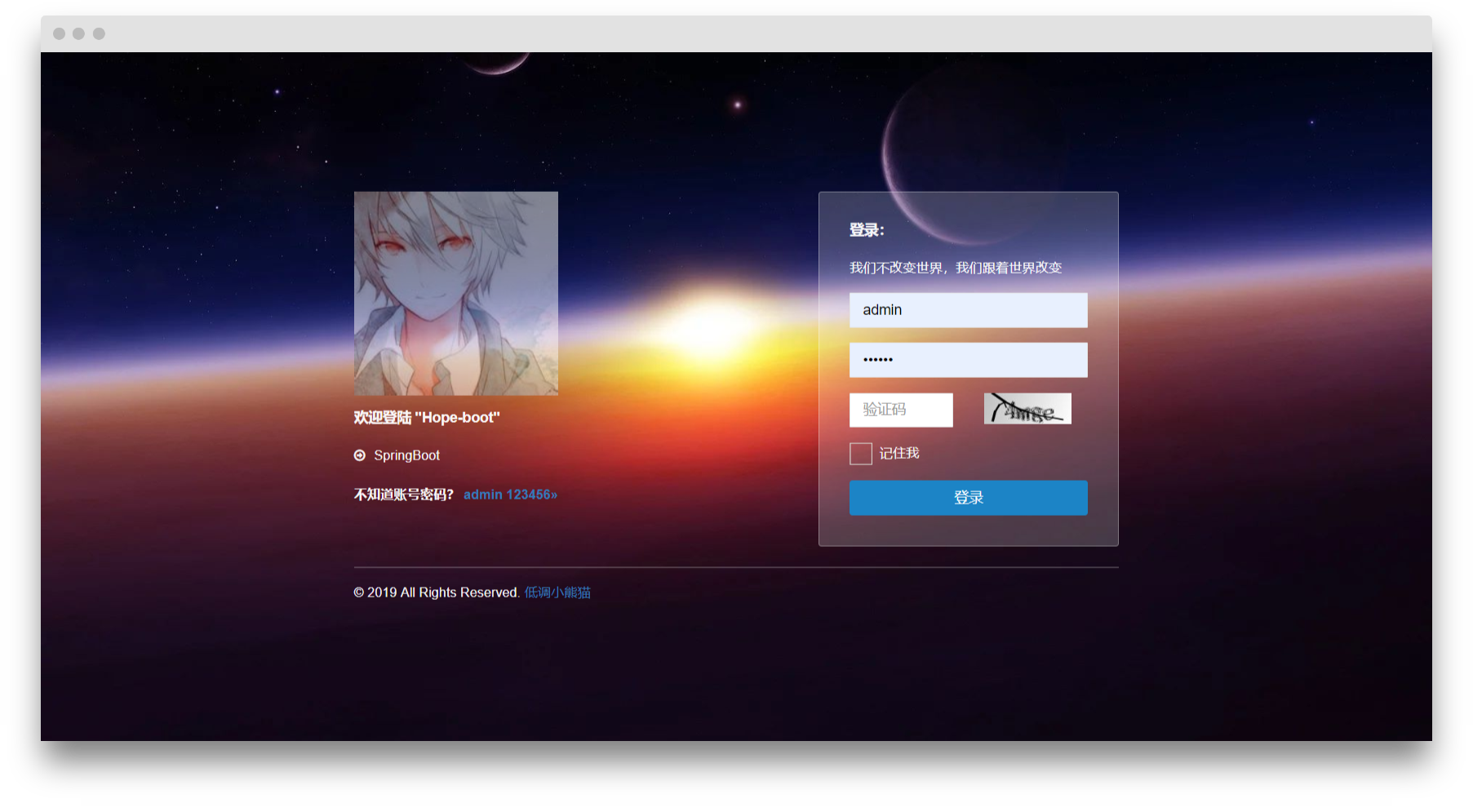
## 𝓛𝓸𝓰𝓲𝓷 𝓟𝓪𝓰𝓮
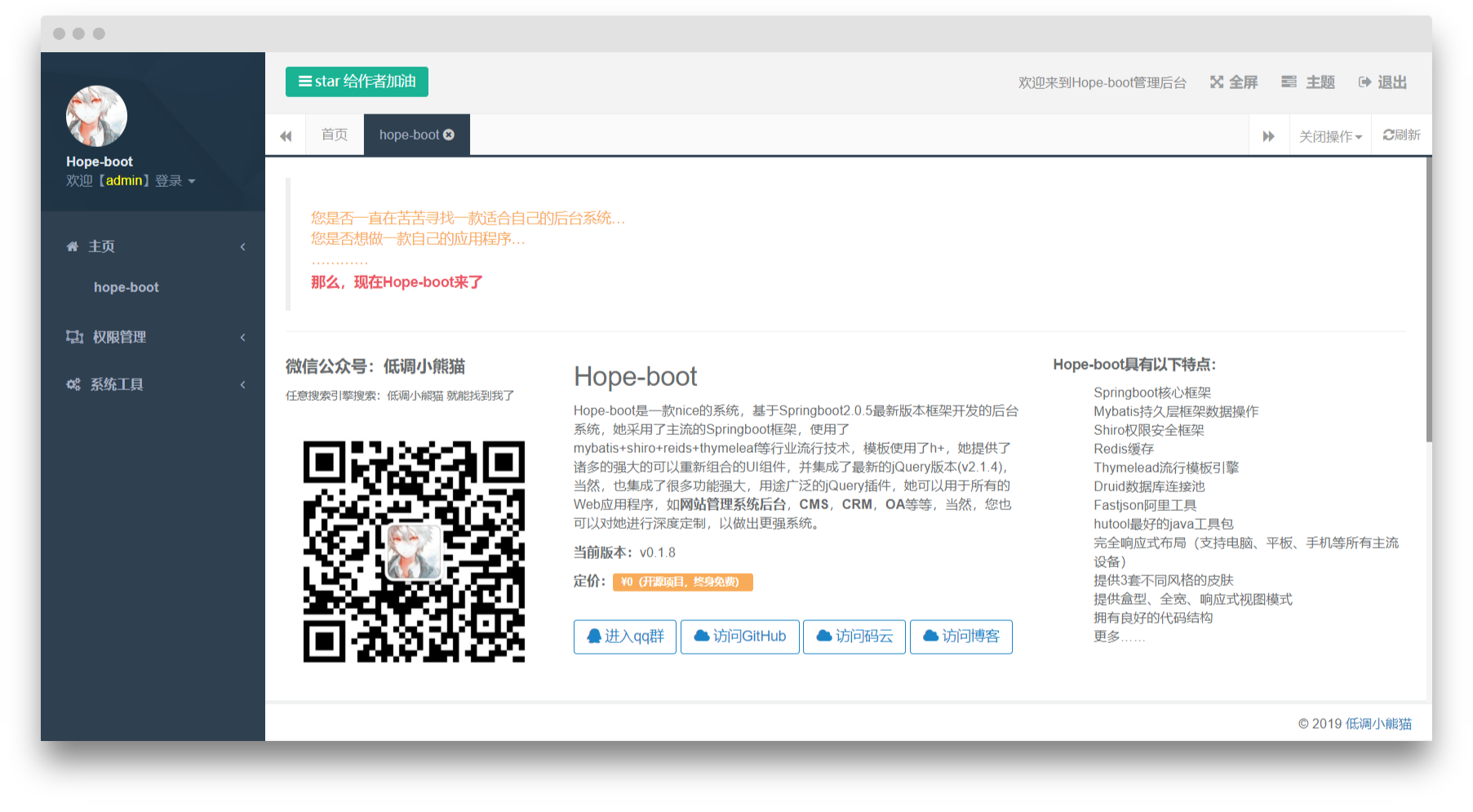
## 𝓗𝓸𝓶𝓮 𝓟𝓪𝓰𝓮
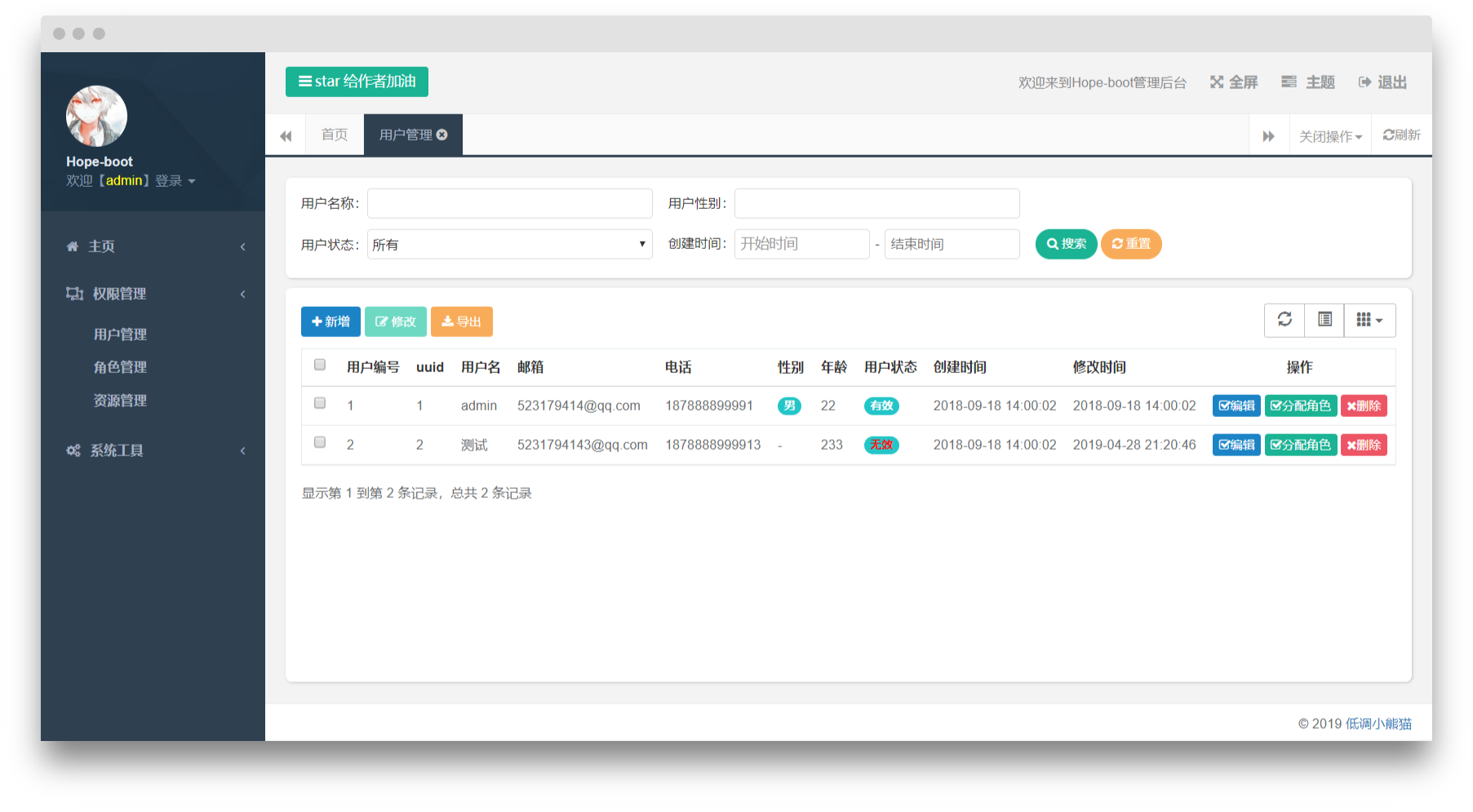
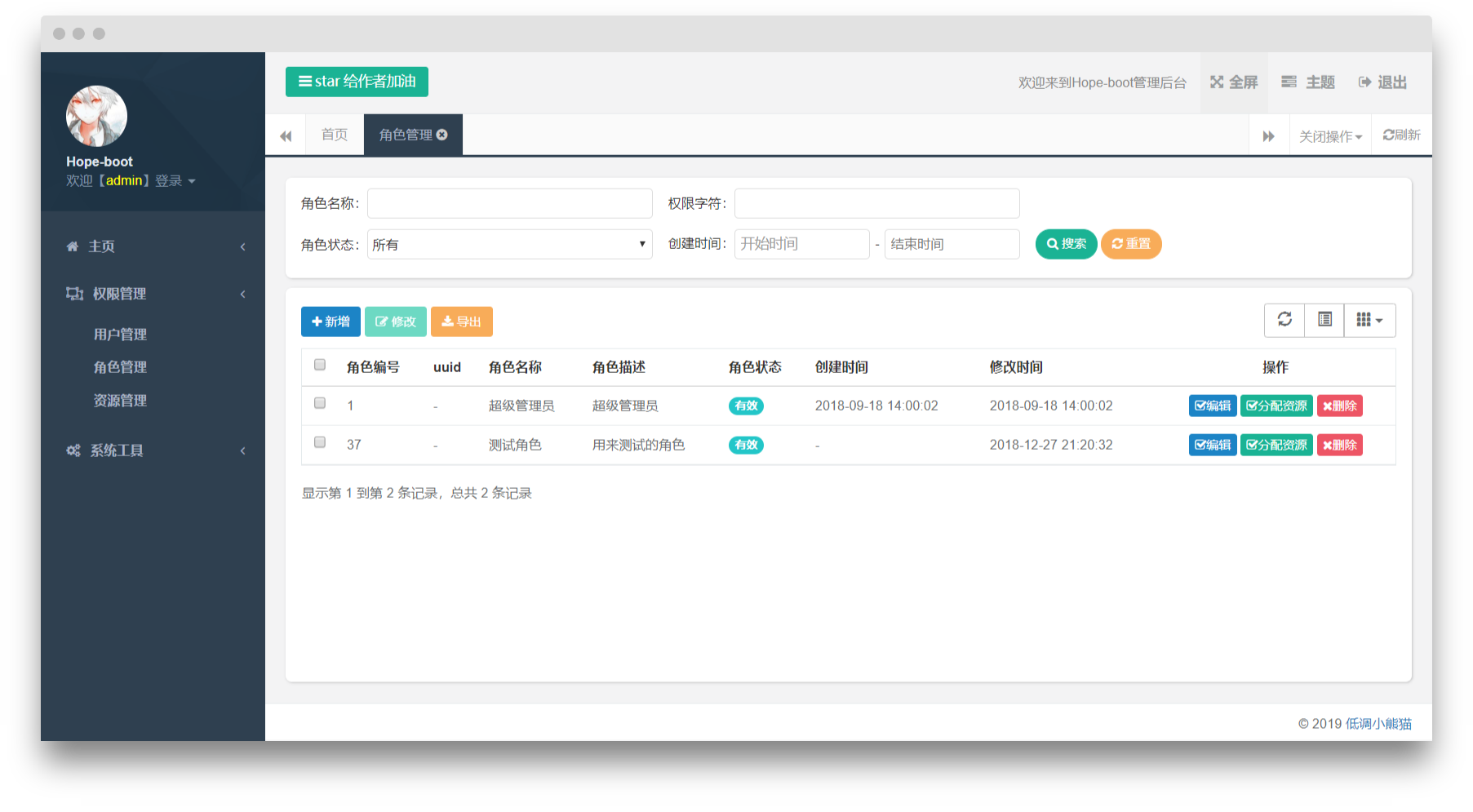
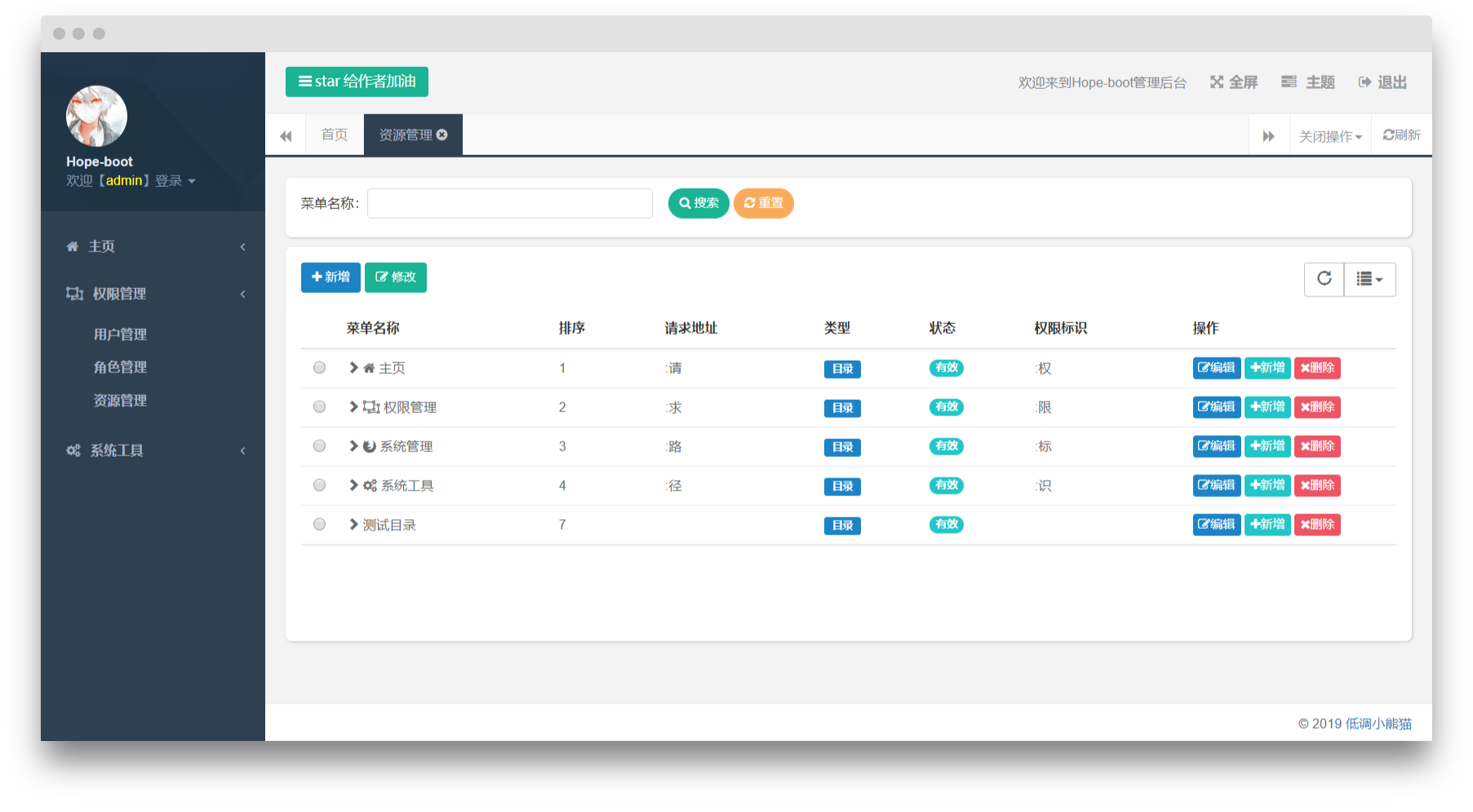
## 𝓡𝓲𝓰𝓱𝓽𝓼 𝓜𝓪𝓷𝓪𝓰𝓮𝓶𝓮𝓷𝓽 - 𝓤𝓼𝓮𝓻 - 𝓡𝓸𝓵𝓮 - 𝓡𝓮𝓼𝓸𝓾𝓻𝓬𝓮𝓼
## 𝓢𝔂𝓼𝓽𝓮𝓶 𝓣𝓸𝓸𝓵𝓼 - 𝓡𝓮𝓼𝓸𝓾𝓻𝓬𝓮 𝓜𝓸𝓷𝓲𝓽𝓸𝓻𝓲𝓷𝓰
## 𝓓𝓸𝓬𝓾𝓶𝓮𝓷𝓽𝓼
## 𝓜𝔂 𝓵𝓲𝓷𝓴𝓼:
- [My personal blog](https://aodeng.cc)
- [My WeChat public number (low-key panda)](https://mp.weixin.qq.com/s/l5t8WSCG_-shiD4BPpLYiw)
- [Hope-boot uses the GPL-v3.0 protocol to open source](https://github.com/hope-for/hope-boot/blob/master/LICENSE)
- [Low-key little panda QQ group](https://jq.qq.com/?_wv=1027&k=5y4H7Nz)
- [Low-key red panda Telegram group](https://t.me/joinchat/LSsyBxVKLGEkF5MtIhg6TQ)
- [My Gitee link](https://gitee.com/java-aodeng)
- [My Github link](https://github.com/java-aodeng)
- [My open source organization (welcome like-minded friends to join)](https://github.com/hope-for)
- 𝓒𝓸𝓷𝓽𝓪𝓬𝓽 𝓶𝓮: java@aodeng.cc 𝓐𝓹𝓹𝓵𝔂 𝓽𝓸 𝓳𝓸𝓲𝓷 𝓽𝓱𝓮 𝓱𝓸𝓹𝓮-𝓯𝓸𝓻 𝓸𝓻𝓰𝓪𝓷𝓲𝔃𝓪𝓽𝓲𝓸𝓷 𝓪𝓷𝓭 𝓼𝓮𝓷𝓭 𝓲𝓽 𝓽𝓸 𝓽𝓱𝓲𝓼 𝓮𝓶𝓪𝓲𝓵. 𝓡𝓮𝓶𝓮𝓶𝓫𝓮𝓻 𝓽𝓸 𝓫𝓻𝓲𝓷𝓰 𝔂𝓸𝓾𝓻 𝓖𝓲𝓽𝓗𝓾𝓫 𝓪𝓬𝓬𝓸𝓾𝓷𝓽.