# src-cli
**Repository Path**: ZJWind/src-cli
## Basic Information
- **Project Name**: src-cli
- **Description**: Sourcegraph CLI
- **Primary Language**: Unknown
- **License**: Apache-2.0
- **Default Branch**: master
- **Homepage**: None
- **GVP Project**: No
## Statistics
- **Stars**: 0
- **Forks**: 0
- **Created**: 2021-09-09
- **Last Updated**: 2021-09-09
## Categories & Tags
**Categories**: Uncategorized
**Tags**: None
## README
# [Sourcegraph](https://sourcegraph.com) CLI [](https://travis-ci.org/sourcegraph/src-cli) [](https://goreportcard.com/report/sourcegraph/src-cli)
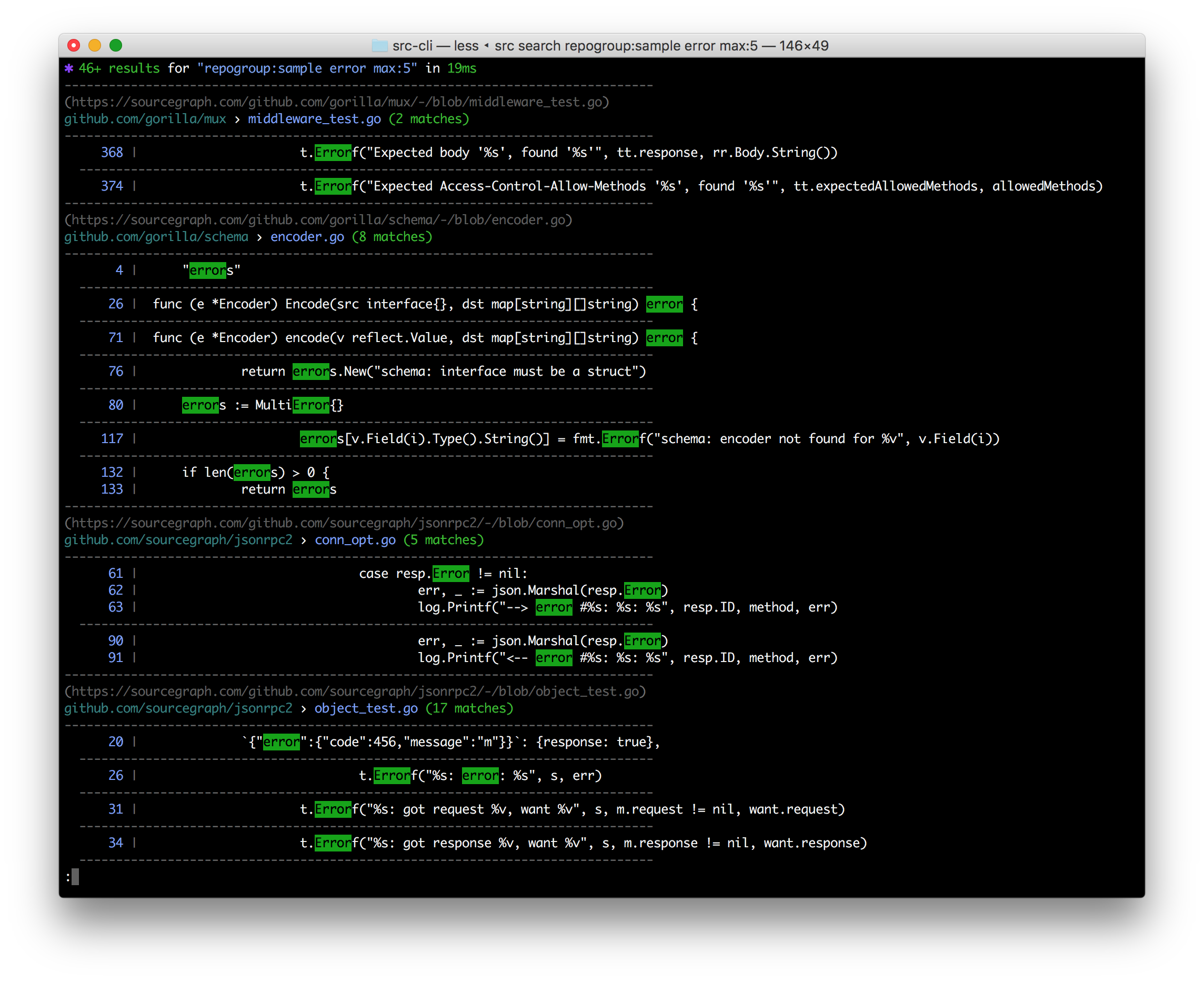 `src` is a command line interface to Sourcegraph:
- **Search & get results in your terminal**
- **Search & get JSON** for programmatic consumption
- Make **GraphQL API requests** with auth easily & get JSON back fast
- Execute **[campaign actions](https://docs.sourcegraph.com/user/campaigns)**
- **Manage & administrate** repositories, users, and more
- **Easily convert src-CLI commands to equivalent curl commands**, just add --get-curl!
**Note:** Using Sourcegraph 3.12 or earlier? [See the older README](https://github.com/sourcegraph/src-cli/tree/3.11.2).
## Installation
Binary downloads are available on the [releases tab](https://github.com/sourcegraph/src-cli/releases), and through Sourcegraph.com. _If the latest version does not work for you,_ consider using the version compatible with your Sourcegraph instance instead.
### Installation: Mac OS
#### Latest version
```bash
curl -L https://sourcegraph.com/.api/src-cli/src_darwin_amd64 -o /usr/local/bin/src
chmod +x /usr/local/bin/src
```
or
```bash
brew install sourcegraph/src-cli/src-cli
```
#### Version compatible with your Sourcegraph instance
Replace `sourcegraph.example.com` with your Sourcegraph instance URL:
```bash
curl -L https://sourcegraph.example.com/.api/src-cli/src_darwin_amd64 -o /usr/local/bin/src
chmod +x /usr/local/bin/src
```
### Installation: Linux
#### Latest version
```bash
curl -L https://sourcegraph.com/.api/src-cli/src_linux_amd64 -o /usr/local/bin/src
chmod +x /usr/local/bin/src
```
#### Version compatible with your Sourcegraph instance
Replace `sourcegraph.example.com` with your Sourcegraph instance URL:
```bash
curl -L https://sourcegraph.example.com/.api/src-cli/src_linux_amd64 -o /usr/local/bin/src
chmod +x /usr/local/bin/src
```
### Installation: Windows
See [Sourcegraph CLI for Windows](WINDOWS.md).
## Setup with your Sourcegraph instance
### Via environment variables
Point `src` to your instance and access token using environment variables:
```sh
SRC_ENDPOINT=https://sourcegraph.example.com SRC_ACCESS_TOKEN="secret" src search 'foobar'
```
Sourcegraph behind a custom auth proxy? See [auth proxy configuration](./AUTH_PROXY.md) docs.
### Where to get an access token
Visit your Sourcegraph instance (or https://sourcegraph.com), click your username in the top right to open the user menu, select **Settings**, and then select **Access tokens** in the left hand menu.
## Usage
`src` provides different subcommands to interact with different parts of Sourcegraph:
- `src search` - perform searches and get results in your terminal or as JSON
- `src actions` - run [campaign actions](https://docs.sourcegraph.com/user/campaigns/actions) to generate patch sets
- `src api` - run Sourcegraph GraphQL API requests
- `src campaigns` - manages [campaigns](https://docs.sourcegraph.com/user/campaigns)
- `src repos` - manage repositories
- `src users` - manage users
- `src orgs` - manages organization
- `src config` - manage global, org, and user settings
- `src extsvc` - manage external services (repository configuration)
- `src extensions` - manage extensions
- `src lsif` - manages LSIF data
- `src serve-git` - serves your local git repositories over HTTP for Sourcegraph to pull
- `src version` - check version and guaranteed-compatible version for your Sourcegraph instance
Run `src -h` and `src -h` for more detailed usage information.
#### Optional: Renaming `src`
If you have a naming conflict with the `src` command, such as a Bash alias, you can rename the static binary. For example, on Linux / Mac OS:
```sh
mv /usr/local/bin/src /usr/local/bin/src-cli
```
You can then invoke it via `src-cli`.
`src` is a command line interface to Sourcegraph:
- **Search & get results in your terminal**
- **Search & get JSON** for programmatic consumption
- Make **GraphQL API requests** with auth easily & get JSON back fast
- Execute **[campaign actions](https://docs.sourcegraph.com/user/campaigns)**
- **Manage & administrate** repositories, users, and more
- **Easily convert src-CLI commands to equivalent curl commands**, just add --get-curl!
**Note:** Using Sourcegraph 3.12 or earlier? [See the older README](https://github.com/sourcegraph/src-cli/tree/3.11.2).
## Installation
Binary downloads are available on the [releases tab](https://github.com/sourcegraph/src-cli/releases), and through Sourcegraph.com. _If the latest version does not work for you,_ consider using the version compatible with your Sourcegraph instance instead.
### Installation: Mac OS
#### Latest version
```bash
curl -L https://sourcegraph.com/.api/src-cli/src_darwin_amd64 -o /usr/local/bin/src
chmod +x /usr/local/bin/src
```
or
```bash
brew install sourcegraph/src-cli/src-cli
```
#### Version compatible with your Sourcegraph instance
Replace `sourcegraph.example.com` with your Sourcegraph instance URL:
```bash
curl -L https://sourcegraph.example.com/.api/src-cli/src_darwin_amd64 -o /usr/local/bin/src
chmod +x /usr/local/bin/src
```
### Installation: Linux
#### Latest version
```bash
curl -L https://sourcegraph.com/.api/src-cli/src_linux_amd64 -o /usr/local/bin/src
chmod +x /usr/local/bin/src
```
#### Version compatible with your Sourcegraph instance
Replace `sourcegraph.example.com` with your Sourcegraph instance URL:
```bash
curl -L https://sourcegraph.example.com/.api/src-cli/src_linux_amd64 -o /usr/local/bin/src
chmod +x /usr/local/bin/src
```
### Installation: Windows
See [Sourcegraph CLI for Windows](WINDOWS.md).
## Setup with your Sourcegraph instance
### Via environment variables
Point `src` to your instance and access token using environment variables:
```sh
SRC_ENDPOINT=https://sourcegraph.example.com SRC_ACCESS_TOKEN="secret" src search 'foobar'
```
Sourcegraph behind a custom auth proxy? See [auth proxy configuration](./AUTH_PROXY.md) docs.
### Where to get an access token
Visit your Sourcegraph instance (or https://sourcegraph.com), click your username in the top right to open the user menu, select **Settings**, and then select **Access tokens** in the left hand menu.
## Usage
`src` provides different subcommands to interact with different parts of Sourcegraph:
- `src search` - perform searches and get results in your terminal or as JSON
- `src actions` - run [campaign actions](https://docs.sourcegraph.com/user/campaigns/actions) to generate patch sets
- `src api` - run Sourcegraph GraphQL API requests
- `src campaigns` - manages [campaigns](https://docs.sourcegraph.com/user/campaigns)
- `src repos` - manage repositories
- `src users` - manage users
- `src orgs` - manages organization
- `src config` - manage global, org, and user settings
- `src extsvc` - manage external services (repository configuration)
- `src extensions` - manage extensions
- `src lsif` - manages LSIF data
- `src serve-git` - serves your local git repositories over HTTP for Sourcegraph to pull
- `src version` - check version and guaranteed-compatible version for your Sourcegraph instance
Run `src -h` and `src -h` for more detailed usage information.
#### Optional: Renaming `src`
If you have a naming conflict with the `src` command, such as a Bash alias, you can rename the static binary. For example, on Linux / Mac OS:
```sh
mv /usr/local/bin/src /usr/local/bin/src-cli
```
You can then invoke it via `src-cli`.