
NETworkManager
A powerful open source tool for managing networks and troubleshooting network problems!
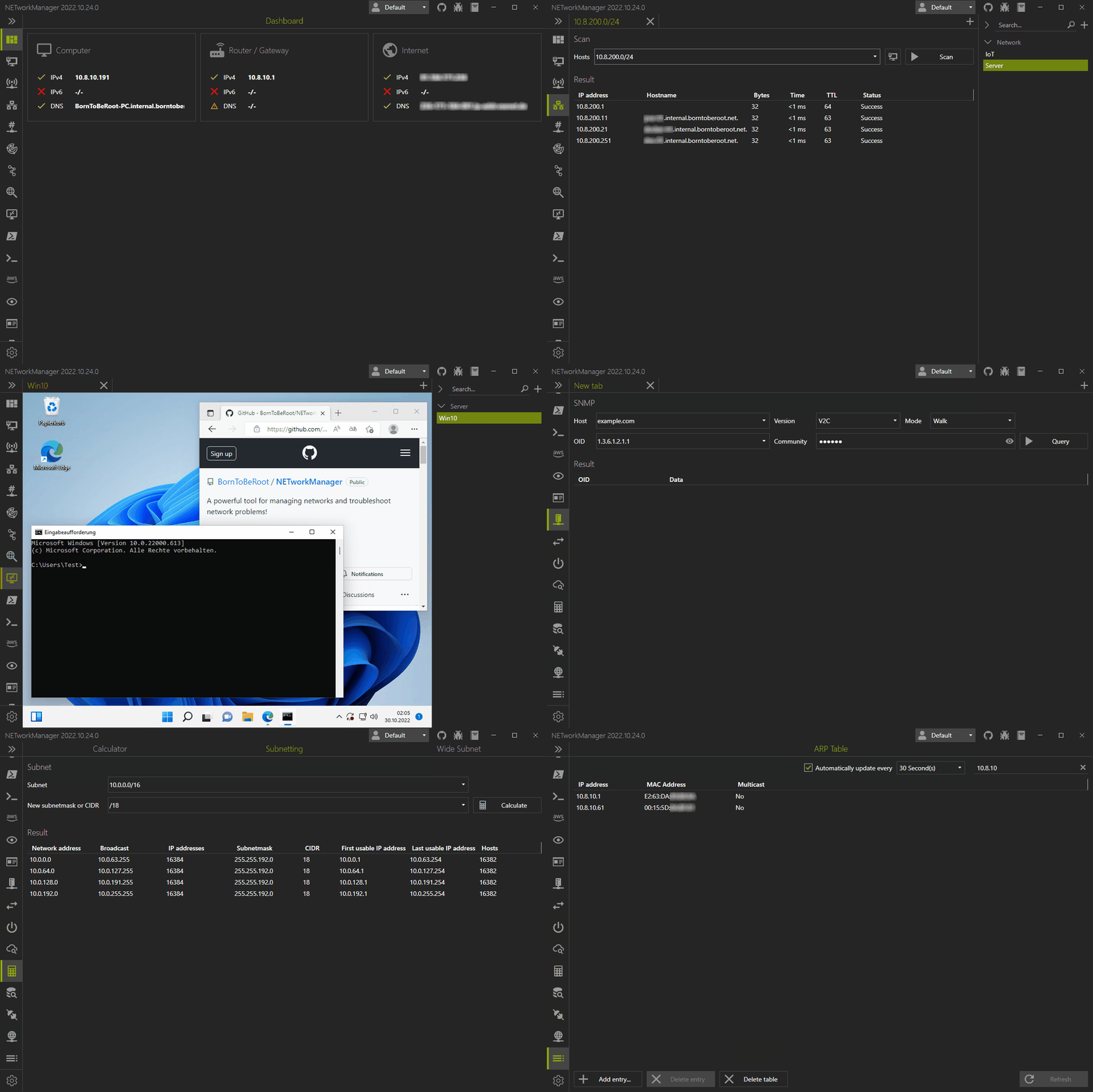
Connect to remote systems and manage your network and server infrastructure using tools like Remote Desktop (RDP), PuTTY (SSH, Telnet, Serial), PowerShell (WinRM), TigerVNC (VNC), or AWS Console (AWS SSM). Analyze, troubleshoot, and obtain detailed information about your network and systems with features such as the WiFi Analyzer, IP Scanner, Port Scanner, Ping Monitor, Traceroute, DNS Lookup, and LLDP/CDP Capture (and many more) — all within a unified interface. Hosts and networks can be saved in encrypted profiles and used across all features.











Download • Donate • Changelog • Documentation • Contributing • Build • License
 ## 📦 Download
Pre-built and [signed](https://borntoberoot.net/NETworkManager/download#code-signing-policy) binaries (setup, portable and archive) are available on the [download page](https://borntoberoot.net/NETworkManager/Download) with install instructions (e.g. silent install). The files are provided via [GitHub releases](https://github.com/BornToBeRoot/NETworkManager/releases/latest).
In addition, NETworkManager is also available through the following [package managers](https://borntoberoot.net/NETworkManager/download#package-manager)
- [Chocolatey](https://chocolatey.org/packages/NETworkManager)
```PowerShell
# Install via Chocolatey
choco install networkmanager
```
- [WinGet](https://github.com/microsoft/winget-pkgs/tree/master/manifests/b/BornToBeRoot/NETworkManager/)
```PowerShell
# Install via WinGet
winget install BornToBeRoot.NETworkManager
```
- [Evergreen](https://stealthpuppy.com/evergreen/apps/)
```PowerShell
# Get release via Evergreen
Get-EvergreenApp -Name NETworkManager
# Get release via Evergreen and save the setup file to disk
Get-EvergreenApp -Name NETworkManager | Save-EvergreenApp -Path C:\Users\$env:Username\Downloads\
```
Evergreen PowerShell module:
## 📦 Download
Pre-built and [signed](https://borntoberoot.net/NETworkManager/download#code-signing-policy) binaries (setup, portable and archive) are available on the [download page](https://borntoberoot.net/NETworkManager/Download) with install instructions (e.g. silent install). The files are provided via [GitHub releases](https://github.com/BornToBeRoot/NETworkManager/releases/latest).
In addition, NETworkManager is also available through the following [package managers](https://borntoberoot.net/NETworkManager/download#package-manager)
- [Chocolatey](https://chocolatey.org/packages/NETworkManager)
```PowerShell
# Install via Chocolatey
choco install networkmanager
```
- [WinGet](https://github.com/microsoft/winget-pkgs/tree/master/manifests/b/BornToBeRoot/NETworkManager/)
```PowerShell
# Install via WinGet
winget install BornToBeRoot.NETworkManager
```
- [Evergreen](https://stealthpuppy.com/evergreen/apps/)
```PowerShell
# Get release via Evergreen
Get-EvergreenApp -Name NETworkManager
# Get release via Evergreen and save the setup file to disk
Get-EvergreenApp -Name NETworkManager | Save-EvergreenApp -Path C:\Users\$env:Username\Downloads\
```
Evergreen PowerShell module: