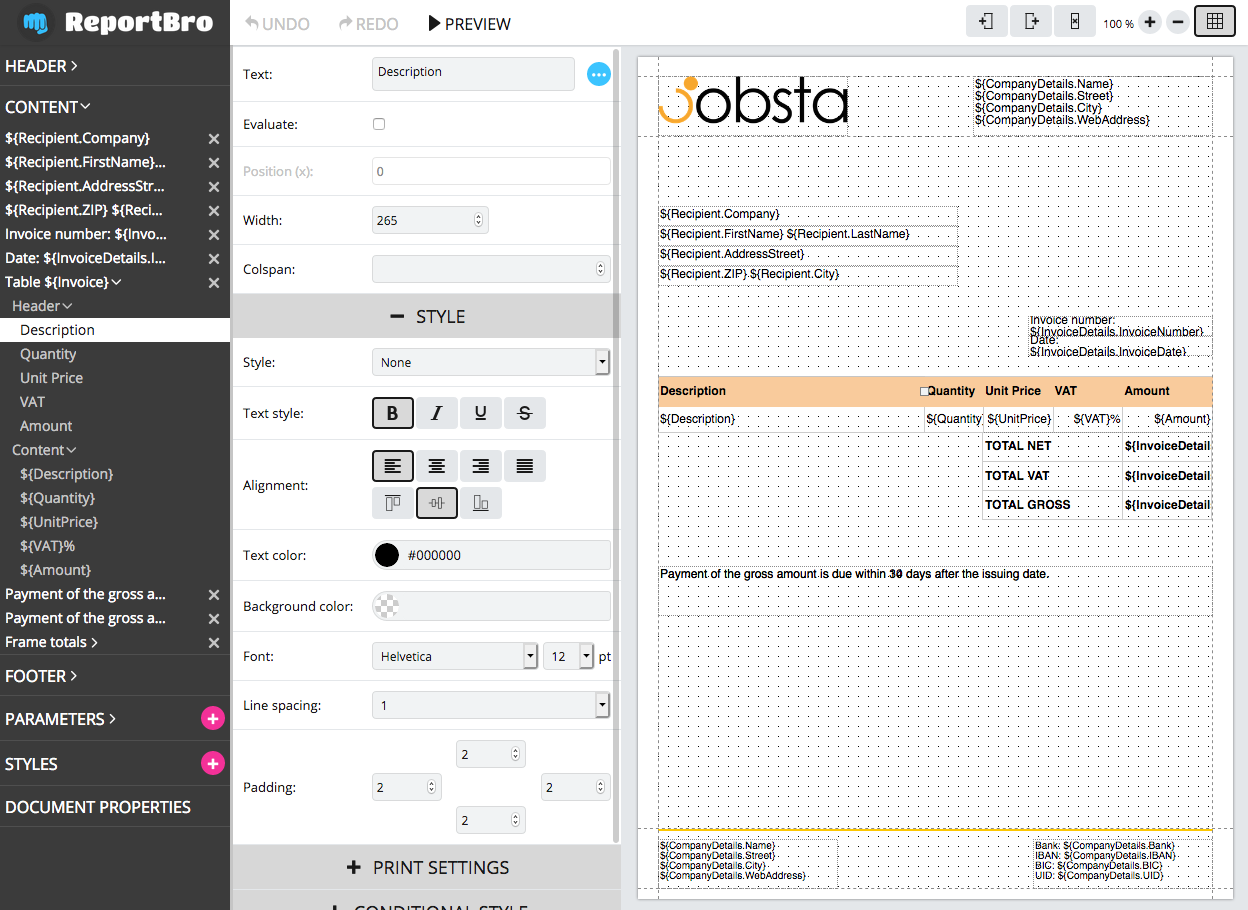
# reportbro-designer
**Repository Path**: datacare/reportbro-designer
## Basic Information
- **Project Name**: reportbro-designer
- **Description**: No description available
- **Primary Language**: Java
- **License**: AGPL-3.0
- **Default Branch**: master
- **Homepage**: None
- **GVP Project**: No
## Statistics
- **Stars**: 0
- **Forks**: 0
- **Created**: 2021-09-26
- **Last Updated**: 2021-09-26
## Categories & Tags
**Categories**: Uncategorized
**Tags**: None
## README
# ReportBro Designer
A javascript plugin to create PDF and XLSX report templates.
ReportBro Designer can be easily integrated into your web application. Everyone can design & edit document templates, and preview them directly in the browser. The reports can be generated with
[ReportBro Lib](https://github.com/jobsta/reportbro-lib) (a Python package) on the server.
See the ReportBro project website on https://www.reportbro.com for full documentation and demos.
## Installation
+ Download ReportBro Designer from https://www.reportbro.com/download
+ Extract .zip or .tar.gz and move `dist` folder to your application
+ In your .html document reference reportbro.js (or reportbro.min.js) and reportbro.css. See basic usage below.
### Install via npm:
`npm install reportbro-designer --save`
## Basic usage
Go to the [docs](https://www.reportbro.com/doc/api) for more information. There are demos for different use cases available at: https://www.reportbro.com/demo/invoice.
Include the ReportBro and jQuery JavaScript files as well as the ReportBro stylesheet in the `` of your page. Make sure to load jQuery before ReportBro's JavaScript.
```html
```
Place an empty div within the `` of a web page:
```html
```
Initialize ReportBro:
```html
````
## Build
### prerequisites:
Install Node.js and npm.
Troubleshooting for Ubuntu/Linux: If you get an error like "/usr/bin/env: node: No such file or directory" you can easily fix it with a symbolic link:
`ln -s /usr/bin/nodejs /usr/bin/node`
Go to reportbro-designer root directory and install node modules:
`npm install`
### development:
`npm run build`
This is a fast way to build ReportBro Designer and easily debug the code. You can use the generated reportbro.js file from the dist folder in any modern browser supporting ES6 (ECMAScript 2015).
### production:
`npm run build-prod`
Transpiles javascript code from ES6 to ES5 to support older browsers and minifies the generated js file. Use this build step to generate ReportBro Designer for production environment.
## Notes
### Running demos from local filesystem
You need to run
`npm run build-prod`
at least once before starting any local demos. This build step copies the external plugins to the ../dist/ext folder
which are referenced in the demos.
### Running demos from local filesystem with Firefox
Due to Firefox's strict origin policy the icon fonts cannot be loaded (from ../dist/iconfonts)
with default settings. Go to `about:config` and make sure
`security.fileuri.strict_origin_policy` is set to false.
### Testing with MS Edge on localhost
You have to enable loopback first
`CheckNetIsolation LoopbackExempt -a -n=Microsoft.MicrosoftEdge_8wekyb3d8bbwe`
see also https://stackoverflow.com/questions/30334289/cant-open-localhost-in-microsoft-edge-project-spartan-in-windows-10-preview#30334398
## License
### Commercial license
If you want to use ReportBro to develop commercial applications and projects, the Commercial license is the appropriate license. With this license, your source code is kept proprietary. Purchase a ReportBro Commercial license at https://www.reportbro.com/license/ .
### Open-source license
If you are creating an open-source application under a license compatible with the [GNU AGPL license v3](https://www.gnu.org/licenses/agpl-3.0.html), you may use ReportBro under the terms of the AGPLv3.
Read more about ReportBro's license options at https://www.reportbro.com/license.