# FastapiAdmin
**Repository Path**: java_doc/FastapiAdmin
## Basic Information
- **Project Name**: FastapiAdmin
- **Description**: FastapiAdmin是一套完全开源的快速开发平台,提供免费使用。它结合了现代、高性能的技术栈,后端采用Fastapi + SQLAlchemy,前端采用基于 vue3 + typescript + vite + pinia + Element-Plus。旨在帮助开发者快速搭建高质量的中后台系统。
- **Primary Language**: Python
- **License**: MIT
- **Default Branch**: master
- **Homepage**: None
- **GVP Project**: No
## Statistics
- **Stars**: 0
- **Forks**: 169
- **Created**: 2026-01-15
- **Last Updated**: 2026-01-15
## Categories & Tags
**Categories**: Uncategorized
**Tags**: None
## README
## 📘 Project Introduction
**FastApiAdmin** is a **completely open-source, highly modular, and technologically advanced modern rapid development platform** designed to help developers efficiently build high-quality enterprise-level backend and frontend systems. This project adopts a **frontend-backend separation architecture**, integrating the Python backend framework `FastAPI` and the mainstream frontend framework `Vue3` to achieve unified development across multiple terminals, providing a one-stop out-of-the-box development experience.
> **Design Philosophy**: With modularity and loose coupling at its core, it pursues rich functional modules, simple and easy-to-use interfaces, detailed development documentation, and convenient maintenance methods. By unifying frameworks and components, it reduces the cost of technology selection, follows development specifications and design patterns, builds a powerful code hierarchical model, and comes with comprehensive local language support. It is specifically tailored for team and enterprise development scenarios.
## 🔗 Source Repositories
| Platform | Repository |
|----------|------------|
| GitHub | [FastapiAdmin Main](https://github.com/1014TaoTao/FastapiAdmin.git) \| [FastDocs Website](https://github.com/1014TaoTao/FastDocs.git) \| [FastApp Mobile](https://github.com/1014TaoTao/FastApp.git) |
| Gitee | [FastapiAdmin Main](https://gitee.com/tao__tao/FastapiAdmin.git) \| [FastDocs Website](https://gitee.com/tao__tao/FastDocs.git) \| [FastApp Mobile](https://gitee.com/tao__tao/FastApp.git) |
## 🎯 Core Advantages
| Advantage | Description |
| ---- | ---- |
| 🔥 **Modern Tech Stack** | Built with cutting-edge technologies like FastAPI + Vue3 + TypeScript |
| ⚡ **High Performance** | Leveraging FastAPI's asynchronous features and Redis caching for optimized response speed |
| 🔐 **Secure & Reliable** | JWT + OAuth2 authentication mechanism with RBAC permission control model |
| 🧱 **Modular Design** | Highly decoupled system architecture for easy expansion and maintenance |
| 🌐 **Full-Stack Support** | Integrated solution for Web + Mobile(H5) + Backend |
| 🚀 **Rapid Deployment** | One-click Docker deployment for quick production rollout |
| 📖 **Comprehensive Docs** | Detailed documentation and tutorials to reduce learning curve |
## 📦 Engineering Structure Overview
```sh
FastapiAdmin
├─ backend # Backend project (FastAPI + Python)
├─ frontend # Web frontend project (Vue3 + Element Plus)
├─ fastapp # Mobile project (UniApp + Wot Design Uni)
├─ fastdocs # Documentation project (VitePress)
├─ devops # Deployment configurations
├─ docker-compose.yaml # Docker orchestration file
├─ deploy.sh # One-click deployment script
├─ LICENSE # Open source license
|─ README.en.md # English documentation
└─ README.md # Chinese documentation
```
## 🛠️ Technology Stack Overview
| Type | Technology Selection | Description |
|------|----------------------|-------------|
| **Backend Framework** | FastAPI / Uvicorn / Pydantic 2.0 / Alembic | Modern, high-performance asynchronous framework with mandatory type constraints and data migration capabilities |
| **ORM** | SQLAlchemy 2.0 | Powerful ORM library |
| **Scheduled Tasks** | APScheduler | Easily implement scheduled tasks |
| **Authentication** | PyJWT | Implement JWT authentication |
| **Frontend Framework** | Vue3 / Vite5 / Pinia / TypeScript | Rapidly develop Vue3 applications |
| **Web UI** | ElementPlus | Enterprise-level UI component library |
| **Mobile** | UniApp / Wot Design Uni | Cross-platform mobile application framework |
| **Database** | MySQL / MongoDB | Support for relational and document databases |
| **Cache** | Redis | High-performance cache database |
| **Documentation** | Swagger / Redoc | Automatically generate API documentation |
| **Deployment** | Docker / Nginx / Docker Compose | Containerized deployment solution |
## 📌 Built-in Functional Modules
| Module | Features | Description |
|------|------|------|
| 📊 **Dashboard** | Workbench, Analysis Page | System overview and data analysis |
| ⚙️ **System Management** | Users, Roles, Menus, Departments, Positions, Dictionaries, Configurations, Announcements | Core system management functions |
| 👀 **Monitoring** | Online Users, Server Monitoring, Cache Monitoring | System runtime status monitoring |
| 📋 **Task Management** | Scheduled Tasks | Asynchronous task scheduling management |
| 📝 **Log Management** | Operation Logs | User behavior auditing |
| 🧰 **Development Tools** | Code Generation, Form Builder, API Documentation | Tools to enhance development efficiency |
| 📁 **File Management** | File Storage | Unified file management |
## 🍪 Demo Environment
- 🌐 Official Website: [https://service.fastapiadmin.com](https://service.fastapiadmin.com)
- 💻 Web Demo: [https://service.fastapiadmin.com/web](https://service.fastapiadmin.com/web)
- 📱 Mobile: [https://service.fastapiadmin.com/app](https://service.fastapiadmin.com/app)
- 👤 Login Account: `admin` Password: `123456`
## 🚀 Quick Start
### Environment Requirements
| Type | Technology Stack | Version |
|------|------------------|---------|
| Backend | Python | 3.12 ≥ 3.10 |
| Backend | FastAPI | 0.109+ |
| Frontend | Node.js | ≥ 20.0 |
| Frontend | Vue3 | 3.3+ |
| Database | MySQL | 8.0+ |
| Cache | Redis | 7.0+ |
### Get the Code
```bash
# Clone the repository to your local machine
git clone https://gitee.com/tao__tao/FastapiAdmin.git
# Or
git clone https://github.com/1014TaoTao/FastapiAdmin.git
```
### Backend Setup
```bash
# Navigate to the backend directory
cd backend
# Install dependencies
pip3 install -r requirements.txt
# Start the backend service: ensure that MySQL and Redis are running
python main.py run
# Or specify environment
python main.py run --env=dev
# Generate migration files
python main.py revision --env=dev
# Apply migrations
python main.py upgrade --env=dev
```
### Frontend Setup
```bash
# Navigate to the frontend directory
cd frontend
# Install dependencies
pnpm install
# Start the development server
pnpm run dev
# Build for production
pnpm run build
```
### Mobile Setup
```bash
# Navigate to the mobile directory
cd fastapp
# Install dependencies
pnpm install
# Start the H5 development server
pnpm run dev:h5
# Build for H5 production
pnpm run build:h5
```
### Documentation Setup
```bash
# Navigate to the documentation directory
cd fastdocs
# Install dependencies
pnpm install
# Start the documentation development server
pnpm run docs:dev
# Build documentation for production
pnpm run docs:build
```
### Access URLs
- 🏠 Official Website: [http://localhost:5180](http://localhost:5180)
- 🖥️ Web Interface: [http://localhost:5180/web](http://localhost:5180/web)
- 📱 Mobile Interface: [http://localhost:5180/app](http://localhost:5180/app)
Default accounts:
- Admin: `admin` / `123456`
## 🐳 Docker Deployment
```bash
# Copy the deployment script to the server and grant execution permissions
chmod +x deploy.sh
# Execute one-click deployment
./deploy.sh
# Common Docker commands
# View running containers
docker compose ps
# View container logs
docker logs -f
# Stop services
docker compose down
```
## 🔧 Models
| Module | Screenshot |
|------------|---------------------------------|
| Login |  |
| Dashboard |  |
| Analysis |  |
| Menu |  |
| Department |  |
| Position |  |
| Role |  |
| User |  |
| Log |  |
| Config |  |
| OnlineUser |  |
| Server |  |
| Cache |  |
| Task |  |
| Dict |  |
| API Docs |  |
| Theme |  |
| Document |  |
| Lock |  |
| Form |  |
| Generator |  |
| Workflow |  |
| File |  |
| MyApps |  |
| Setting |  |
| AI |  |
### Mobile
| Module | Details | Module | Details | Module | Details |
|----------|------|----------|------|----------|------|
| Login |  | Home |  | Profile |  |
| Personal |  | Settings |  | Workbench |  |
## 🛠️ Secondary Development Tutorial
### Backend Development
The project adopts a **plugin-based architecture design**, and it is recommended to carry out secondary development in the `backend/app/plugin` directory. The system will **automatically discover and register** all routes that meet the specifications, facilitating module management and upgrade maintenance.
#### Plugin Architecture Features
- **Automatic Route Discovery**: The system automatically scans all `controller.py` files in the `backend/app/plugin/` directory
- **Automatic Route Registration**: All routes are automatically registered to the corresponding prefix path (module_xxx -> /xxx)
- **Modular Management**: Code is organized by functional modules for easy maintenance and extension
- **Support for Multi-level Nesting**: Support for multi-level nested structures within modules
#### Plugin Directory Structure
```sh
backend/app/plugin/
├── module_application/ # Application module (automatically mapped to /application)
│ └── ai/ # AI submodule
│ ├── controller.py # Controller file
│ ├── model.py # Data model file
│ ├── schema.py # Data validation file
│ ├── service.py # Business logic file
│ └── crud.py # Data access file
├── module_example/ # Example module (automatically mapped to /example)
│ └── demo/ # Submodule
│ ├── controller.py # Controller file
│ ├── model.py # Data model file
│ ├── schema.py # Data validation file
│ ├── service.py # Business logic file
│ └── crud.py # Data access file
├── module_generator/ # Code generation module (automatically mapped to /generator)
└── init_app.py # Plugin initialization file
```
#### Automatic Route Registration Mechanism
The system will **automatically discover and register** all routes that meet the following conditions:
1. Controller files must be named `controller.py`
2. Routes are automatically mapped: `module_xxx` -> `/xxx`
3. Support for multiple `APIRouter` instances
4. Automatic route deduplication
#### Secondary Development Steps
1. **Create Plugin Module**: Create a new module directory under `backend/app/plugin/`, such as `module_yourfeature`
2. **Write Data Model**: Define database models in `model.py`
3. **Write Data Validation**: Define data validation models in `schema.py`
4. **Write Data Access Layer**: Write database operation logic in `crud.py`
5. **Write Business Logic Layer**: Write business logic in `service.py`
6. **Write Controller**: Define routes and handling functions in `controller.py`
7. **Automatic Registration**: The system automatically scans and registers all routes, no manual configuration required
#### Controller Example
```python
# backend/app/plugin/module_yourfeature/yourcontroller/controller.py
from fastapi import APIRouter, Depends, Path
from fastapi.responses import JSONResponse
from app.common.response import SuccessResponse
from app.core.router_class import OperationLogRoute
from app.core.dependencies import AuthPermission
from app.api.v1.module_system.auth.schema import AuthSchema
from .service import YourFeatureService
# Create route instance
YourFeatureRouter = APIRouter(
route_class=OperationLogRoute,
prefix="/yourcontroller",
tags=["Your Feature Module"]
)
@YourFeatureRouter.get("/detail/{id}", summary="Get Detail")
async def get_detail(
id: int = Path(..., description="Feature ID"),
auth: AuthSchema = Depends(AuthPermission(["module_yourfeature:yourcontroller:detail"]))
) -> JSONResponse:
"""
Get feature detail
Parameters:
- id (int): Feature ID
- auth (AuthSchema): Authentication information model
Returns:
- JSONResponse: JSON response containing feature detail
"""
result = await YourFeatureService.detail_service(id=id, auth=auth)
return SuccessResponse(data=result)
@YourFeatureRouter.get("/list", summary="Get List")
async def get_list(
auth: AuthSchema = Depends(AuthPermission(["module_yourfeature:yourcontroller:list"]))
) -> JSONResponse:
"""
Get feature list
Parameters:
- auth (AuthSchema): Authentication information model
Returns:
- JSONResponse: JSON response containing feature list
"""
result = await YourFeatureService.list_service(auth=auth)
return SuccessResponse(data=result)
```
#### Development Specifications
1. **Naming Convention**: Module names use `module_xxx` format, controller names use camelCase naming
2. **Permission Control**: All API interfaces must add permission control decorators
3. **Log Recording**: Use `OperationLogRoute` class to automatically record operation logs
4. **Return Format**: Use `SuccessResponse` or `ErrorResponse` uniformly for responses
5. **Code Comments**: Add detailed docstrings for all API interfaces
#### Notes
- Plugin module names must start with `module_`
- Controller files must be named `controller.py`
- Routes are automatically mapped to corresponding prefix paths
- No manual route registration required, the system automatically discovers and registers
### Frontend Part
1. **Configure Frontend API**: Create corresponding API files in `frontend/src/api/` directory
2. **Write Page Components**: Create page components in `frontend/src/views/` directory
3. **Register Routes**: Register routes in `frontend/src/router/index.ts`
### Mobile Part
1. **Configure Mobile API**: Create corresponding API files in `fastapp/src/api/` directory
2. **Write Page Components**: Create page components in `fastapp/src/pages/` directory
3. **Register Routes**: Register routes in `fastapp/src/router/index.ts`
### Code Generator Usage
The project has a built-in code generator that can automatically generate front-end and back-end code based on database table structures, greatly improving development efficiency.
#### Generation Steps
1. **Login System**: Login to the system using an administrator account
2. **Enter Code Generation Module**: Click "Code Generation" in the left menu
3. **Import Table Structure**: Select the database table to generate code for
4. **Configure Generation Parameters**: Fill in module name, function name, etc.
5. **Generate Code**: Click the "Generate Code" button
6. **Download or Write**: Choose to download the code package or write directly to the project directory
#### Generated File Structure
```sh
# Backend files
backend/app/plugin/module_yourmodule/
└── yourfeature/
├── controller.py # Controller file
├── model.py # Data model file
├── schema.py # Data validation file
├── service.py # Business logic file
└── crud.py # Data access file
# Frontend files
frontend/src/
├── api/module_yourmodule/
│ └── yourfeature.ts # API call file
└── views/module_yourmodule/
└── yourfeature/
└── index.vue # Page component
```
#### Generated Code Example
```python
# Generated controller code example
from fastapi import APIRouter, Depends
from fastapi.responses import JSONResponse
from app.common.response import SuccessResponse
from app.core.router_class import OperationLogRoute
from app.core.dependencies import AuthPermission
from app.api.v1.module_system.auth.schema import AuthSchema
from .service import YourFeatureService
from .schema import (
YourFeatureCreateSchema,
YourFeatureUpdateSchema,
YourFeatureQueryParam
)
YourFeatureRouter = APIRouter(
route_class=OperationLogRoute,
prefix="/yourfeature",
tags=["Your Feature Module"]
)
@YourFeatureRouter.get("/detail/{id}")
async def get_detail(
id: int,
auth: AuthSchema = Depends(AuthPermission(["module_yourmodule:yourfeature:detail"]))
) -> JSONResponse:
result = await YourFeatureService.detail_service(id=id, auth=auth)
return SuccessResponse(data=result)
```
### Development Tools
- **Code Generator**: Automatically generate front-end and back-end CRUD code
- **API Documentation**: Automatically generate Swagger/Redoc API documentation
- **Database Migration**: Support for Alembic database migration
- **Log System**: Built-in log recording and query functions
- **Monitoring System**: Built-in server monitoring and cache monitoring functions
### Development Process
1. **Requirement Analysis**: Clarify functional requirements and business logic
2. **Database Design**: Design database table structure
3. **Code Generation**: Use code generator to generate basic code
4. **Business Logic Development**: Perfect business logic and interfaces
5. **Frontend Development**: Develop frontend pages and interactions
6. **Testing**: Conduct unit testing and integration testing
7. **Deployment**: Deploy to production environment
### Development Notes
1. **Permission Control**: All API interfaces must add permission control
2. **Data Validation**: All input data must be validated
3. **Exception Handling**: Uniformly handle API exceptions
4. **Log Recording**: Key operations must be logged
5. **Performance Optimization**: Pay attention to API performance optimization, avoid slow queries
6. **Code Specification**: Follow PEP8 and project code specifications
### Deployment Instructions
#### Local Development
```bash
# Start backend service
cd backend
python main.py run --env=dev
# Start frontend service
cd frontend
pnpm run dev
# Start mobile service
cd fastapp
pnpm run dev:h5
```
#### Docker Deployment
```bash
# Execute one-click deployment script
./deploy.sh
# View running status
docker compose ps
# View logs
docker logs -f
```
### Technical Support
- **Official Documentation**: https://service.fastapiadmin.com
- **GitHub**: https://github.com/1014TaoTao/FastapiAdmin
- **Gitee**: https://gitee.com/tao__tao/FastapiAdmin
### Common Questions
#### Q: How to add a new functional module?
A: Follow the secondary development steps, create a new module directory under `backend/app/plugin/` directory, and write related code.
#### Q: How to configure the database?
A: Configure database connection information in `backend/env/.env.dev` or `backend/env/.env.prod` files.
#### Q: How to configure Redis?
A: Configure Redis connection information in `backend/env/.env.dev` or `backend/env/.env.prod` files.
#### Q: How to generate database migration files?
A: Use the command `python main.py revision --env=dev` to generate migration files.
#### Q: How to apply database migrations?
A: Use the command `python main.py upgrade --env=dev` to apply migrations.
#### Q: How to start the development server?
A: Use the command `python main.py run --env=dev` to start the development server.
#### Q: How to build the frontend production version?
A: Use the command `pnpm run build` to build the frontend production version.
#### Q: How to deploy to production environment?
A: Use the `./deploy.sh` script for one-click deployment to production environment.
## ℹ️ Help
For more details, please check the [Official Documentation](https://service.fastapiadmin.com)
## 👥 Contributors
## 🙏 Special Thanks
Thanks to the contributions and support of the following open-source projects:
- [FastAPI](https://fastapi.tiangolo.com/)
- [Pydantic](https://docs.pydantic.dev/)
- [SQLAlchemy](https://www.sqlalchemy.org/)
- [APScheduler](https://github.com/agronholm/apscheduler)
- [Vue3](https://cn.vuejs.org/)
- [TypeScript](https://www.typescriptlang.org/)
- [Vite](https://github.com/vitejs/vite)
- [Element Plus](https://element-plus.org/)
- [UniApp](https://uniapp.dcloud.net.cn/)
- [Wot-Design-UI](https://wot-ui.cn/)
## 🎨 Community
| Group QR Code | WeChat Pay QR Code |
| --- | --- |
|  |  |
## ❤️ Support the Project
If you like this project, please give it a ⭐️ Star to show your support! Thank you very much!
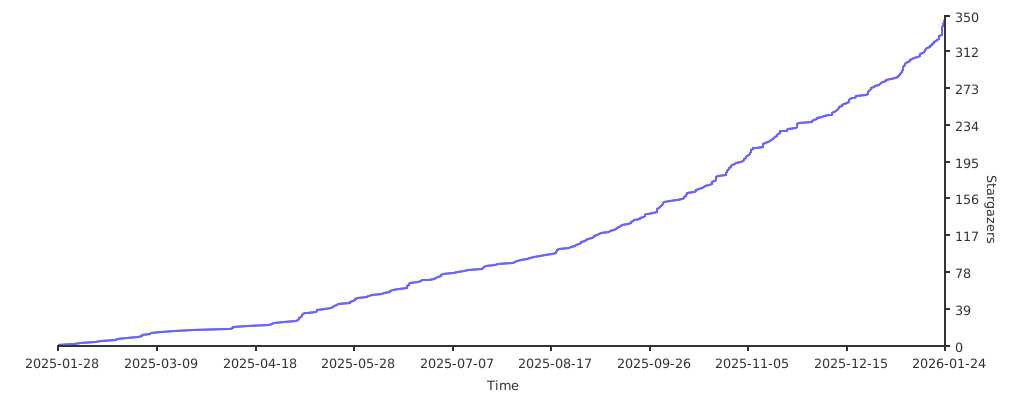
[](https://starchart.cc/1014TaoTao/FastapiAdmin)