# handsontable
**Repository Path**: jcw_code/handsontable
## Basic Information
- **Project Name**: handsontable
- **Description**: excel组件库,用于项目表单填写组件
- **Primary Language**: JavaScript
- **License**: Not specified
- **Default Branch**: master
- **Homepage**: None
- **GVP Project**: No
## Statistics
- **Stars**: 0
- **Forks**: 0
- **Created**: 2022-04-14
- **Last Updated**: 2022-07-05
## Categories & Tags
**Categories**: Uncategorized
**Tags**: None
## README

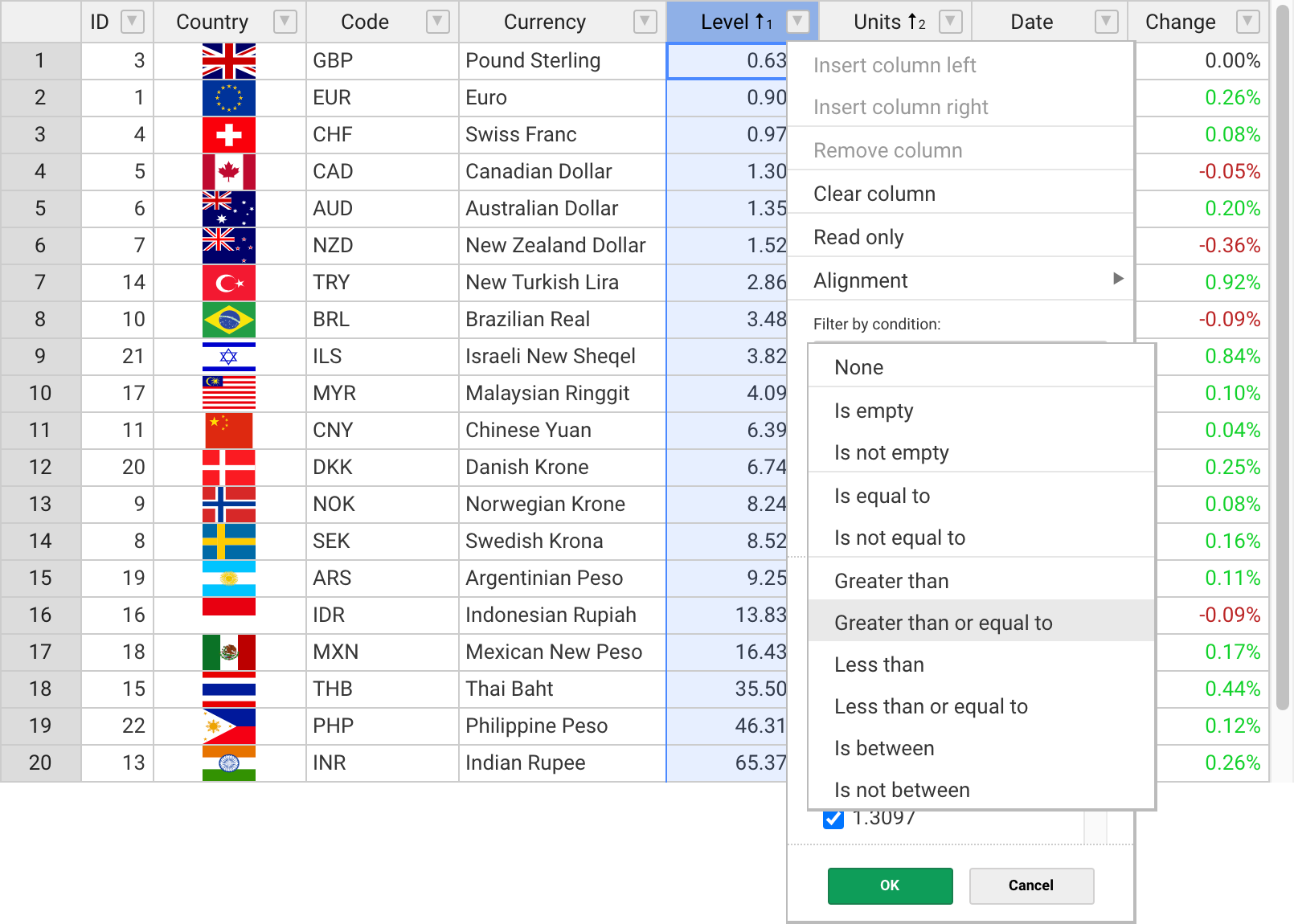
Handsontable is a JavaScript component that combines data grid features with spreadsheet-like UX.
It provides data binding, data validation, filtering, sorting, and CRUD operations.
[](https://npmjs.com/package/handsontable)
[](https://npmjs.com/package/handsontable)

[](https://github.com/handsontable/handsontable/actions/workflows/test.yml?query=branch%3Amaster)

[](https://app.fossa.io/projects/git%2Bgithub.com%2Fhandsontable%2Fhandsontable?ref=badge_shield)

[](https://snyk.io/test/github/handsontable/handsontable?targetFile=handsontable/package.json)
[](https://sonarcloud.io/dashboard?id=handsontable_handsontable)
---
#### Get Started with Handsontable
---
## Features
The most popular features of Handsontable:
✓ Multiple column sorting
✓ Non-contiguous selection
✓ Filtering data
✓ Export to file
✓ Validating data
✓ Conditional formatting
✓ Merging cells
✓ Freezing rows/columns
✓ Moving rows/columns
✓ Resizing rows/columns
✓ Hiding rows/columns
✓ Context menu
✓ Comments
## Documentation
- [Developer guides](https://handsontable.com/docs)
- [API Reference](https://handsontable.com/docs/api/core/)
- [Changelog](https://handsontable.com/docs/release-notes/)
- [Demo](https://handsontable.com/demo)
## Get Started
### Install with npm
Run the following command in your terminal
```
npm install handsontable
```
You can also use [Yarn](https://yarnpkg.com/package/handsontable), [NuGet](https://www.nuget.org/packages/Handsontable) or load the bundle directly from [jsDelivr](https://jsdelivr.com/package/npm/handsontable).
### Create a placeholder
Create an HTML placeholder
```html
```
Import Handsontable and its stylesheet
```js
import Handsontable from "handsontable";
import 'handsontable/dist/handsontable.full.css';
```
### Initialize the grid
Now turn your placeholder into a data grid with sample data.
```js
const data = [
['', 'Tesla', 'Volvo', 'Toyota', 'Ford'],
['2019', 10, 11, 12, 13],
['2020', 20, 11, 14, 13],
['2021', 30, 15, 12, 13]
];
const container = document.getElementById('example');
const hot = new Handsontable(container, {
data: data,
rowHeaders: true,
colHeaders: true
});
```
## Support
We provide support for developers working with commercial version via [contact form](https://handsontable.com/contact?category=technical_support) or at support@handsontable.com.
If you use a non-commercial version then please ask your tagged question on [StackOverflow](https://stackoverflow.com/questions/tagged/handsontable).
## License
Handsontable is a commercial software with two licenses available:
- Free for non-commercial purposes such as teaching, academic research, and evaluation. [Read it here](https://github.com/handsontable/handsontable/blob/master/handsontable-non-commercial-license.pdf).
- Commercial license with support and maintenance included. See [pricing plans](https://handsontable.com/pricing).
## License key
If you use Handsontable in a project that supports your commercial activity, then you must purchase the license key at [handsontable.com](https://handsontable.com/pricing).
If you use the free for non-commercial license of Handsontable, then pass the phrase `'non-commercial-and-evaluation'`, as described in [this documentation](https://handsontable.com/docs/license-key/).
Proudly created and maintained by the [Handsontable Team](https://handsontable.com/team).