# tokyonight-vim
**Repository Path**: jeffcodes/tokyonight-vim
## Basic Information
- **Project Name**: tokyonight-vim
- **Description**: No description available
- **Primary Language**: Unknown
- **License**: MIT
- **Default Branch**: master
- **Homepage**: None
- **GVP Project**: No
## Statistics
- **Stars**: 0
- **Forks**: 0
- **Created**: 2024-11-19
- **Last Updated**: 2024-11-19
## Categories & Tags
**Categories**: Uncategorized
**Tags**: None
## README
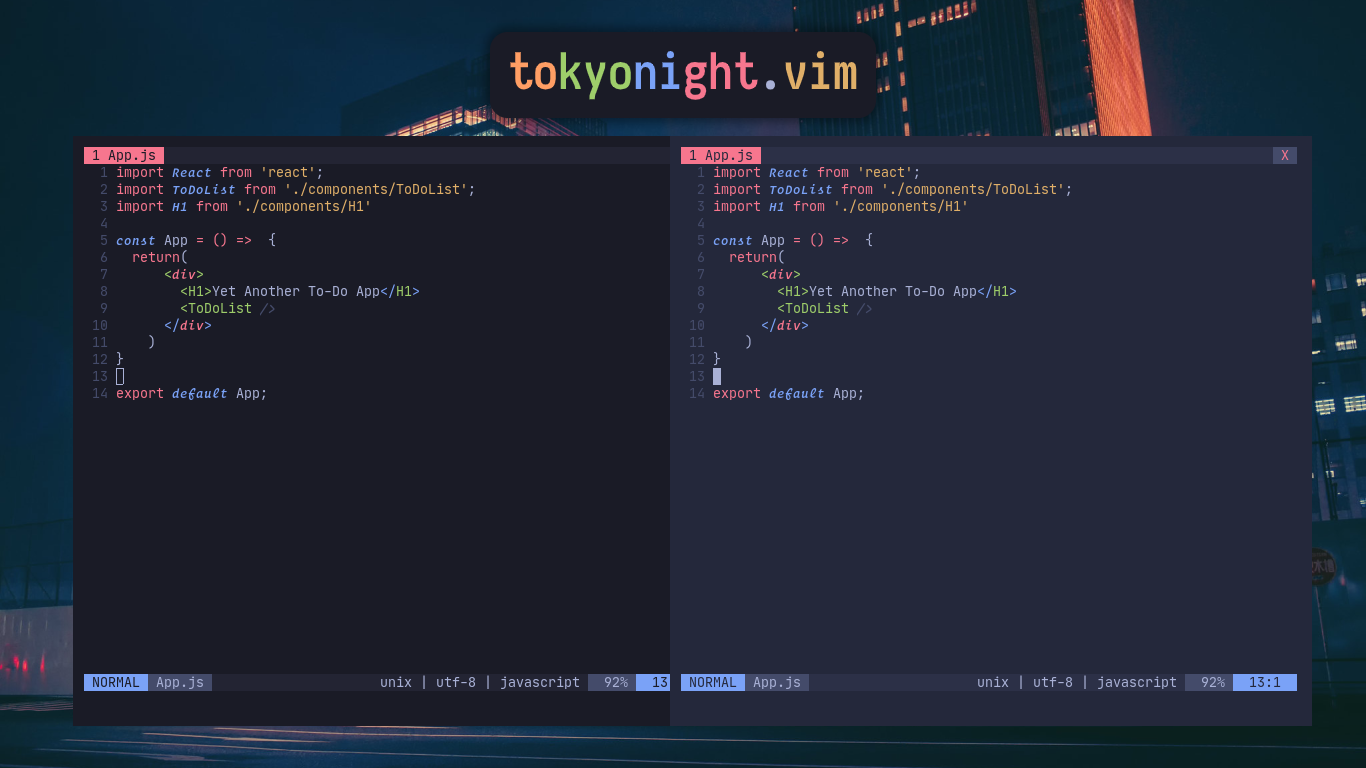
for more screenshot, check [here](./pictures)
### About
Originally by [enkia](https://github.com/enkia/tokyo-night-vscode-theme)
A clean, dark vim theme that celebrates the lights of downtown Tokyo at night based on a VS Code theme with the same name
now come with two variants, `night` and `storm`. The only difference is the background color, where the `storm` variant gets a lighter color
this colorscheme works best with [vim-polyglot](https://github.com/sheerun/vim-polyglot). Please install it first
## this colorscheme only support true colors!
### Features
- Support for numerous file types and plugin
- Customizable
- [Italic support](https://github.com/sainnhe/icursive-nerd-font)
If you are on Neovim 0.5.x and need support for plugins like Treesitter, native LSP, and
other awesome plugins for Neovim, I recommend you to go for [folke/tokyonight.nvim](https://github.com/folke/tokyonight.nvim)
### Installation
Using [vim-plug](https://github.com/junegunn/vim-plug)
```vim
Plug 'ghifarit53/tokyonight-vim'
```
add this to your .vimrc
```vim
set termguicolors
let g:tokyonight_style = 'night' " available: night, storm
let g:tokyonight_enable_italic = 1
colorscheme tokyonight
```
if `g:tokyonight_style` isn't specified, the default `night` variant will be used
### Available configuration
**Note:** The configuration options should be placed before `colorscheme tokyonight` .
- `g:tokyonight_style`: Customize the style of this color scheme.
- Available values: `'night'`, `'storm'`
- Default value: `'night'`
- `g:tokyonight_transparent_background`: Set to `1` to enable transparent background.
- Available values: `0`, `1`
- Default value: `0`
- `g:tokyonight_menu_selection_background`: Control the background color of `PmenuSel` and `WildMenu` .
- Available values: `'green'`, `'red'`, `'blue'`
- Default value: `'green'`
- `g:tokyonight_disable_italic_comment`: Set to `1` to disable italic in `Comment` .
- Available values: `0`, `1`
- Default value: `0`
- `g:tokyonight_enable_italic`: Set to `1` to italicize keywords. This option is designed to use with fonts that support cursive italic styles, for example [Fira Code iCursive Op](https://github.com/sainnhe/icursive-nerd-font).
- Available values: `0`, `1`
- Default value: `0`
- `g:tokyonight_cursor`: Customize the cursor color, only works in GUI clients.
- Available values: `'auto'`, `'red'`, `'green'`, `'blue'`
- Default value: `'auto'`
- `g:tokyonight_current_word`: Some plugins can highlight the word under current cursor(for example [neoclide/coc-highlight](https://github.com/neoclide/coc-highlight)), you can use this option to control their behavior.
- Available values: `'bold'`, `'underline'`, `'italic'`, `'grey background'`
- Default value: `'grey background'` when not in transparent mode, `'bold'` when in transparent mode.
### Lightline & Airline
This theme also has support for [lightline](https://github.com/itchyny/lightline.vim) as well as [airline](https://github.com/vim-airline/vim-airline).
To enable lightline support:
```vim
let g:lightline = {'colorscheme' : 'tokyonight'}
```
To enable airline support:
```vim
let g:airline_theme = "tokyonight"
```
The lightline and airline styles will both follow the chosen colorscheme style.
### Port
- [Alacritty](https://github.com/zatchheems/tokyo-night-alacritty-theme) by [zatchheems](https://github.com/zatchheems)
- [Kitty](https://github.com/aerosol/tokyonight-kitty)
.Xresources file available [here](./port) if you want to port it
Tell me if you made a port and i'll list them here
### Credits
- [Sainnhe](https://github.com/sainnhe) for the color template file
- [Enkia](https://github.com/enkia) for the color palettes
### License
[MIT](./LICENSE)