# hmr
**Repository Path**: king2147/hmr
## Basic Information
- **Project Name**: hmr
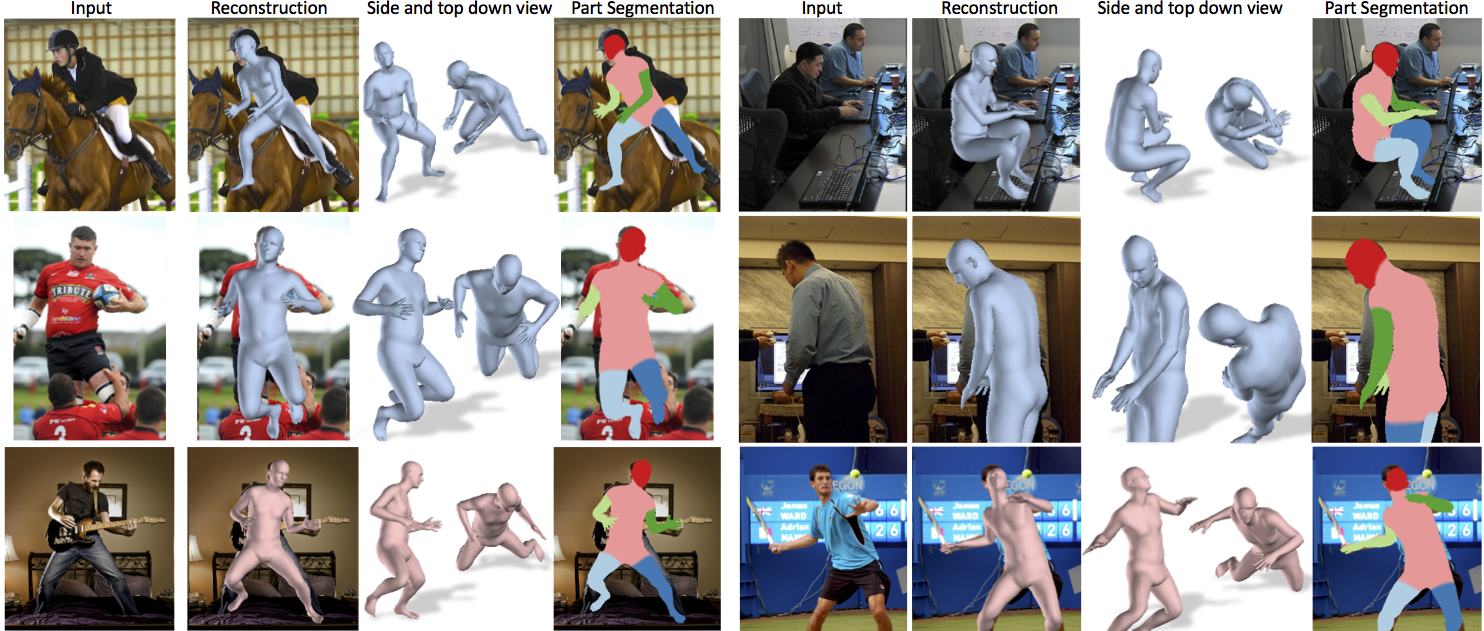
- **Description**: Project page for End-to-end Recovery of Human Shape and Pose
- **Primary Language**: Unknown
- **License**: MIT
- **Default Branch**: master
- **Homepage**: None
- **GVP Project**: No
## Statistics
- **Stars**: 0
- **Forks**: 1
- **Created**: 2021-11-04
- **Last Updated**: 2024-06-19
## Categories & Tags
**Categories**: Uncategorized
**Tags**: None
## README
# End-to-end Recovery of Human Shape and Pose
Angjoo Kanazawa, Michael J. Black, David W. Jacobs, Jitendra Malik
CVPR 2018
[Project Page](https://akanazawa.github.io/hmr/)
### Requirements
- Python 2.7
- [TensorFlow](https://www.tensorflow.org/) tested on version 1.3, demo alone runs with TF 1.12
### Installation
#### Linux Setup with virtualenv
```
virtualenv venv_hmr
source venv_hmr/bin/activate
pip install -U pip
deactivate
source venv_hmr/bin/activate
pip install -r requirements.txt
```
#### Install TensorFlow
With GPU:
```
pip install tensorflow-gpu==1.3.0
```
Without GPU:
```
pip install tensorflow==1.3.0
```
### Windows Setup with python 3 and Anaconda
This is only partialy tested.
```
conda env create -f hmr.yml
```
#### if you need to get chumpy
https://github.com/mattloper/chumpy/tree/db6eaf8c93eb5ae571eb054575fb6ecec62fd86d
### Demo
1. Download the pre-trained models
```
wget https://people.eecs.berkeley.edu/~kanazawa/cachedir/hmr/models.tar.gz && tar -xf models.tar.gz
```
2. Run the demo
```
python -m demo --img_path data/coco1.png
python -m demo --img_path data/im1954.jpg
```
Images should be tightly cropped, where the height of the person is roughly 150px.
On images that are not tightly cropped, you can run
[openpose](https://github.com/CMU-Perceptual-Computing-Lab/openpose) and supply
its output json (run it with `--write_json` option).
When json_path is specified, the demo will compute the right scale and bbox center to run HMR:
```
python -m demo --img_path data/random.jpg --json_path data/random_keypoints.json
```
(The demo only runs on the most confident bounding box, see `src/util/openpose.py:get_bbox`)
### Webcam Demo (thanks @JulesDoe!)
1. Download pre-trained models like above.
2. Run webcam Demo
2. Run the demo
```
python -m demo --img_path data/coco1.png
python -m demo --img_path data/im1954.jpg
```
### Training code/data
Please see the [doc/train.md](https://github.com/akanazawa/hmr/blob/master/doc/train.md)!
### Citation
If you use this code for your research, please consider citing:
```
@inProceedings{kanazawaHMR18,
title={End-to-end Recovery of Human Shape and Pose},
author = {Angjoo Kanazawa
and Michael J. Black
and David W. Jacobs
and Jitendra Malik},
booktitle={Computer Vision and Pattern Recognition (CVPR)},
year={2018}
}
```
### Opensource contributions
[russoale](https://github.com/russoale/) has created a Python 3 version with TF 2.0: https://github.com/russoale/hmr2.0
[Dawars](https://github.com/Dawars) has created a docker image for this project: https://hub.docker.com/r/dawars/hmr/
[MandyMo](https://github.com/MandyMo) has implemented a pytorch version of the repo: https://github.com/MandyMo/pytorch_HMR.git
[Dene33](https://github.com/Dene33) has made a .ipynb for Google Colab that takes video as input and returns .bvh animation!
https://github.com/Dene33/video_to_bvh


 I have not tested them, but the contributions are super cool! Thank you!!