# react-native-baidu-map
**Repository Path**: kkrn/react-native-baidu-map
## Basic Information
- **Project Name**: react-native-baidu-map
- **Description**: 基于react native对百度地图支持
- **Primary Language**: Unknown
- **License**: MIT
- **Default Branch**: master
- **Homepage**: None
- **GVP Project**: No
## Statistics
- **Stars**: 0
- **Forks**: 0
- **Created**: 2025-06-25
- **Last Updated**: 2025-06-25
## Categories & Tags
**Categories**: Uncategorized
**Tags**: None
## README
#react-native-baidu-map
// "react-native-baidu-map": "^1.0.37",升级版
# react-native-baidu-map [](https://www.npmjs.com/package/react-native-baidu-map)
1.0.x 分支:react-native-baidu-map-old [](https://www.npmjs.com/package/react-native-baidu-map-old)
分支说明:
- master:支持 react-native 0.61 及以上版本,Android 使用 androidx
- 1.0.x:支持 react-native 0.60 及 0.50,Android 未使用 androidx
Baidu Map SDK modules and views for React Native(Android & iOS), support react native 0.61.2+
百度地图 React Native 模块。
使用示例:https://github.com/lovebing/react-native-baidu-map-examples
使用百度地图SDK最新版本。
Android 版导入的 SDK 包含以下模块:
- 基础定位
- 基础地图(含室内图)
- 检索功能、LBS云检索
- 计算工具
### 在线交流
QQ群:561086908
### 近期 TODO:
#### Android
- 完善坐标转换
- 添加一些常用的方法
#### iOS
- 完善坐标标转换
- 完善 Cluster(点聚合)
- 添加一些常用的方法
Marker icon 的实现参考了 https://github.com/react-native-community/react-native-maps 的相关代码。
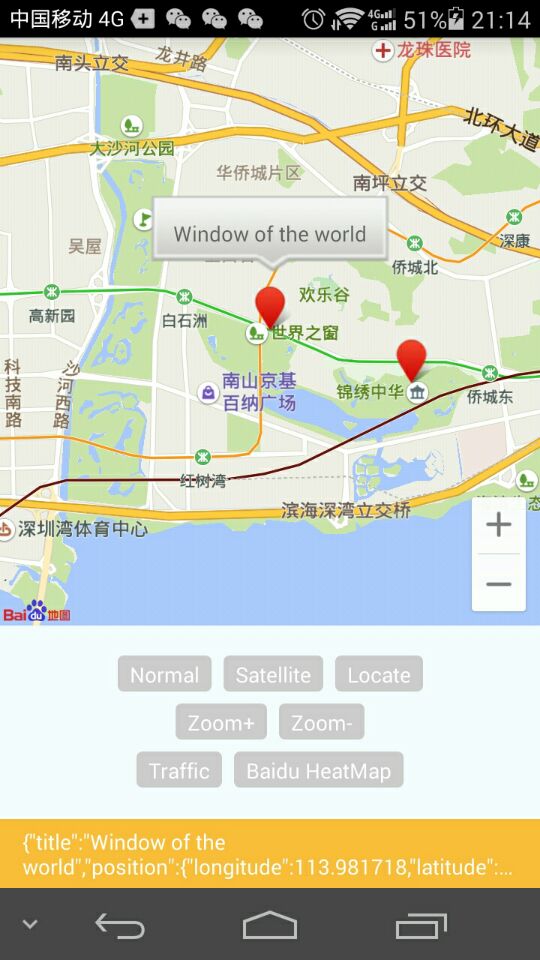
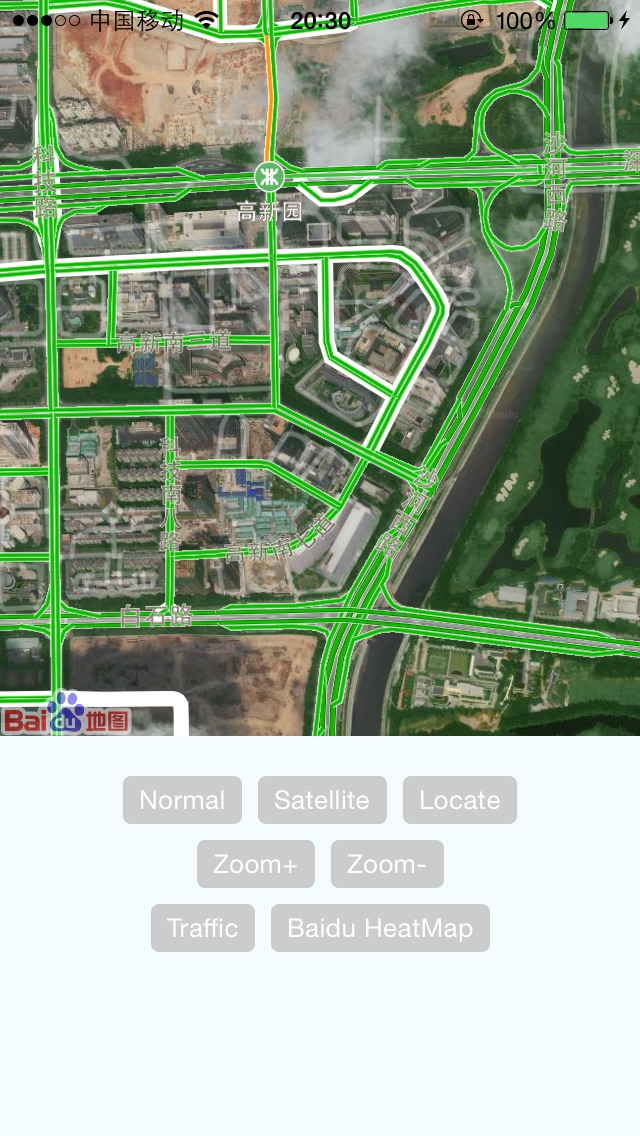
### Dev & Test 开发和测试说明
react-native doesn't support symlinks. see https://stackoverflow.com/questions/44061155/react-native-npm-link-local-dependency-unable-to-resolve-module. Can't install local package by using `npm link`.
react-native 不支持软链,参考:
https://stackoverflow.com/questions/44061155/react-native-npm-link-local-dependency-unable-to-resolve-module
所以不能使用 npm link 的方式安装本地的包
### Environments 环境要求
1.JS
- node: 12+
- react-native: 0.50.+
2.Android
- Android SDK: api 28+
- gradle: 4.10.1
- Android Studio: 3.1.3+
3.iOS
- XCode: 11.3+
### 初始化
#### Android
AndroidManifest.xml 设置
必要的权限
```
```
application 下添加名为 com.baidu.lbsapi.API_KEY 的 meta,如
```
```
注:android在百度平台填写的SHA1要与当前工程的keystore保持一致
#### iOS
使用 BaiduMapManager.initSDK 方法设置 api key,如
```
import { BaiduMapManager } from 'react-native-baidu-map'
BaiduMapManager.initSDK('sIMQlfmOXhQmPLF1QMh4aBp8zZO9Lb2A');
```
### Usage 使用方法
import { MapView, MapTypes, Geolocation, Overlay, MapApp } from 'react-native-baidu-map'
#### MapView Props 属性
| Prop | Type | Default | Description
| ----------------------- |:-----:| :-------:| -------
| zoomControlsVisible | bool | true | Android only
| trafficEnabled | bool | false |
| baiduHeatMapEnabled | bool | false |
| zoomGesturesEnabled | bool | true | 允许手势缩放
| scrollGesturesEnabled | bool | true | 允许拖动
| mapType | number| 1 |
| zoom | number| 10 |
| showsUserLocation | bool | false | 是否显示定位
| locationData | object| null | 定位信息 {latitude: 0, longitude: 0}
| center | object| null | {latitude: 0, longitude: 0}
| onMapStatusChangeStart | func | undefined| Android only
| onMapStatusChange | func | undefined|
| onMapStatusChangeFinish | func | undefined| Android only
| onMapLoaded | func | undefined|
| onMapClick | func | undefined|
| onMapDoubleClick | func | undefined|
| onMarkerClick | func | undefined|
| onMapPoiClick | func | undefined|
#### Overlay 覆盖物
const { Marker, Cluster, Arc, Circle, Polyline, Polygon, InfoWindow, HeatMap } = Overlay;
##### 颜色取值说明
6 位(RRGGBB)或 8 位(AARRGGBB)
##### Marker Props 属性
| Prop | Type | Default | Description
| ----------------------- |:-----:| :-------:| -------
| title | string| null | 如果没有 InfoWindow,将会根据 title 生成 InfoWindow
| titleOffsetY | int | -80 | title 作为 InfoWindow 展示的 y 轴偏移量,仅 Android
| location | object| {latitude: 0, longitude: 0} |
| perspective | bool | null | 仅 Android
| flat | bool | null | 仅 Android
| rotate | float | 0 | 旋转角度,仅 Android
| icon | any | null | icon图片,同 的 source 属性
| alpha | float | 1 | 透明度,仅 Android
| animateType | string| | 动画效果:drop/grow/jump (iOS 仅支持 drop)
| pinColor | string| red | red/green/purple,大头针颜色,仅 iOS
| onClick | func | | 点击事件回调
##### Cluster 点聚合
##### Arc Props 属性
| Prop | Type | Default | Description
| ----------------------- |:-----:| :-------:| -------
| stroke | width| {width: 5, color: 'AA000000'} |
| points | array| [{latitude: 0, longitude: 0}, {latitude: 0, longitude: 0}, {latitude: 0, longitude: 0}] | 数值长度必须为 3
| dash | bool | false | 是否为虚线,仅 iOS
##### Circle Props 属性
| Prop | Type | Default | Description
| ----------------------- |:-----:| :-------:| -------
| radius | int | 1400 |
| fillColor | string| 000000FF |
| stroke | object| {width: 5, color: 'AA000000'} |
| center | object| {latitude: 0, longitude: 0} |
##### Polyline Props 属性
| Prop | Type | Default | Description
| ----------------------- |:-----:| :-------:| -------
| points | array | [{latitude: 0, longitude: 0}] |
| stroke | object| {width: 5, color: 'AA000000'} |
##### Polygon Props 属性
| Prop | Type | Default | Description
| ----------------------- |:-----:| :-------:| -------
| points | array | [{latitude: 0, longitude: 0}] |
| fillColor | string| AAFFFF00 |
| stroke | object| {width: 5, color: 'AA00FF00'} |
##### Text Props 属性
| Prop | Type | Default | Description
| ----------------------- |:-----:| :-------:| -------
| text | string| |
| fontSize | int | |
| fontColor | string| |
| bgColor | string| |
| rotate | float | |
| location | object|{latitude: 0, longitude: 0}
##### MarkerIcon 使用 View 作为 marker 的 icon
##### InfoWindow Props 属性
必须作为 Marker 的子组件
| Prop | Type | Default | Description
| ----------------------- |:-----:| :-------:| -------
| offsetY | int | 0 | 相对于 point 在 y 轴的偏移量,仅 Android
#### HeatMap Props 属性
| Prop | Type | Default | Description
| ----------------------- |:-----:| :-------:| -------
| points | array | |
| gradient | object| { colors: ['66FF00', 'FF0000'], startPoints: [0.2, 1.0] } | 颜色渐变对象
```jsx
ABC
text
```
Marker 示例
```jsx
```
Cluster 示例
```jsx
```
#### BaiduMapManager
| Method | Description | Result
| ------------------------- | ---------------- | -------
| void initSDK(string apiKey) | iOS 初始化 SDK |
| Promise hasLocationPermission | 是否有定位权限 |
#### Geolocation Methods
| Method | Description | Result
| ------------------------- | ---------------- | -------
| Promise reverseGeoCode(double lat, double lng) | | `{"address": "", "province": "", "cityCode": "", "city": "", "district": "", "streetName": "", "streetNumber": ""}`
| Promise reverseGeoCodeGPS(double lat, double lng) | | `{"address": "", "province": "", "cityCode": "", "city": "", "district": "", "streetName": "", "streetNumber": ""}`
| Promise geocode(String city, String addr) | | {"latitude": 0.0, "longitude": 0.0}
| Promise getCurrentPosition(String coorType) | coorType 可为 `bd09ll` 或 `gcj02`,默认 `bd09ll`|`{"latitude": 0.0, "longitude": 0.0, "address": "", "province": "", "cityCode": "", "city": "", "district": "", "streetName": "", "streetNumber": ""}` Android: `{"latitude": 0.0, "longitude": 0.0, "direction": -1, "altitude": 0.0, "radius": 0.0, "address": "", "countryCode": "", "country": "", "province": "", "cityCode": "", "city": "", "district": "", "street": "", "streetNumber": "", "buildingId": "", "buildingName": ""}`
| startLocating(function listener, String coorType) | 开始持续定位 |
| stopLocating | 停止持续定位 |
#### GetDistance Methods
| Method | Result
| ------------------------- | -------
| Promise getLocationDistance({latitude: 0.0, longitude: 0.0}, {latitude: 0.0, longitude: 0.0}) | `{"distance": 0.0}`
#### MapApp Methods 调起百度地图客户端
| Method | Description
| ------------------------- | -------
| openDrivingRoute({latitude: 0.0, longitude: 0.0, name: ''}, {latitude: 0.0, longitude: 0.0}, name: '') | 调起百度地图驾车规划
| openTransitRoute({latitude: 0.0, longitude: 0.0, name: ''}, {latitude: 0.0, longitude: 0.0}, name: '') | 调起百度地图公交路线
| openWalkNavi({latitude: 0.0, longitude: 0.0, name: ''}, {latitude: 0.0, longitude: 0.0}, name: '') | 调起百度地图步行路线
##### iOS
必须在 Info.plist 中进行如下配置,否则不能调起百度地图客户端
```
LSApplicationQueriesSchemes
baidumap
```
### 鸣谢
[](https://www.jetbrains.com/?from=react-native-baidu-map)
#### MapModule Methods (Deprecated)
setMarker(double lat, double lng)
setMapType(int mapType)
moveToCenter(double lat, double lng, float zoom)
Promise reverseGeoCode(double lat, double lng)
Promise reverseGeoCodeGPS(double lat, double lng)
Promise geocode(String city, String addr),
Promise getCurrentPosition()
#### Geolocation Methods
| Method | Result
| ------------------------- | -------
| Promise reverseGeoCode(double lat, double lng) | `{"address": "", "province": "", "cityCode": "", "city": "", "district": "", "streetName": "", "streetNumber": ""}`
| Promise reverseGeoCodeGPS(double lat, double lng) | `{"address": "", "province": "", "cityCode": "", "city": "", "district": "", "streetName": "", "streetNumber": ""}`
| Promise geocode(String city, String addr) | {"latitude": 0.0, "longitude": 0.0}
| Promise getCurrentPosition() | IOS: `{"latitude": 0.0, "longitude": 0.0, "address": "", "province": "", "cityCode": "", "city": "", "district": "", "streetName": "", "streetNumber": ""}` Android: `{"latitude": 0.0, "longitude": 0.0, "direction": -1, "altitude": 0.0, "radius": 0.0, "address": "", "countryCode": "", "country": "", "province": "", "cityCode": "", "city": "", "district": "", "street": "", "streetNumber": "", "buildingId": "", "buildingName": ""}`
| Promise searchInCity(String city,String addr,int num) | [{addr:"",city:"北京市",district:"东城区",doorplate:"",location:{lat:"39.915356",lng:"116.419455"},street:"东方新天地第一街"}, {…}, {…}, {…}, {…}]
| Promise SuggestionSearch(String city,String addr) |` [{addr:"",city:"北京市",district:"东城区",doorplate:"",location:{lat:"39.915356",lng:"116.419455"},street:"东方新天地第一街"}, {…}, {…}, {…}, {…}]
`