# chat-uikit-react
**Repository Path**: mirrors_TencentCloud/chat-uikit-react
## Basic Information
- **Project Name**: chat-uikit-react
- **Description**: Build In-App Chat & Audio/Video Call & Live Streaming in minutes with UIKit components for React
- **Primary Language**: Unknown
- **License**: Not specified
- **Default Branch**: main
- **Homepage**: None
- **GVP Project**: No
## Statistics
- **Stars**: 0
- **Forks**: 0
- **Created**: 2022-11-15
- **Last Updated**: 2026-01-24
## Categories & Tags
**Categories**: Uncategorized
**Tags**: None
## README
# chat-uikit-react
## About Tencent Cloud Chat
[Tencent Cloud Chat](https://trtc.io/document/50061?platform=web&product=chat&menulabel=uikit) provides globally interconnected chat APIs, multi-platform SDKs, and UIKit components to help you quickly bring messaging capabilities such as one-to-one chat, group chat, chat rooms, and system notifications to your applications and websites.
## Global Compliance Certifications
## Integrating chat-uikit-react
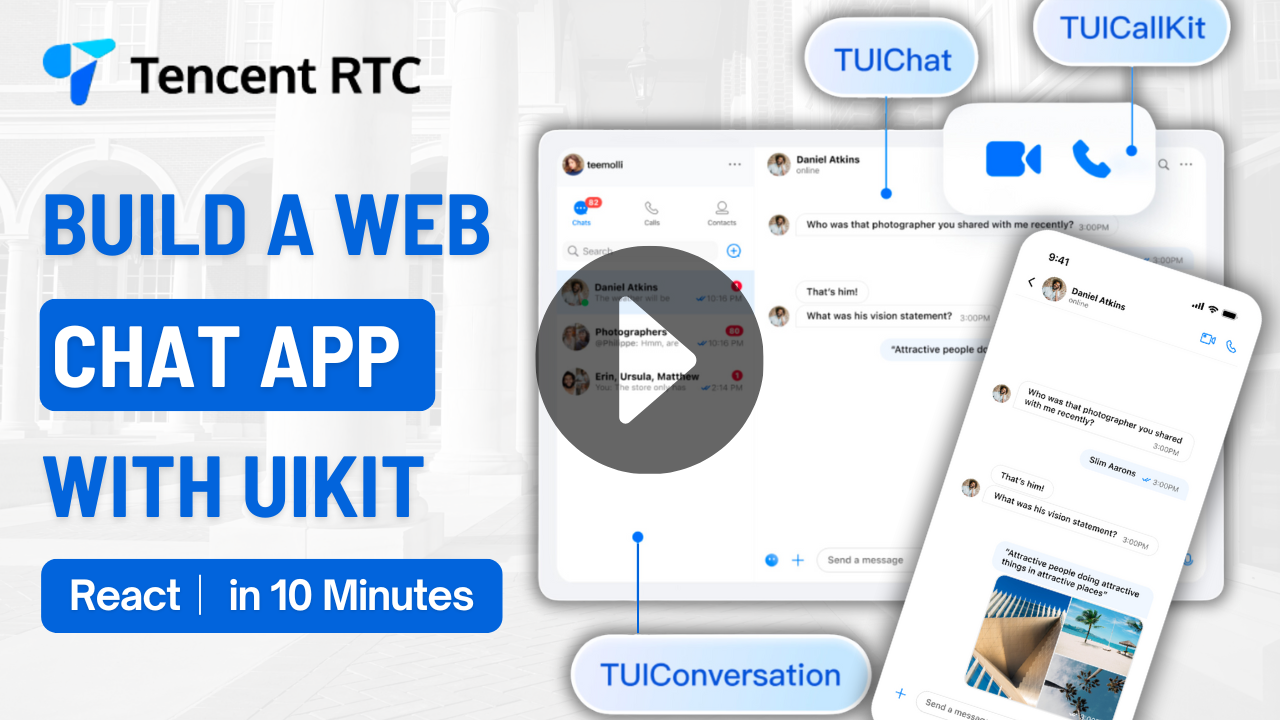
This tutorial shows how you can build a chat application in just 10 minutes by integrating chat-uikit-react
[ ](https://www.youtube.com/watch?v=o0PcxpGl66Y)
## Core Capabilities
- 1 Billion+ Monthly active users
- 550 Billion+ Daily peak messages
- 100,000+ Customers worldwid
- 99.99% Message success rate
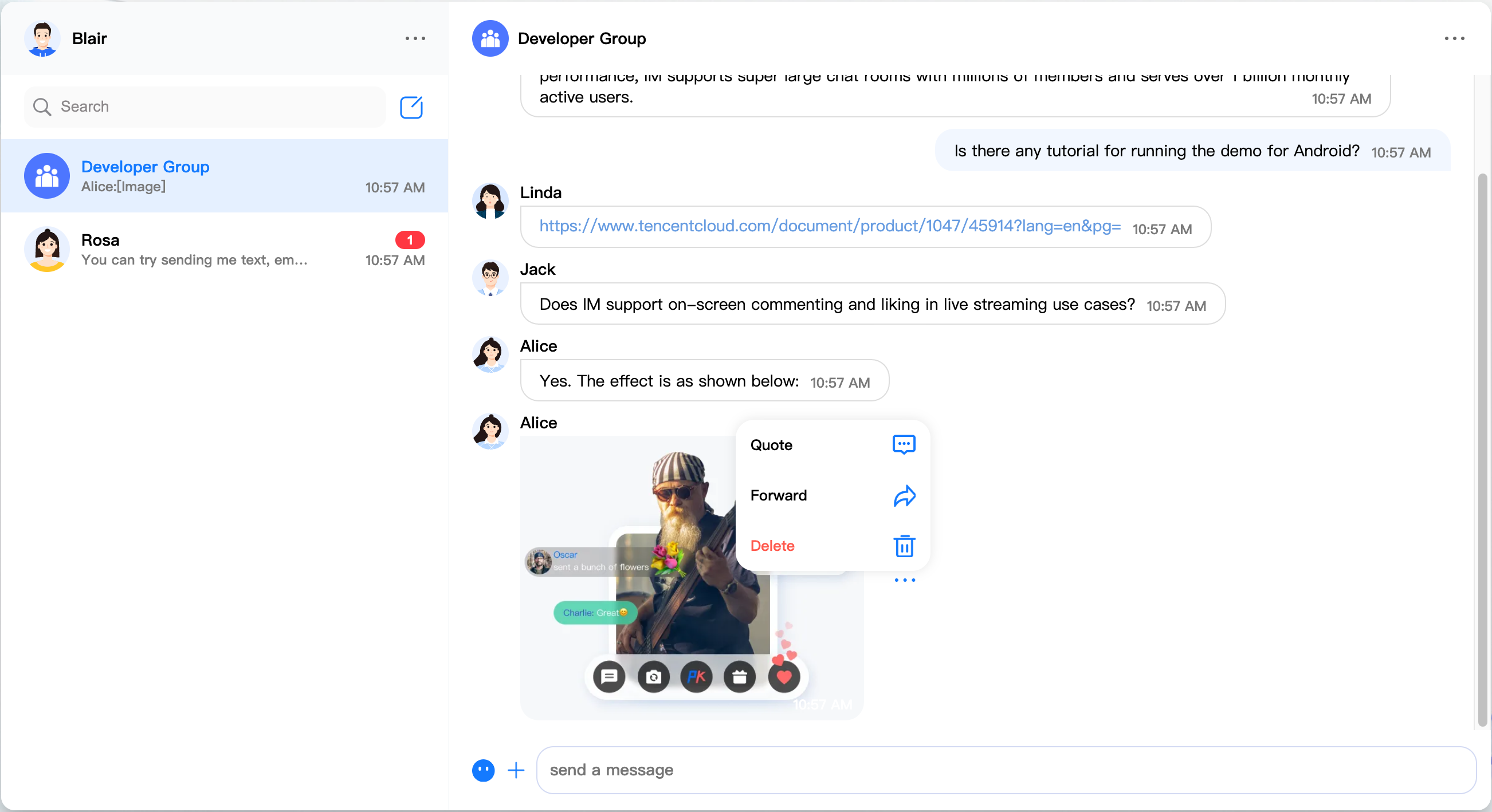
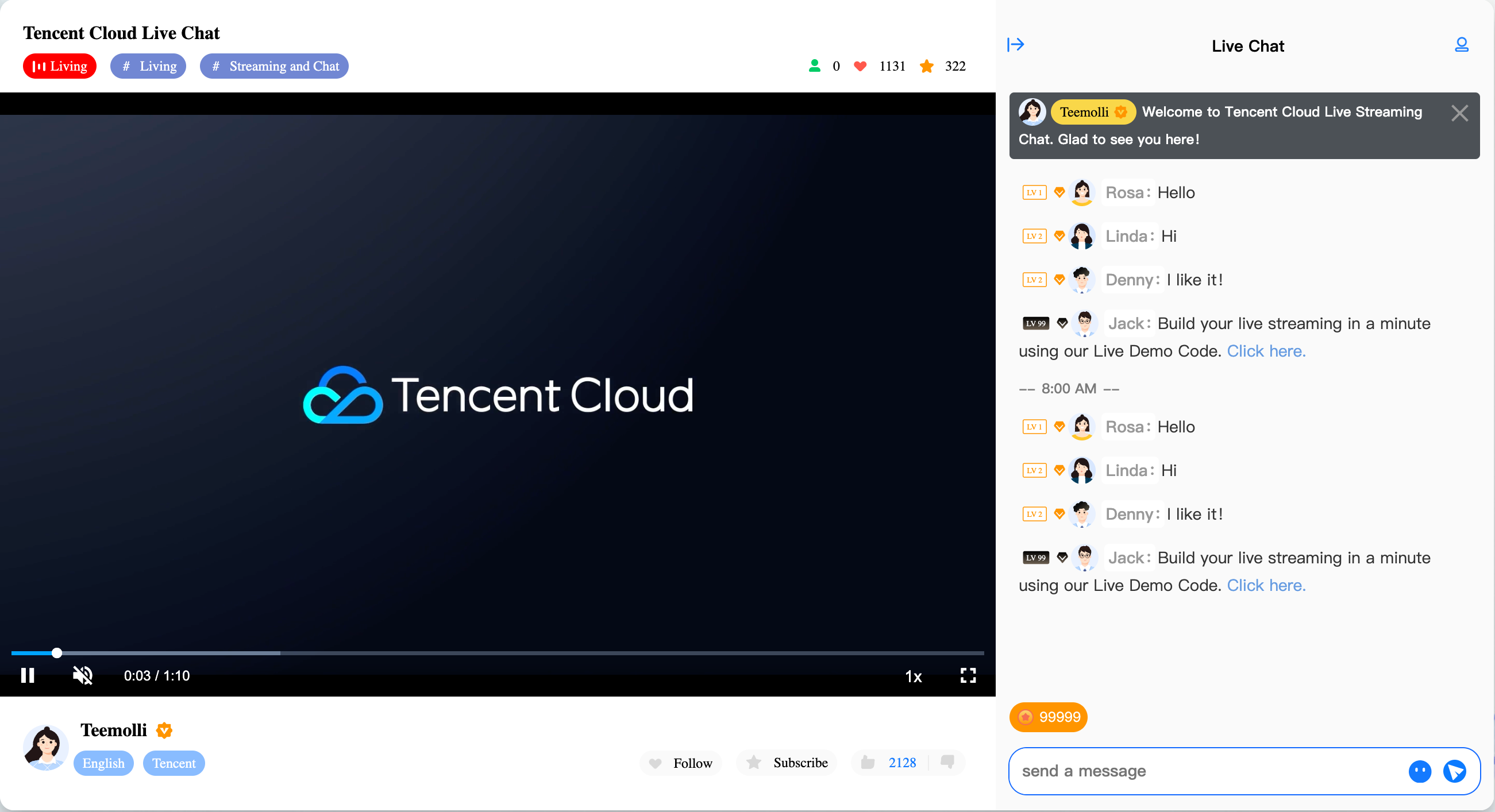
## Low-Code UIKit and Free Demo
👉🏻 [Free Demo](https://trtc.io/demo/homepage/#/detail?scene=messenger)
## Get Started
> In respect for the copyright of emoji designs, the Chat Demo/TUIKit project does not include large emoji element cutouts. Please replace them with your own designed or copyrighted emoji packs before the official commercial launch. The default QQ emojis are copyrighted by Tencent and do not support authorization. We ask for your understanding and to be aware of this.
### Step 1. Create an app
1. Log in to the [Chat console](https://console.trtc.io/).
2. Click `Create Application`, enter your app name, and click `Create`.

3. After creation, you can see the status, service version, SDKAppID, creation time, tag, and expiration time of the new app on the overview page of the console.
### Step 2. Obtain the SDKAppID and UserSig
1. Click the target app card to go to the basic configuration page of the app.
2. In the Basic info area, click `Display key`, and then copy and save the key information, which is `SDKSecretKey`.

3. Goto [UserSig Tools](https://console.trtc.io/usersig) to generate UserSig, you need to set the `SDKAppID` and `SDKSecretKey`, you will get the `userSig`.
> More information about UserSig, please refer to [Secure authentication with UserSig](https://trtc.io/document/34385?product=chat?product=chat&menulabel=uikit&platform=web)
### Step 3. Download the source code and install dependencies
```
# Please run the following code in the terminal.
$ git clone https://github.com/TencentCloud/chat-uikit-react
# Go to the project
$ cd chat-uikit-react
# Install dependencies of the demo and build chat-uikit-react
$ npm install
```
### Step 4. Configure Login Info
1. Open the `src/pages/ChatGithub/index.tsx` file.
2. Set the `loginInfo` with the `SDKAppID` and `userID` and `userSig` obtained at Step 2.
### Step 5. Run the demo
```
$ npm run dev
```
## Send your first message
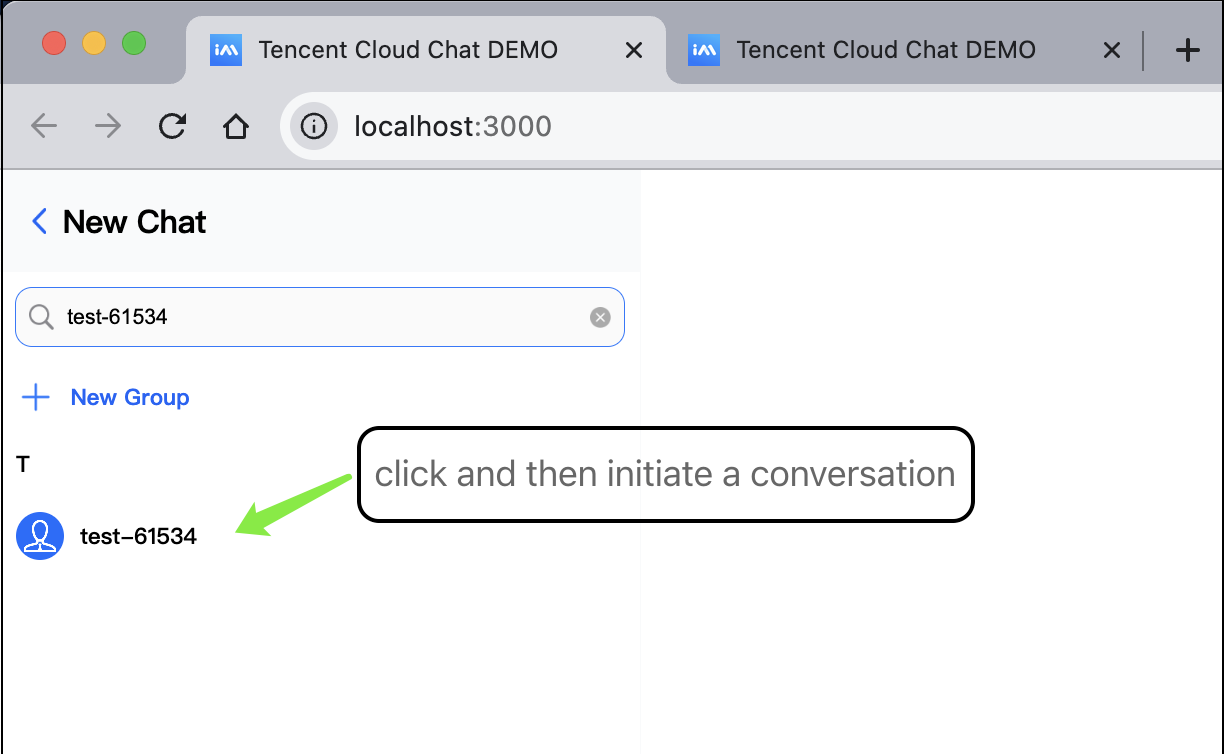
1. Run the demo in two seperate tab pages.
2. In the search box of the demo in the first tab page, search for the login ID of the demo in the second tab page.
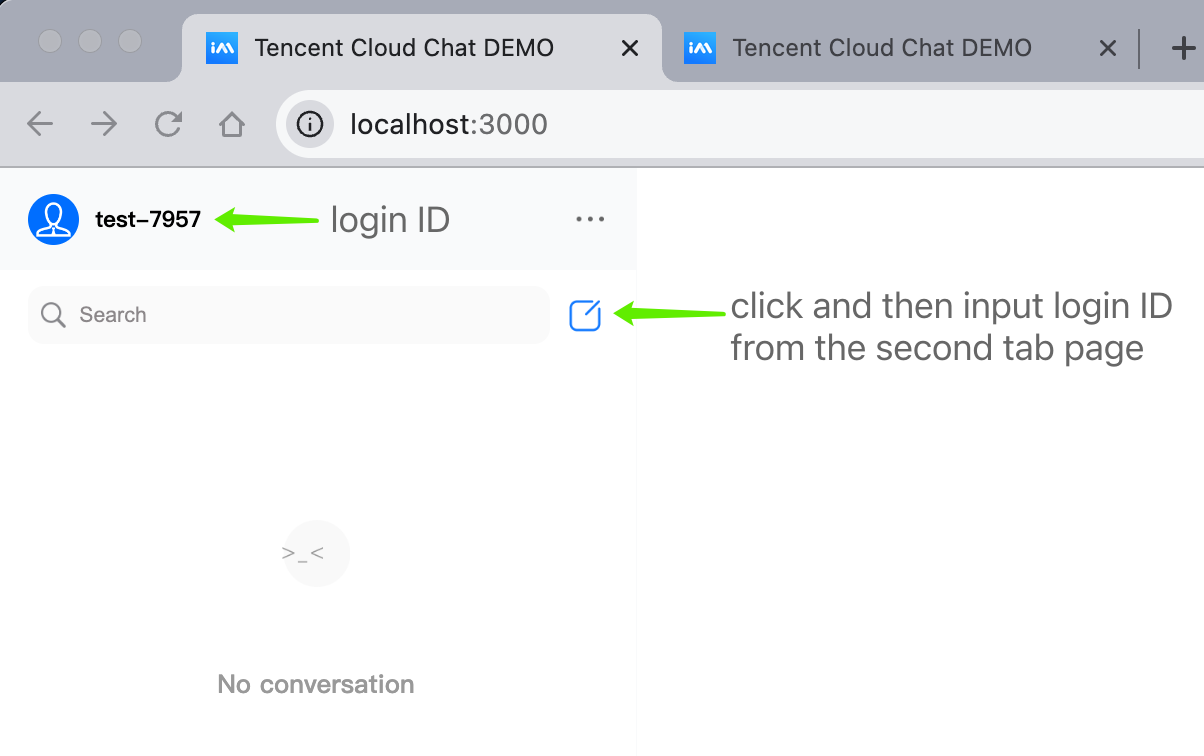
3. Click on the user avatar to initiate a conversation.
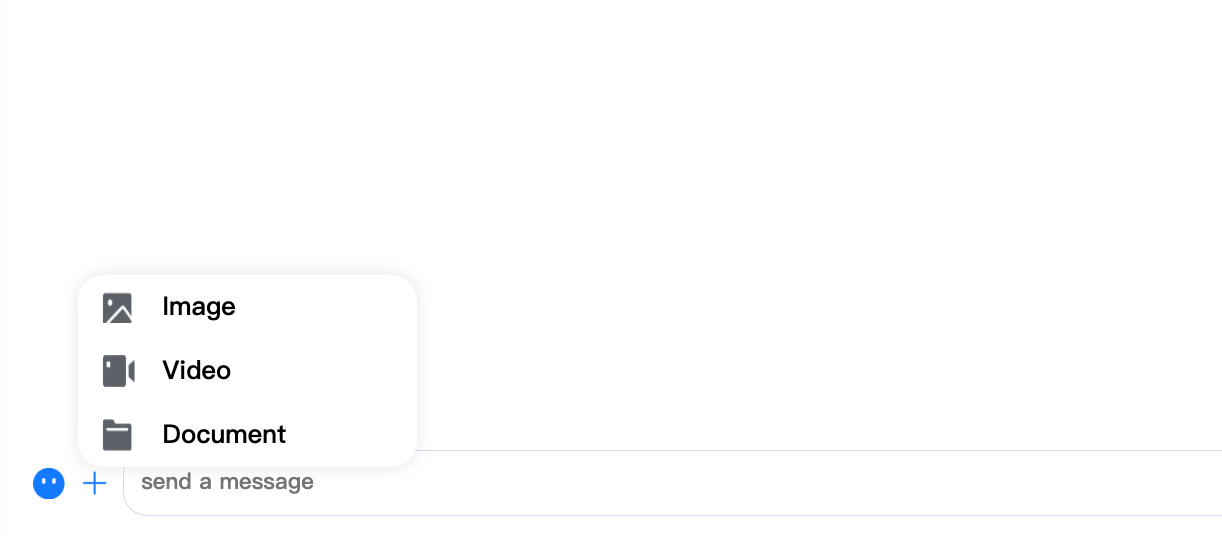
4. Enter a message in the input box and press **Enter** to send it. Emoji/Image/Video/Document messages are supported.
## Contact Us
Join a Tencent Cloud Chat developer group for Reliable technical support & Product details & Constant exchange of ideas.
- Telegram group (EN): [join](https://t.me/+1doS9AUBmndhNGNl)
- WhatsApp group (EN): [join](https://chat.whatsapp.com/Gfbxk7rQBqc8Rz4pzzP27A)
- Telegram group (ZH): [join](https://t.me/tencent_imsdk)
- WhatsApp group (ZH): [join](https://chat.whatsapp.com/IVa11ZkVmKTEwSWsAzSyik)
](https://www.youtube.com/watch?v=o0PcxpGl66Y)
## Core Capabilities
- 1 Billion+ Monthly active users
- 550 Billion+ Daily peak messages
- 100,000+ Customers worldwid
- 99.99% Message success rate
## Low-Code UIKit and Free Demo


👉🏻 [Free Demo](https://trtc.io/demo/homepage/#/detail?scene=messenger)
## Get Started
> In respect for the copyright of emoji designs, the Chat Demo/TUIKit project does not include large emoji element cutouts. Please replace them with your own designed or copyrighted emoji packs before the official commercial launch. The default QQ emojis are copyrighted by Tencent and do not support authorization. We ask for your understanding and to be aware of this.
### Step 1. Create an app
1. Log in to the [Chat console](https://console.trtc.io/).
2. Click `Create Application`, enter your app name, and click `Create`.

3. After creation, you can see the status, service version, SDKAppID, creation time, tag, and expiration time of the new app on the overview page of the console.
### Step 2. Obtain the SDKAppID and UserSig
1. Click the target app card to go to the basic configuration page of the app.
2. In the Basic info area, click `Display key`, and then copy and save the key information, which is `SDKSecretKey`.

3. Goto [UserSig Tools](https://console.trtc.io/usersig) to generate UserSig, you need to set the `SDKAppID` and `SDKSecretKey`, you will get the `userSig`.
> More information about UserSig, please refer to [Secure authentication with UserSig](https://trtc.io/document/34385?product=chat?product=chat&menulabel=uikit&platform=web)
### Step 3. Download the source code and install dependencies
```
# Please run the following code in the terminal.
$ git clone https://github.com/TencentCloud/chat-uikit-react
# Go to the project
$ cd chat-uikit-react
# Install dependencies of the demo and build chat-uikit-react
$ npm install
```
### Step 4. Configure Login Info
1. Open the `src/pages/ChatGithub/index.tsx` file.
2. Set the `loginInfo` with the `SDKAppID` and `userID` and `userSig` obtained at Step 2.
### Step 5. Run the demo
```
$ npm run dev
```
## Send your first message
1. Run the demo in two seperate tab pages.
2. In the search box of the demo in the first tab page, search for the login ID of the demo in the second tab page.

3. Click on the user avatar to initiate a conversation.

4. Enter a message in the input box and press **Enter** to send it. Emoji/Image/Video/Document messages are supported.

## Contact Us
Join a Tencent Cloud Chat developer group for Reliable technical support & Product details & Constant exchange of ideas.
- Telegram group (EN): [join](https://t.me/+1doS9AUBmndhNGNl)
- WhatsApp group (EN): [join](https://chat.whatsapp.com/Gfbxk7rQBqc8Rz4pzzP27A)
- Telegram group (ZH): [join](https://t.me/tencent_imsdk)
- WhatsApp group (ZH): [join](https://chat.whatsapp.com/IVa11ZkVmKTEwSWsAzSyik)