# sf
**Repository Path**: null1996/sf
## Basic Information
- **Project Name**: sf
- **Description**: No description available
- **Primary Language**: Unknown
- **License**: Not specified
- **Default Branch**: master
- **Homepage**: None
- **GVP Project**: No
## Statistics
- **Stars**: 0
- **Forks**: 0
- **Created**: 2021-01-15
- **Last Updated**: 2024-11-22
## Categories & Tags
**Categories**: Uncategorized
**Tags**: None
## README
[](https://github.com/r-spatial/sf/actions)
[](https://github.com/r-spatial/sf/actions)
[](https://codecov.io/github/r-spatial/sf?branch=master)
[](http://www.gnu.org/licenses/gpl-2.0.html)
[](https://cran.r-project.org/package=sf)
[](https://cran.r-project.org/web/checks/check_results_sf.html)
[](http://www.r-pkg.org/pkg/sf)
[](https://CRAN.R-project.org/package=sf)
# Simple Features for R
 A package that provides [simple features access](https://en.wikipedia.org/wiki/Simple_Features) for R. Package sf:
* represents simple features as records in a `data.frame` or `tibble` with a geometry list-column
* represents natively in R all 17 simple feature types for all dimensions (XY, XYZ, XYM, XYZM)
* interfaces to [GEOS](https://trac.osgeo.org/geos) to support geometrical operations including the [DE9-IM](https://en.wikipedia.org/wiki/DE-9IM)
* interfaces to [GDAL](http://www.gdal.org/), supporting all driver options, `Date` and `POSIXct` and list-columns
* interfaces to [PRØJ](http://proj.org/) for coordinate reference system conversions and transformations
* uses [well-known-binary](https://en.wikipedia.org/wiki/Well-known_text#Well-known_binary) serialisations written in C++/Rcpp for fast I/O with GDAL and GEOS
* reads from and writes to spatial databases such as [PostGIS](http://postgis.net/) using [DBI](https://cran.r-project.org/web/packages/DBI/index.html)
* is extended by pkg [lwgeom](https://github.com/r-spatial/lwgeom/) for further liblwgeom/PostGIS functions, including some spherical geometry functions
A package that provides [simple features access](https://en.wikipedia.org/wiki/Simple_Features) for R. Package sf:
* represents simple features as records in a `data.frame` or `tibble` with a geometry list-column
* represents natively in R all 17 simple feature types for all dimensions (XY, XYZ, XYM, XYZM)
* interfaces to [GEOS](https://trac.osgeo.org/geos) to support geometrical operations including the [DE9-IM](https://en.wikipedia.org/wiki/DE-9IM)
* interfaces to [GDAL](http://www.gdal.org/), supporting all driver options, `Date` and `POSIXct` and list-columns
* interfaces to [PRØJ](http://proj.org/) for coordinate reference system conversions and transformations
* uses [well-known-binary](https://en.wikipedia.org/wiki/Well-known_text#Well-known_binary) serialisations written in C++/Rcpp for fast I/O with GDAL and GEOS
* reads from and writes to spatial databases such as [PostGIS](http://postgis.net/) using [DBI](https://cran.r-project.org/web/packages/DBI/index.html)
* is extended by pkg [lwgeom](https://github.com/r-spatial/lwgeom/) for further liblwgeom/PostGIS functions, including some spherical geometry functions
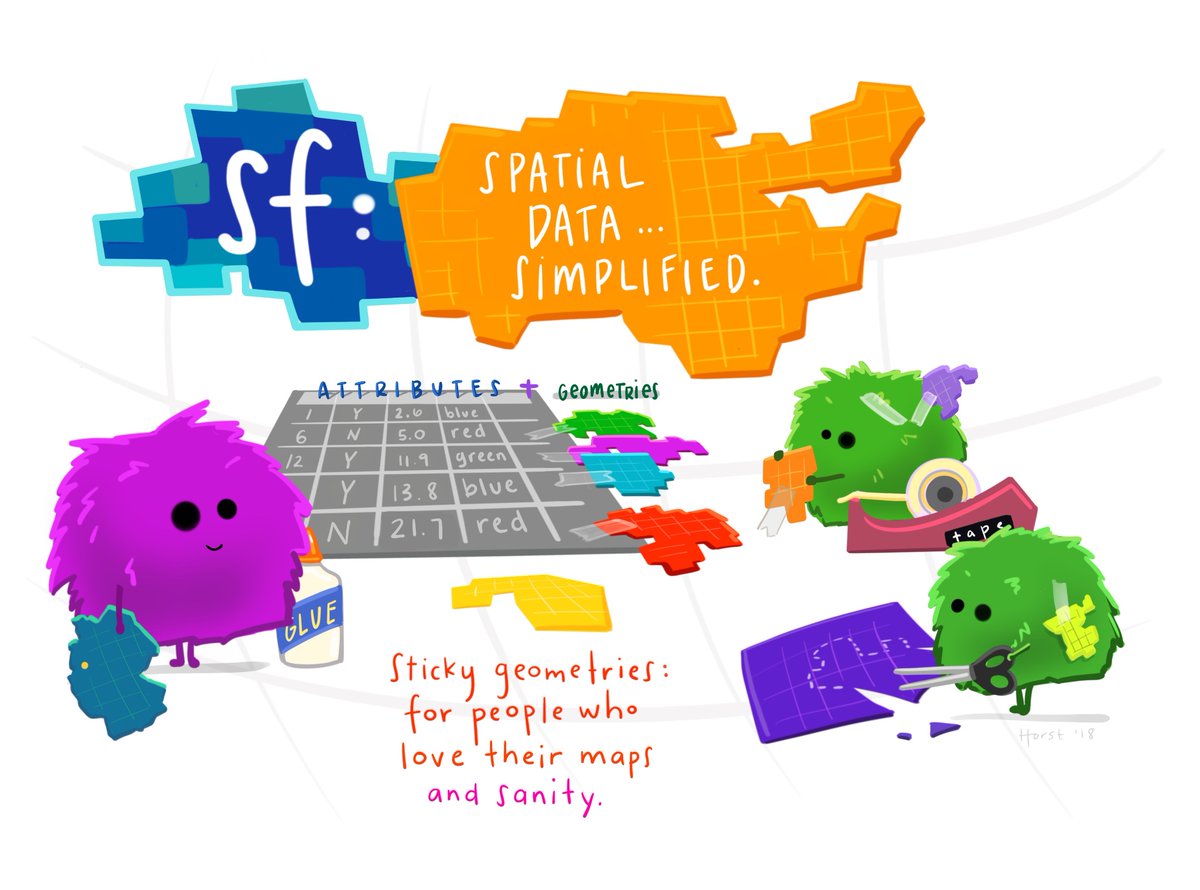 (Illustration (c) by Allison Horst)
### Blogs, presentations, vignettes, sp-sf wiki
* an open access [R Journal article](https://journal.r-project.org/archive/2018/RJ-2018-009/index.html) summarizes the package
* package vignettes: [first](https://r-spatial.github.io/sf/articles/sf1.html), [second](https://r-spatial.github.io/sf/articles/sf2.html), [third](https://r-spatial.github.io/sf/articles/sf3.html), [forth](https://r-spatial.github.io/sf/articles/sf4.html), [fifth](https://r-spatial.github.io/sf/articles/sf5.html), [sixth](https://r-spatial.github.io/sf/articles/sf6.html)
* blog posts: [first](http://r-spatial.org/r/2016/02/15/simple-features-for-r.html), [second](http://r-spatial.org/r/2016/07/18/sf2.html), [third](http://r-spatial.org/r/2016/11/02/sfcran.html), [fourth](http://r-spatial.org/r/2017/01/12/newssf.html)
* the original R Consortium ISC [proposal](PROPOSAL.md), the R Consortium [blog post](https://www.r-consortium.org/blog/2017/01/03/simple-features-now-on-cran)
* presentations: [rstudio::conf 2018](https://edzer.github.io/rstudio_conf/#1) ([video](https://www.rstudio.com/resources/videos/tidy-spatial-data-analysis/)), [UseR! 2016](http://pebesma.staff.ifgi.de/pebesma_sfr.pdf)
* wiki page describing [sp-sf migration](https://github.com/r-spatial/sf/wiki/Migrating)
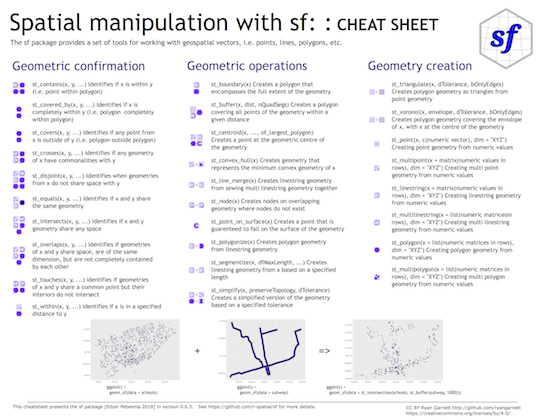
## Cheatsheet
[CC 4.0](https://creativecommons.org/licenses/by/4.0/) BY [Ryan Garnett](http://github.com/ryangarnett)
(Illustration (c) by Allison Horst)
### Blogs, presentations, vignettes, sp-sf wiki
* an open access [R Journal article](https://journal.r-project.org/archive/2018/RJ-2018-009/index.html) summarizes the package
* package vignettes: [first](https://r-spatial.github.io/sf/articles/sf1.html), [second](https://r-spatial.github.io/sf/articles/sf2.html), [third](https://r-spatial.github.io/sf/articles/sf3.html), [forth](https://r-spatial.github.io/sf/articles/sf4.html), [fifth](https://r-spatial.github.io/sf/articles/sf5.html), [sixth](https://r-spatial.github.io/sf/articles/sf6.html)
* blog posts: [first](http://r-spatial.org/r/2016/02/15/simple-features-for-r.html), [second](http://r-spatial.org/r/2016/07/18/sf2.html), [third](http://r-spatial.org/r/2016/11/02/sfcran.html), [fourth](http://r-spatial.org/r/2017/01/12/newssf.html)
* the original R Consortium ISC [proposal](PROPOSAL.md), the R Consortium [blog post](https://www.r-consortium.org/blog/2017/01/03/simple-features-now-on-cran)
* presentations: [rstudio::conf 2018](https://edzer.github.io/rstudio_conf/#1) ([video](https://www.rstudio.com/resources/videos/tidy-spatial-data-analysis/)), [UseR! 2016](http://pebesma.staff.ifgi.de/pebesma_sfr.pdf)
* wiki page describing [sp-sf migration](https://github.com/r-spatial/sf/wiki/Migrating)
## Cheatsheet
[CC 4.0](https://creativecommons.org/licenses/by/4.0/) BY [Ryan Garnett](http://github.com/ryangarnett)
 ## Installing
Install either from CRAN with:
```r
install.packages("sf")
```
this will install binary packages on Windows and MacOS, unless you configured R such that it tries to install source packages; in that case, see below.
Install development versions from github with
```r
library(devtools)
install_github("r-spatial/sf")
```
### Windows
Installing sf from source works under windows when [Rtools](https://cran.r-project.org/bin/windows/Rtools/) is installed. This downloads the system requirements from [rwinlib](https://github.com/rwinlib/).
### MacOS
The easiest way to install `gdal` is using Homebrew. Recent versions of homebrew include a full-featured up-to-date [gdal formula](https://github.com/Homebrew/homebrew-core/blob/master/Formula/gdal.rb), which installs `proj` and `gdal` at the same time:
```
brew install pkg-config
brew install gdal
```
Once gdal is installed, you will be able to install `sf` package from source in R. With the current version of `proj` (`7.0.0`) on homebrew, installation requires additional configuration:
```r
install.packages("sf", configure.args = "--with-proj-lib=/usr/local/lib/")
```
Or the development version:
```r
library(devtools)
install_github("r-spatial/sf", configure.args = "--with-proj-lib=/usr/local/lib/")
```
If you are using `sf` and `rgdal` together it is necessary to install `rgdal` from source using this configuration:
```r
install.packages("rgdal", configure.args = c("--with-proj-lib=/usr/local/lib/", "--with-proj-include=/usr/local/include/"))
```
Alternatively [these instructions](https://stat.ethz.ch/pipermail/r-sig-mac/2017-June/012429.html) explain how to install gdal using kyngchaos frameworks.
For Mac OS 11 Big Sur source install instruction see [here](https://github.com/r-spatial/sf/issues/1536#issuecomment-727342736)
### Linux
For Unix-alikes, GDAL (>= 2.0.1), GEOS (>= 3.4.0) and Proj.4 (>= 4.8.0) are required.
#### Ubuntu
Dependencies for recent versions of Ubuntu (18.04 and later) are available in the official repositories; you can install them with:
```sh
apt-get -y update && apt-get install -y libudunits2-dev libgdal-dev libgeos-dev libproj-dev
```
However, to get more up-to-date versions of dependencies such as GDAL, we recommend adding the [ubuntugis-unstable](http://ppa.launchpad.net/ubuntugis/ubuntugis-unstable/ubuntu/) PPA to the package repositories and installing them as follows:
```sh
sudo add-apt-repository ppa:ubuntugis/ubuntugis-unstable
sudo apt-get update
sudo apt-get install libudunits2-dev libgdal-dev libgeos-dev libproj-dev
```
Adding this PPA is required for installing `sf` on older versions of Ubuntu (e.g. Xenial).
Another option, for advanced users, is to install dependencies from source; see e.g. an older [travis](https://github.com/r-spatial/sf/blob/593ee48b34001fe3b383ea73ea57063ecf690732/.travis.yml) config file for hints.
#### Fedora
The following command installs all required dependencies:
```sh
sudo dnf install gdal-devel proj-devel proj-epsg proj-nad geos-devel sqlite-devel udunits2-devel
```
#### Arch
Get gdal, proj and geos from the main repos and udunits from the AUR:
```
pacman -S gdal proj geos
yay/pacaur/yaourt/whatever -S udunits
```
#### Other
To install on Debian, the [rocker geospatial](https://github.com/rocker-org/geospatial) Dockerfiles may be helpful. Ubuntu Dockerfiles are found [here](https://github.com/r-spatial/sf/tree/master/inst/docker).
### Multiple GDAL, GEOS and/or PROJ versions on your system
In case you use dynamic linking (installation from source) and have multiple versions of these libraries installed (e.g. one from ubuntugis-unstable, another installed from source in `/usr/local/lib`) then this will in general not work, even when setting `LD_LIBRARY_PATH` manually. See [here](https://github.com/r-spatial/sf/issues/844) for the reason why.
### lwgeom
Functions and methods that require `liblwgeom`, including `st_make_valid` and all spherical or ellipsoidal metrics (area, distances), have since sf 0.5-5 been moved to their own package, [lwgeom](https://github.com/r-spatial/lwgeom), which is also on [CRAN](https://cran.r-project.org/package=lwgeom).
## Contributing
* Contributions of all sorts are most welcome, issues and pull requests are the preferred ways of sharing them.
* When contributing pull requests, please adhere to the package style (in package code use `=` rather than `<-`; don't change indentation; tab stops of 4 spaces are preferred)
* This project is released with a [Contributor Code of Conduct](CONDUCT.md). By participating in this project you agree to abide by its terms.
## Acknowledgment
This project gratefully acknowledges financial [support](https://www.r-consortium.org/projects) from the
## Installing
Install either from CRAN with:
```r
install.packages("sf")
```
this will install binary packages on Windows and MacOS, unless you configured R such that it tries to install source packages; in that case, see below.
Install development versions from github with
```r
library(devtools)
install_github("r-spatial/sf")
```
### Windows
Installing sf from source works under windows when [Rtools](https://cran.r-project.org/bin/windows/Rtools/) is installed. This downloads the system requirements from [rwinlib](https://github.com/rwinlib/).
### MacOS
The easiest way to install `gdal` is using Homebrew. Recent versions of homebrew include a full-featured up-to-date [gdal formula](https://github.com/Homebrew/homebrew-core/blob/master/Formula/gdal.rb), which installs `proj` and `gdal` at the same time:
```
brew install pkg-config
brew install gdal
```
Once gdal is installed, you will be able to install `sf` package from source in R. With the current version of `proj` (`7.0.0`) on homebrew, installation requires additional configuration:
```r
install.packages("sf", configure.args = "--with-proj-lib=/usr/local/lib/")
```
Or the development version:
```r
library(devtools)
install_github("r-spatial/sf", configure.args = "--with-proj-lib=/usr/local/lib/")
```
If you are using `sf` and `rgdal` together it is necessary to install `rgdal` from source using this configuration:
```r
install.packages("rgdal", configure.args = c("--with-proj-lib=/usr/local/lib/", "--with-proj-include=/usr/local/include/"))
```
Alternatively [these instructions](https://stat.ethz.ch/pipermail/r-sig-mac/2017-June/012429.html) explain how to install gdal using kyngchaos frameworks.
For Mac OS 11 Big Sur source install instruction see [here](https://github.com/r-spatial/sf/issues/1536#issuecomment-727342736)
### Linux
For Unix-alikes, GDAL (>= 2.0.1), GEOS (>= 3.4.0) and Proj.4 (>= 4.8.0) are required.
#### Ubuntu
Dependencies for recent versions of Ubuntu (18.04 and later) are available in the official repositories; you can install them with:
```sh
apt-get -y update && apt-get install -y libudunits2-dev libgdal-dev libgeos-dev libproj-dev
```
However, to get more up-to-date versions of dependencies such as GDAL, we recommend adding the [ubuntugis-unstable](http://ppa.launchpad.net/ubuntugis/ubuntugis-unstable/ubuntu/) PPA to the package repositories and installing them as follows:
```sh
sudo add-apt-repository ppa:ubuntugis/ubuntugis-unstable
sudo apt-get update
sudo apt-get install libudunits2-dev libgdal-dev libgeos-dev libproj-dev
```
Adding this PPA is required for installing `sf` on older versions of Ubuntu (e.g. Xenial).
Another option, for advanced users, is to install dependencies from source; see e.g. an older [travis](https://github.com/r-spatial/sf/blob/593ee48b34001fe3b383ea73ea57063ecf690732/.travis.yml) config file for hints.
#### Fedora
The following command installs all required dependencies:
```sh
sudo dnf install gdal-devel proj-devel proj-epsg proj-nad geos-devel sqlite-devel udunits2-devel
```
#### Arch
Get gdal, proj and geos from the main repos and udunits from the AUR:
```
pacman -S gdal proj geos
yay/pacaur/yaourt/whatever -S udunits
```
#### Other
To install on Debian, the [rocker geospatial](https://github.com/rocker-org/geospatial) Dockerfiles may be helpful. Ubuntu Dockerfiles are found [here](https://github.com/r-spatial/sf/tree/master/inst/docker).
### Multiple GDAL, GEOS and/or PROJ versions on your system
In case you use dynamic linking (installation from source) and have multiple versions of these libraries installed (e.g. one from ubuntugis-unstable, another installed from source in `/usr/local/lib`) then this will in general not work, even when setting `LD_LIBRARY_PATH` manually. See [here](https://github.com/r-spatial/sf/issues/844) for the reason why.
### lwgeom
Functions and methods that require `liblwgeom`, including `st_make_valid` and all spherical or ellipsoidal metrics (area, distances), have since sf 0.5-5 been moved to their own package, [lwgeom](https://github.com/r-spatial/lwgeom), which is also on [CRAN](https://cran.r-project.org/package=lwgeom).
## Contributing
* Contributions of all sorts are most welcome, issues and pull requests are the preferred ways of sharing them.
* When contributing pull requests, please adhere to the package style (in package code use `=` rather than `<-`; don't change indentation; tab stops of 4 spaces are preferred)
* This project is released with a [Contributor Code of Conduct](CONDUCT.md). By participating in this project you agree to abide by its terms.
## Acknowledgment
This project gratefully acknowledges financial [support](https://www.r-consortium.org/projects) from the