# Komiser
**Repository Path**: openspace/Komiser
## Basic Information
- **Project Name**: Komiser
- **Description**: Komiser 可以帮你发现使用 AWS 云服务的隐藏成本、监控支出的增加以及根据自定义规则进行调整,使费用保持在预算之内
- **Primary Language**: Unknown
- **License**: MIT
- **Default Branch**: master
- **Homepage**: https://www.oschina.net/p/komiser
- **GVP Project**: No
## Statistics
- **Stars**: 0
- **Forks**: 2
- **Created**: 2020-06-15
- **Last Updated**: 2020-12-18
## Categories & Tags
**Categories**: Uncategorized
**Tags**: None
## README

 [](https://github.com/mlabouardy/komiser/blob/master/LICENSE) [](https://hub.docker.com/r/mlabouardy/komiser/)
[](LICENSE) [](https://circleci.com/gh/mlabouardy/komiser/tree/master) [](https://github.com/mlabouardy/komiser/issues) [
[](https://github.com/mlabouardy/komiser/blob/master/LICENSE) [](https://hub.docker.com/r/mlabouardy/komiser/)
[](LICENSE) [](https://circleci.com/gh/mlabouardy/komiser/tree/master) [](https://github.com/mlabouardy/komiser/issues) [ ](https://mohamedlabouardy.typeform.com/to/p5qrA)



 Stay under budget by uncovering hidden costs, monitoring increases in spend, and making impactful changes based on custom recommendations.
**Discuss it on [Product Hunt](https://www.producthunt.com/posts/komiser) 🦄**
*Komiser EE is available in private beta test stage, sign in for free at [https://cloud.komiser.io](https://cloud.komiser.io)*
[](https://twitter.com/komiseree) [](https://twitter.com/intent/tweet?text=Optimize%20Cost%20and%20Security%20on%20AWS&url=https://github.com/mlabouardy/komiser&via=mlabouardy&hashtags=komiser,aws,gcp,cloud,serverless,devops)
**Highlights**
* Analyze and manage cloud cost, usage, security, and governance in one place.
* Control your usage and create visibility across all used services to achieve maximum cost-effectiveness.
* Detect potential vulnerabilities that could put your cloud environment at risk.
* Get a deep understanding of how you spend on the AWS, GCP, OVH, DigitalOcean and Azure.
Stay under budget by uncovering hidden costs, monitoring increases in spend, and making impactful changes based on custom recommendations.
**Discuss it on [Product Hunt](https://www.producthunt.com/posts/komiser) 🦄**
*Komiser EE is available in private beta test stage, sign in for free at [https://cloud.komiser.io](https://cloud.komiser.io)*
[](https://twitter.com/komiseree) [](https://twitter.com/intent/tweet?text=Optimize%20Cost%20and%20Security%20on%20AWS&url=https://github.com/mlabouardy/komiser&via=mlabouardy&hashtags=komiser,aws,gcp,cloud,serverless,devops)
**Highlights**
* Analyze and manage cloud cost, usage, security, and governance in one place.
* Control your usage and create visibility across all used services to achieve maximum cost-effectiveness.
* Detect potential vulnerabilities that could put your cloud environment at risk.
* Get a deep understanding of how you spend on the AWS, GCP, OVH, DigitalOcean and Azure.
[](https://www.youtube.com/watch?v=DDWf2KnvgE8)
## Backers
[Become a backer](https://opencollective.com/komiser#backer) and show your support to our open source project.
## Sponsors
Does your company use Komiser? Ask your manager or marketing team if your company would be interested in supporting our project. Support will allow the maintainers to dedicate more time for maintenance and new features for everyone. Also, your company's logo will show [on GitHub](https://github.com/mlabouardy/komiser#readme) and on [our site](https://komiser.io) - who doesn't want a little extra exposure? [Here's the info](https://opencollective.com/komiser#sponsor).
## Download
Below are the available downloads for the latest version of Komiser (2.4.0). Please download the proper package for your operating system and architecture.
### Linux:
```
wget https://cli.komiser.io/2.4.0/linux/komiser
```
### Windows:
```
wget https://cli.komiser.io/2.4.0/windows/komiser
```
### Mac OS X:
```
wget https://cli.komiser.io/2.4.0/osx/komiser
```
_Note_: make sure to add the execution permission to Komiser `chmod +x komiser`
```
brew tap komiserio/komiser
brew install komiser
```
### Docker:
```
docker run -d -p 3000:3000 -e AWS_ACCESS_KEY_ID="" -e AWS_SECRET_ACCESS_KEY="" -e AWS_DEFAULT_REGION="" --name komiser mlabouardy/komiser:2.4.0
```
## How to use
### AWS
* Create an IAM user with the following IAM [policy](https://raw.githubusercontent.com/mlabouardy/komiser/master/policy.json):
```
wget https://komiser.s3.amazonaws.com/policy.json
```
* Add your **Access Key ID** and **Secret Access Key** to *~/.aws/credentials* using this format
```
[default]
aws_access_key_id =
aws_secret_access_key =
region =
```
* That should be it. Try out the following from your command prompt to start the server:
```
komiser start --port 3000
```
You can also use Redis as a caching server:
```
komiser start --port 3000 --redis localhost:6379 --duration 30
```
* Point your browser to http://localhost:3000

#### Multiple AWS Accounts Support
Komiser support multiple AWS accounts through named profiles that are stored in the `config` and `credentials files`. You can configure additional profiles by using `aws configure` with the `--profile` option, or by adding entries to the `config` and `credentials` files.
The following example shows a credentials file with 3 profiles (production, staging & sandbox accounts):
```
[Production]
aws_access_key_id=
aws_secret_access_key=
[Staging]
aws_access_key_id=
aws_secret_access_key=
[Sandbox]
aws_access_key_id=
aws_secret_access_key=
```
To enable multiple AWS accounts feature, add the --multiple option to Komiser:
```
komiser start --port 3000 --redis localhost:6379 --duration 30 --multiple
```
* If you point your browser to http://localhost:3000, you should be able to see your accounts:

### GCP
* Create a service account with *Viewer* permission, see [Creating and managing service accounts](https://cloud.google.com/iam/docs/creating-managing-service-accounts) docs.
* Enable the below APIs for your project through GCP Console, `gcloud` or using the Service Usage API. You can find out more about these options in [Enabling an API in your GCP project](https://cloud.google.com/endpoints/docs/openapi/enable-api) docs.
* appengine.googleapis.com
* bigquery-json.googleapis.com
* compute.googleapis.com
* cloudfunctions.googleapis.com
* container.googleapis.com
* cloudresourcemanager.googleapis.com
* cloudkms.googleapis.com
* dns.googleapis.com
* dataflow.googleapis.com
* dataproc.googleapis.com
* iam.googleapis.com
* monitoring.googleapis.com
* pubsub.googleapis.com
* redis.googleapis.com
* serviceusage.googleapis.com
* storage-api.googleapis.com
* sqladmin.googleapis.com
* To analyze and optimize the infrastructure cost, you need to export your daily cost to BigQuery, see [Export Billing to BigQuery](https://cloud.google.com/billing/docs/how-to/export-data-bigquery) docs.
* Provide authentication credentials to your application code by setting the environment variable *GOOGLE_APPLICATION_CREDENTIALS*:
```
export GOOGLE_APPLICATION_CREDENTIALS="[PATH]"
```
* That should be it. Try out the following from your command prompt to start the server:
```
komiser start --port 3000 --dataset project-id.dataset-name.table-name
```
* Point your browser to http://localhost:3000

### OVH
* Create an API application from [here](https://eu.api.ovh.com/createToken/).
* This CLI will first look for direct instanciation parameters then `OVH_ENDPOINT`, `OVH_APPLICATION_KEY`, `OVH_APPLICATION_SECRET` and `OVH_CONSUMER_KEY` environment variables. If either of these parameter is not provided, it will look for a configuration file of the form:
```
[default]
; general configuration: default endpoint
endpoint=ovh-eu
[ovh-eu]
; configuration specific to 'ovh-eu' endpoint
application_key=my_app_key
application_secret=my_application_secret
consumer_key=my_consumer_key
```
* The CLI will successively attempt to locate this configuration file in
* Current working directory: `./ovh.conf`
* Current user's home directory `~/.ovh.conf`
* System wide configuration `/etc/ovh.conf`
* If you point your browser to http://localhost:3000, you should be able to see your projects:

### DigitalOcean
* To generate a personal access token, log in to the [DigitalOcean Control Panel](https://cloud.digitalocean.com/).
* Click the **API** link in the main navigation, In the **Personal access tokens** section, click the **Generate New Token** button.
* Create a *ready-only* scope token. When you click **Generate Token**, your token will be generated.
* Set *DIGITALOCEAN_ACCESS_TOKEN* environment variable:
```
export DIGITALOCEAN_ACCESS_TOKEN=
```
* If you point your browser to http://localhost:3000, you should be able to see your projects:

## Options
```
komiser start [OPTIONS]
```
```
--port value, -p value Server port (default: 3000)
--duration value, -d value Cache expiration time (default: 30 minutes)
--redis value, -r value Redis server (localhost:6379)
--dataset value, -ds value BigQuery dataset name (project-id.dataset-name.table-name)
--multiple, -m Enable multiple AWS accounts feature
```
## Configuring Credentials
When using the CLI with AWS, you'll generally need your AWS credentials to authenticate with AWS services. Komiser supports multiple methods of supporting these credentials. By default the CLI will source credentials automatically from its default credential chain.
* Environment Credentials - Set of environment variables that are useful when sub processes are created for specific roles.
* Shared Credentials file (~/.aws/credentials) - This file stores your credentials based on a profile name and is useful for local development.
* EC2 Instance Role Credentials - Use EC2 Instance Role to assign credentials to application running on an EC2 instance. This removes the need to manage credential files in production.
When using the CLI with GCP, Komiser checks to see if the environment variable `GOOGLE_APPLICATION_CREDENTIALS` is set. If not an error occurs.
## Documentation
See our documentation on [docs.komiser.io](https://docs.komiser.io). The source repository for the documentation website is [komiserio/docs](https://github.com/komiserio/docs).
## Bugs and feature requests
Have a bug or a feature request? Please first read the issue guidelines and search for existing and closed issues. If your problem or idea is not addressed yet, [please open a new issue](https://github.com/mlabouardy/komiser/issues/new).
## Roadmap and contributing
Komiser is written in Golang and is MIT licensed - contributions are welcomed whether that means providing feedback or testing existing and new feature.
## Users
If you'd like to have your company represented and are using Komiser please give formal written permission below via a comment on this [thread](https://github.com/mlabouardy/komiser/issues/76) or via email to contact@komiser.io.
We will need a URL to a svg or png logo, a text title and a company URL.
## Versioning
We use [SemVer](http://semver.org/) for versioning. For the versions available, see the [tags on this repository](https://github.com/mlabouardy/komiser/tags).
## License
[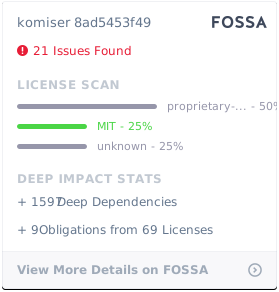](https://app.fossa.io/projects/git%2Bgithub.com%2Fmlabouardy%2Fkomiser?ref=badge_large)