# master-cloud
**Repository Path**: panday94/master-cloud
## Basic Information
- **Project Name**: master-cloud
- **Description**: Spring Cloud微服务(SCA)学习项目。
- **Primary Language**: Unknown
- **License**: Apache-2.0
- **Default Branch**: master
- **Homepage**: https://gitee.com/panday94
- **GVP Project**: No
## Statistics
- **Stars**: 0
- **Forks**: 1
- **Created**: 2023-12-16
- **Last Updated**: 2025-04-28
## Categories & Tags
**Categories**: Uncategorized
**Tags**: None
## README
# Master Cloud



# 项目介绍
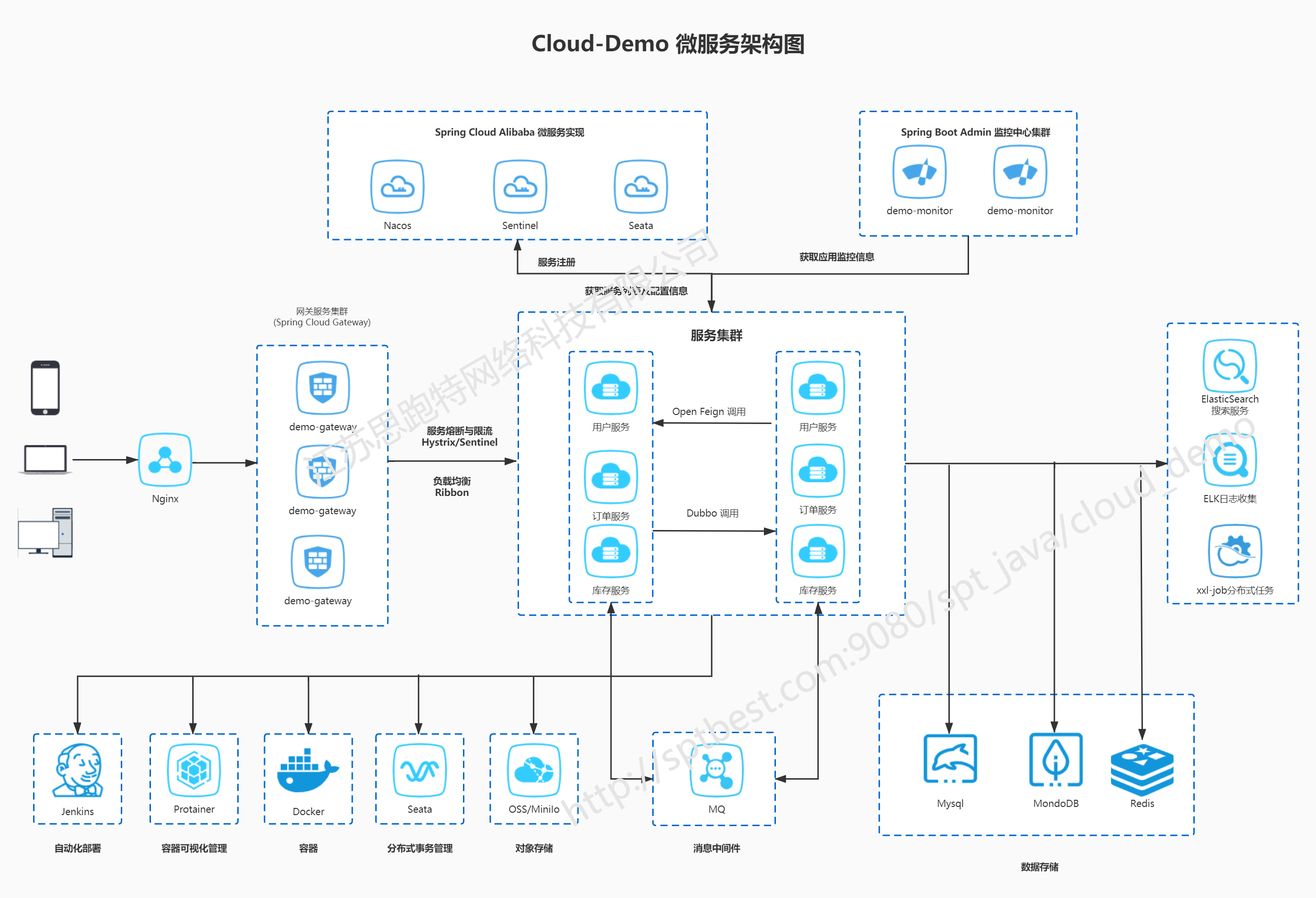
`cloud-demo`是一套微服务商城学习系统,作为日后由公司Spring Boot项目往Spring Cloud项目迁移的基础架构。采用了 Spring Cloud Hoxton.SR8 & Spring Cloud Alibaba、Spring Boot 2.3、Dubbo、MQ、Oauth2、MyBatis、Docker、Elasticsearch等核心技术,
同时提供了java8主流技术使用案例。`cloud-demo`在电商业务的基础集成了注册中心、配置中心、监控中心、网关、分布式事务等系统功能。
MasterCloud是一套全部开源的微服务开发平台,去除繁琐配置及多余代码,代码简洁,遵循restful风格,友好的代码注释,毫无保留给个人及企业免费使用。代码模块自动生成Controller、Service、Mapper、DO、DTO、VO、Command及vue等文件,开发无需考虑再去创建各种类,只需要注重业务实现即可。
欢迎添加我们进行沟通。集成多种第三方插件及功能,方便新手开箱即用。不止copy,也做增强。
* 前后端分离版本,请移步[master-boot](https://gitee.com/yoli9/master-boot)
* 前后端快速版本,请移步[master-fast](https://gitee.com/yoli9/master-fast)
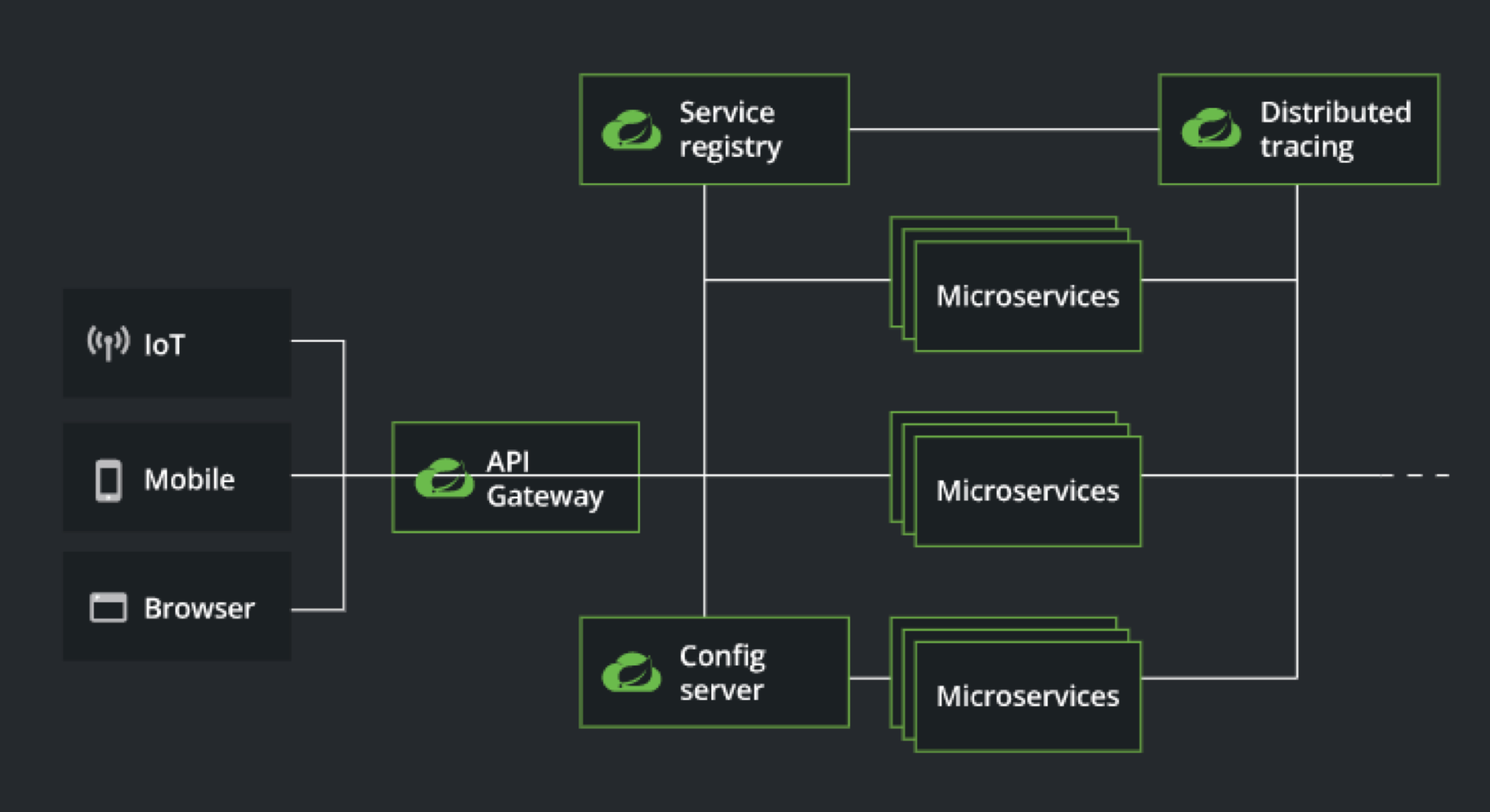
# 系统架构图
# 组织结构
```
cloud_demo nacos配置案例及java8语法等写在demo-account账号模块中
├── demo-code -- MyBatis-Plus Generator生成的数据库操作代码模块
├── demo-common -- 工具类及通用代码模块
├── demo-monitor:8888 -- 基于Spring Boot Admin的微服务监控中心
├── demo-gateway:8080 -- 基于Spring Cloud Gateway的微服务API网关服务及Spring Security Oauth2的统一的认证中心
├── demo-auth:8081 -- JWT认证模块
├── demo-admin
├── admin-api -- 总后台微服务远程调用客户端
├── admin-service:8082 -- 总后台微服务
├── demo-user
├── user-api -- 平台用户微服务远程调用客户端
├── user-service:8083 -- 平台用户微服务
├── demo-order
├── order-api -- 订单微服务远程调用客户端
├── order-service:8084 -- 订单微服务
├── demo-product:8085
├── product-api -- 商品微服务远程调用客户端
├── product-service:8085 -- 商品微服务
├── demo-storage
├── storage-api -- 库存微服务远程调用客户端
├── storage-service:8086 -- 库存微服务
├── config -- 配置中心存储的配置
└── doc -- 参考文档
```
# 项目文档
- 配套`Spring Cloud Alibaba`系列教程:[https://start.aliyun.com/article/sca7lesson/baseinfo](https://start.aliyun.com/article/sca7lesson/baseinfo)
# 项目演示
- 后台管理系统: [http://test.sipaote.cn:9011/web/manage](http://test.sipaote.cn:9011/web/manage)
## 技术选型
### 后端技术
| 技术 | 说明 | 官网 |
| --------------------- | -------------------- | ---------------------------------------------------- |
| Spring Cloud | 微服务框架 | https://spring.io/projects/spring-cloud |
| Spring Cloud Alibaba | 微服务框架阿里巴巴实现 | https://github.com/alibaba/spring-cloud-alibaba |
| Nacos | 服务注册与发现和服务配置| https://nacos.io/zh-cn/docs/quick-start.html |
| Seata | 全局事务管理框架 | https://seata.io/zh-cn/docs/dev/mode/at-mode.html |
| Sentinel | 服务熔断和流量控制 | https://github.com/alibaba/Sentinel |
| Dubbo | 分布式RPC服务调用框架 | https://github.com/SpringCloud/spring-cloud-dubbo |
| Spring Boot | 容器+MVC框架 | https://spring.io/projects/spring-boot |
| Spring Security Oauth2 | 认证和授权框架 | https://spring.io/projects/spring-security-oauth |
| MyBatis | ORM框架 | http://www.mybatis.org/mybatis-3/zh/index.html |
| MyBatis-plus | 代码生成、物理分页 | https://baomidou.com/ |
| Elasticsearch | 搜索引擎 | https://github.com/elastic/elasticsearch |
| RabbitMq | 消息队列 | https://www.rabbitmq.com/ |
| Redis | 分布式缓存 | https://redis.io/ |
| MongoDb | NoSql数据库 | https://www.mongodb.com/ |
| Docker | 应用容器引擎 | https://www.docker.com/ |
| Druid | 数据库连接池 | https://github.com/alibaba/druid |
| OSS | 对象存储 | https://github.com/aliyun/aliyun-oss-java-sdk |
| MinIO | 对象存储 | https://github.com/minio/minio |
| JWT | JWT登录支持 | https://github.com/jwtk/jjwt |
| xxl-job | 分布式定时任务 | https://github.com/xuxueli/xxl-job |
| LogStash | 日志收集 | https://github.com/logstash/logstash-logback-encoder |
| Lombok | 简化对象封装工具 | https://github.com/rzwitserloot/lombok |
| Portainer | 可视化Docker容器管理 | https://github.com/portainer/portainer |
| Jenkins | 自动化部署工具 | https://github.com/jenkinsci/jenkins |
## 微服务控制台地址
| 服务 | 说明 | 账号密码 |
| --------------------- | ---------------------------------- | ------------------------------------ |
| nacos | http://192.168.66.124:8848/nacos | username:nacos password:nacos |
| sentinel | http://192.168.66.124:8858/ | username:sentinel password:sentinel |
| Spring Boot Admin | http://192.168.66.124:8888/ | username:master password:123456 |
## 环境搭建
### 开发环境
| 工具 | 版本号 | 下载 |
| ------------- | ------ | ------------------------------------------------------------ |
| JDK | 1.8 | https://www.oracle.com/technetwork/java/javase/downloads/jdk8-downloads-2133151.html |
| Mysql | 5.7 | https://www.mysql.com/ |
| Redis | 5.0 | https://redis.io/download |
| Elasticsearch | 7.6.2 | https://www.elastic.co/cn/downloads/elasticsearch |
| Kibana | 7.6.2 | https://www.elastic.co/cn/downloads/kibana |
| Logstash | 7.6.2 | https://www.elastic.co/cn/downloads/logstash |
| MongoDb | 4.2.5 | https://www.mongodb.com/download-center |
| RabbitMq | 3.7.14 | http://www.rabbitmq.com/download.html |
| nginx | 1.10 | http://nginx.org/en/download.html |
### 搭建步骤
> Windows环境部署
- Windows环境搭建请参考:[cloud-demo在Windows环境下的部署](http://www.macrozheng.com/#/deploy/mall_swarm_deploy_windows);
- `mall-admin-web`项目的安装及部署请参考:[mall前端项目的安装与部署](http://www.macrozheng.com/#/deploy/mall_deploy_web);
- `ELK`日志收集系统的搭建请参考:[SpringBoot应用整合ELK实现日志收集](http://www.macrozheng.com/#/technology/mall_tiny_elk);
- 使用MinIO存储文件请参考:[前后端分离项目,如何优雅实现文件存储](http://www.macrozheng.com/#/technology/minio_use);
- 读写分离解决方案请参考:[你还在代码里做读写分离么,试试这个中间件吧](http://www.macrozheng.com/#/reference/gaea);
- `分布式事务`解决方案请参考:[使用Seata彻底解决Spring Cloud中的分布式事务问题!](http://www.macrozheng.com/#/cloud/seata)。
> Docker环境部署
- 使用虚拟机安装CentOS7.6请参考:[虚拟机安装及使用Linux,看这一篇就够了](http://www.macrozheng.com/#/reference/linux_install);
- Docker环境的安装请参考:[开发者必备Docker命令](http://www.macrozheng.com/#/reference/docker);
- 本项目Docker镜像构建请参考:[使用Maven插件为SpringBoot应用构建Docker镜像](http://www.macrozheng.com/#/reference/docker_maven);
- 本项目在Docker容器下的部署请参考:[cloud-demo在Linux环境下的部署(基于Docker容器)](http://www.macrozheng.com/#/deploy/mall_swarm_deploy_docker);
- 本项目使用Jenkins自动化部署请参考:[微服务架构下的自动化部署,使用Jenkins来实现](http://www.macrozheng.com/#/deploy/mall_swarm_deploy_jenkins)。
## 运行效果展示
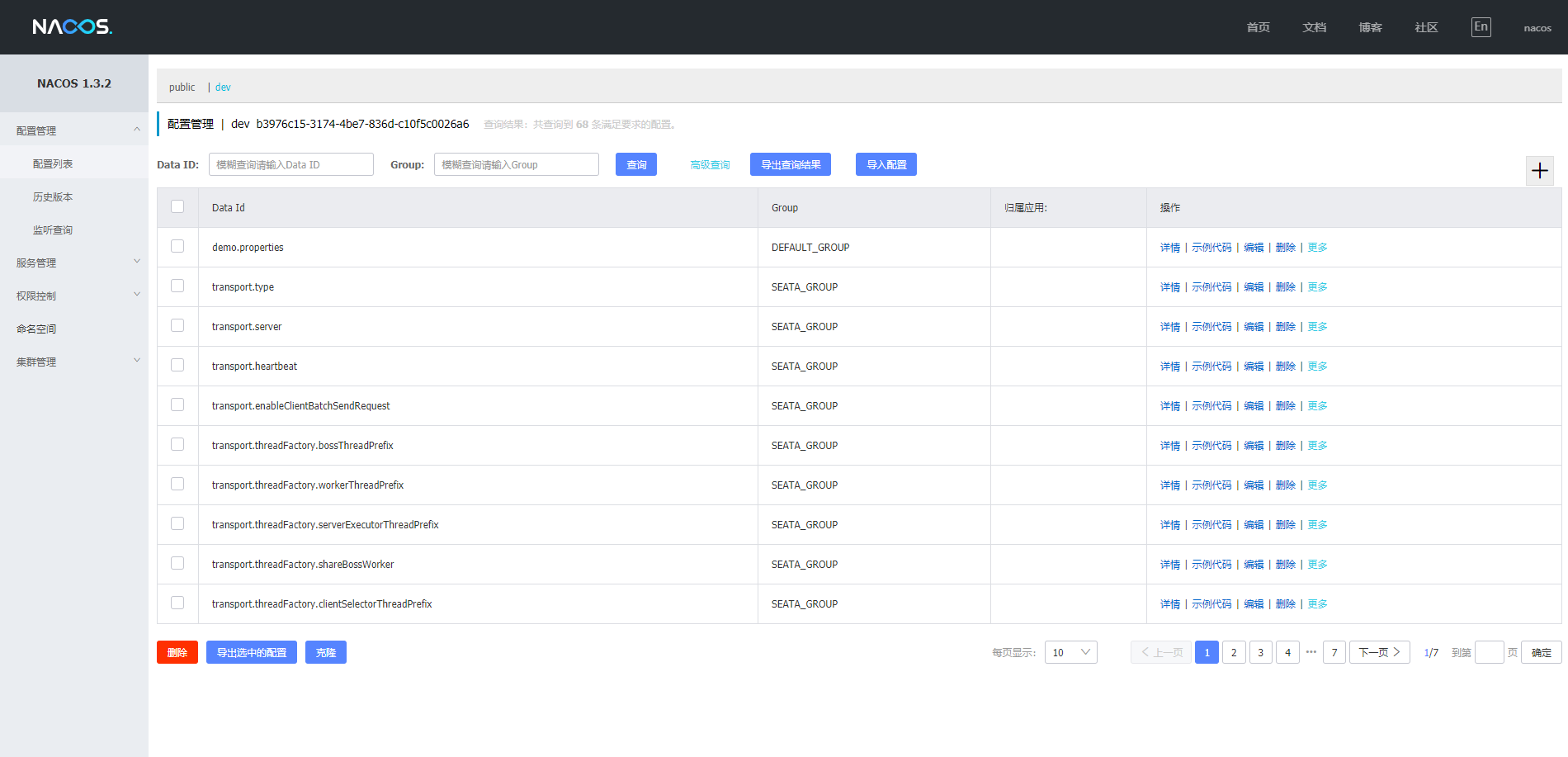
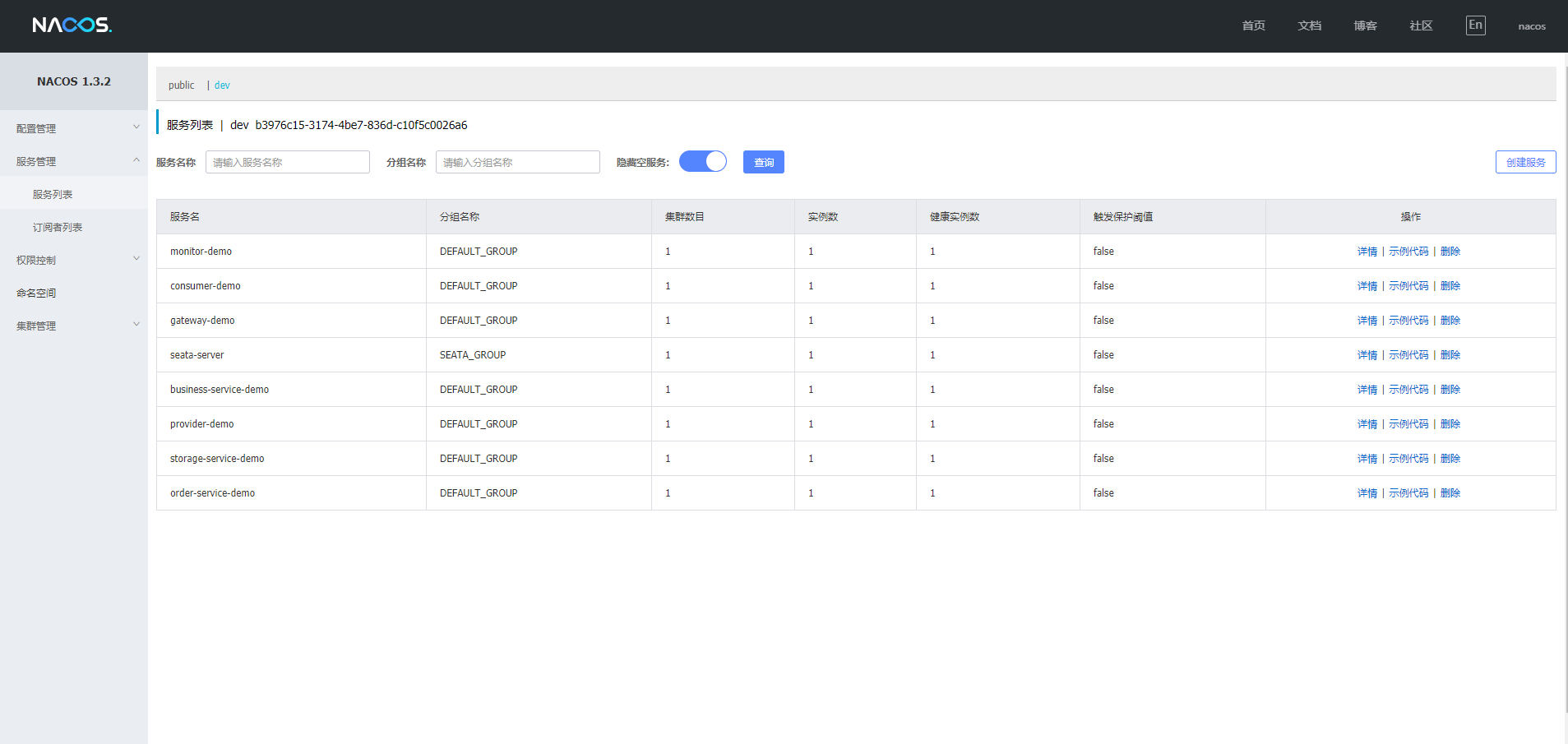
- 查看注册中心注册服务信息,访问地址:http://192.168.66.124:8848/nacos/
username: nacos
password: nacos
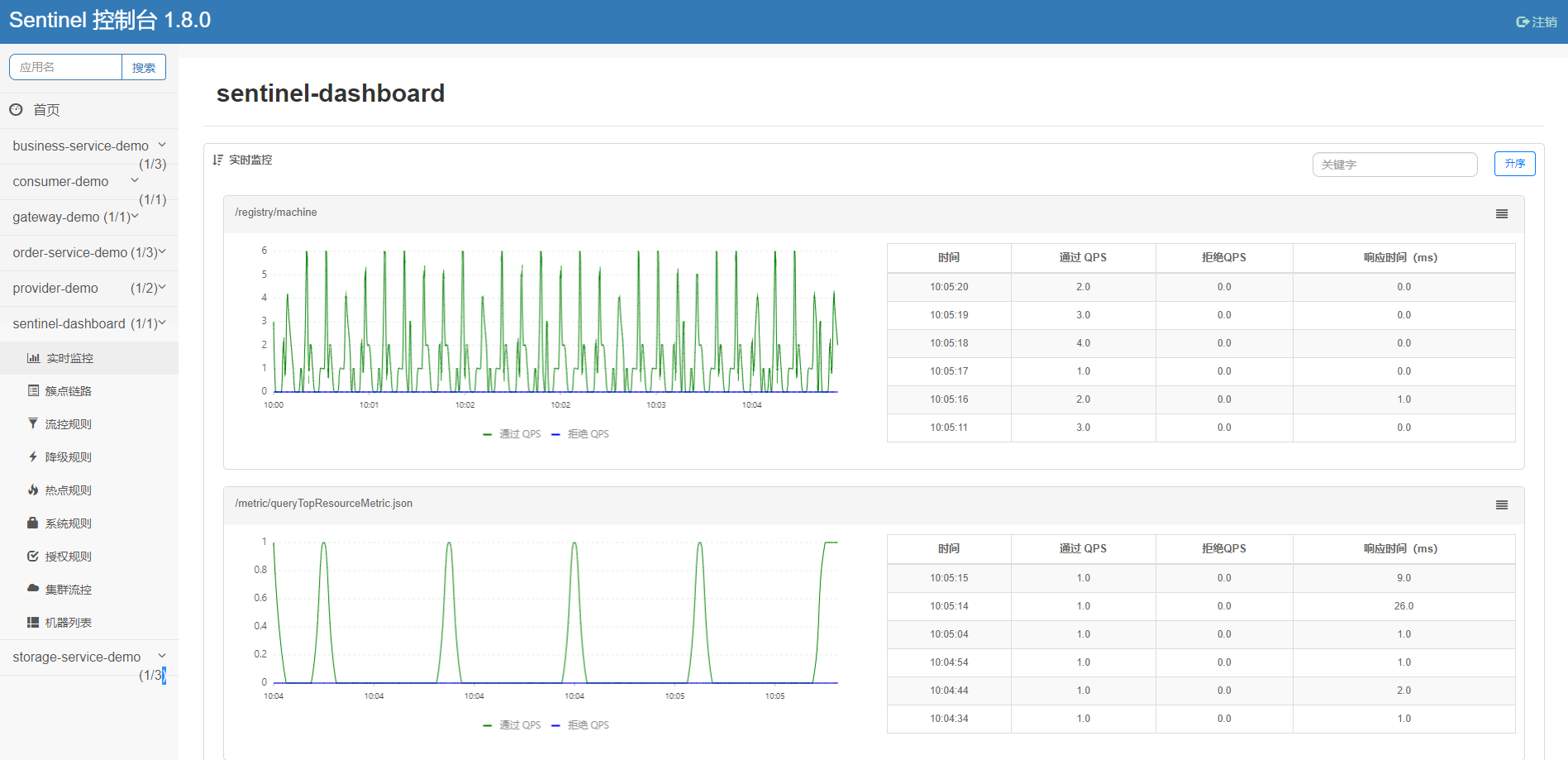
- 查看流量控制和服务熔断控制台信息,访问地址:http://192.168.66.124:8858
username: sentinel
password: sentinel
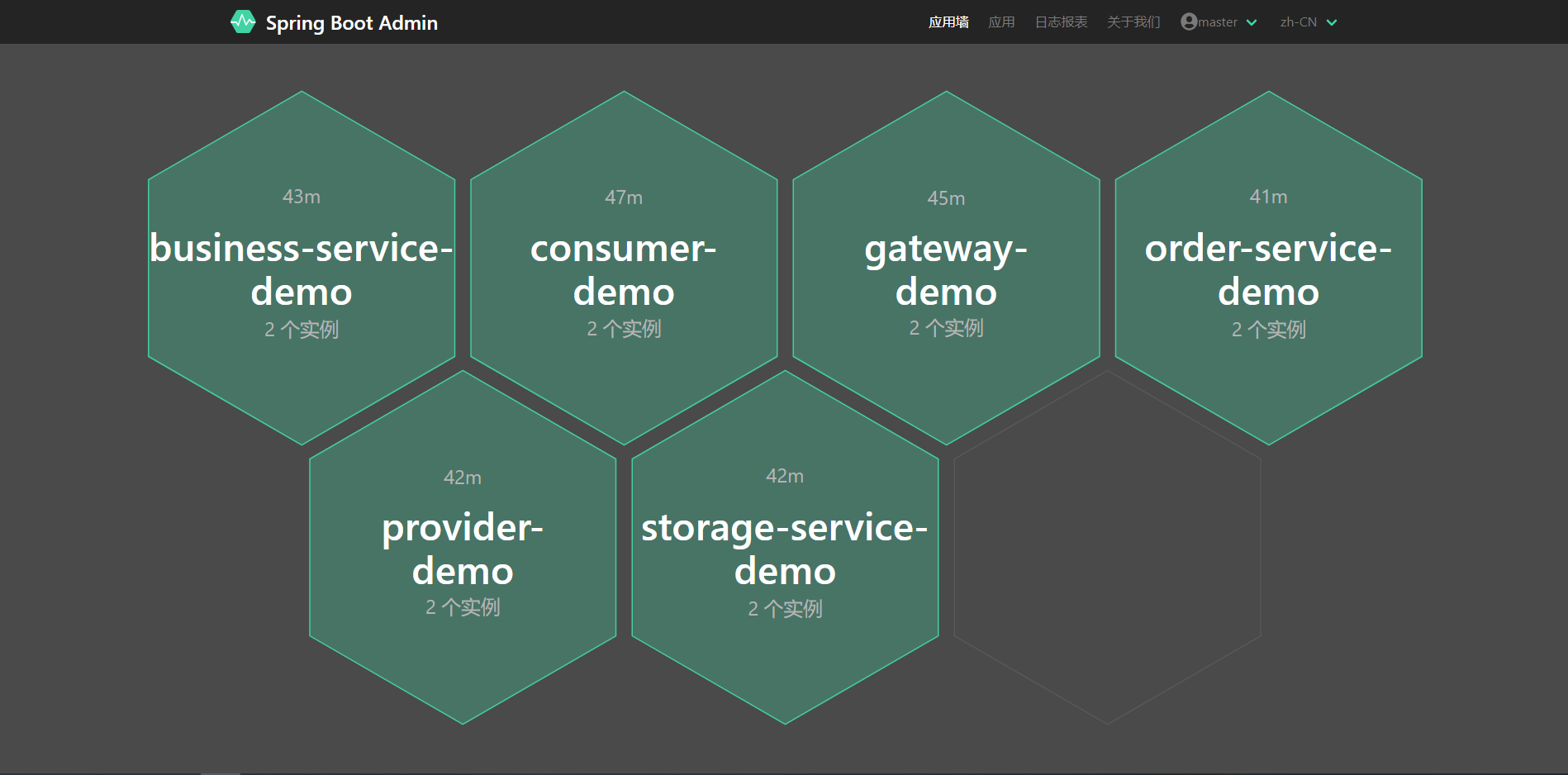
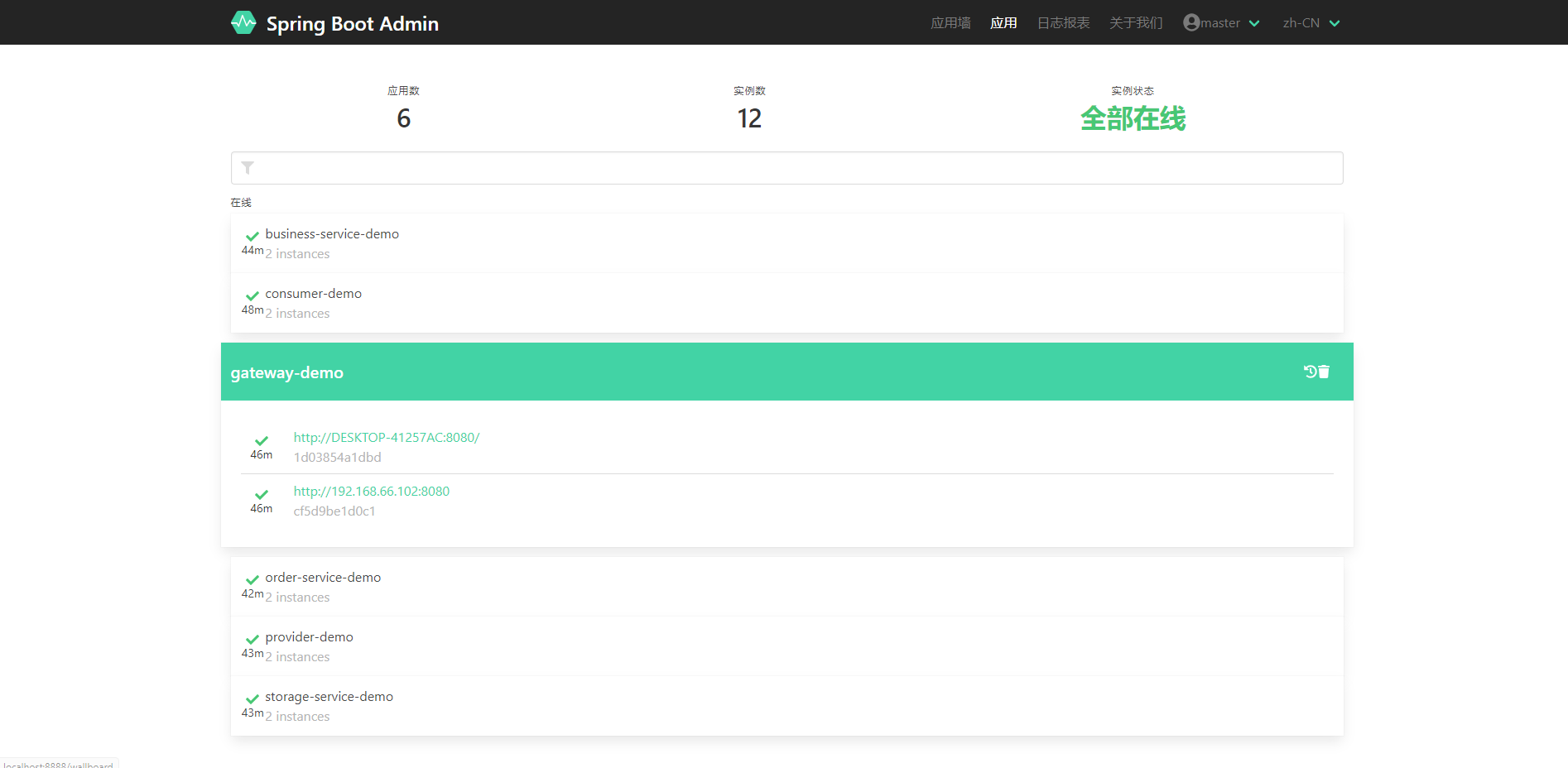
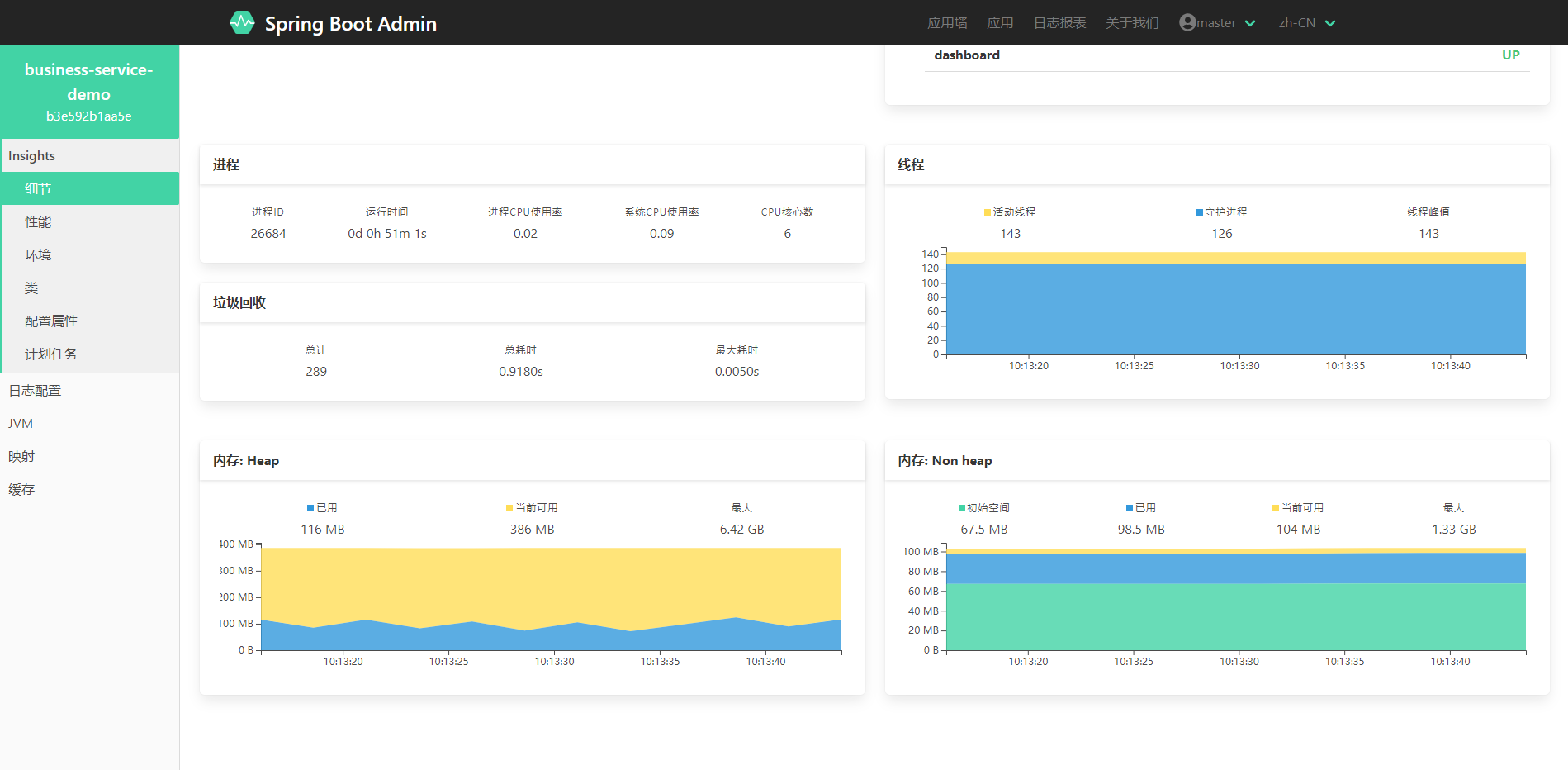
- 监控中心应用信息,访问地址:http://192.168.66.124:8888
username: sport
password: 123456
- API文档信息,访问地址:http://yapi.sipaote.cn

## 联系我们
`cloud-demo`项目全套学习中,添加微信第一时间获取。

公众号

添加微信,加入交流群
## 许可证
[Apache License 2.0](LICENSE)
Copyright (c) 2022 Master Computer Corporation Limited All rights reserved