# ELaunch
**Repository Path**: zane_young/ELaunch
## Basic Information
- **Project Name**: ELaunch
- **Description**: 基于electron的跨平台启动器, 类似 alfred, 纯 js/css/html 开发, 目前支持 macOS & linux
- **Primary Language**: JavaScript
- **License**: MIT
- **Default Branch**: master
- **Homepage**: None
- **GVP Project**: No
## Statistics
- **Stars**: 12
- **Forks**: 0
- **Created**: 2016-10-26
- **Last Updated**: 2021-08-26
## Categories & Tags
**Categories**: utils
**Tags**: None
## README
# ELaunch [WIP]
## Intro
A launcher based on [Electron](https://github.com/electron/electron) and inspired by [UAfred](https://github.com/zhenyangze/uafred), now only support linux and MacOS.
## Download
see [release](https://github.com/zaaack/ELaunch/releases)
or download from [BaiduYun](https://pan.baidu.com/s/1qXDQGLA) if you in China.
## Donate
If you really like my work here, please support me a cup of coffee, thanks! :smile:
[](https://www.paypal.me/zaaack/5)

 ## Requirement
* Linux: none
* MacOS: none
* Windows:
* Everything.exe for fastly searching files, this is already packed in, what you need to do is not to quit it on tray.
* .NET Framework 2.0 for reading file icon. Usually this is already installed in most PCs, but in some old system like windowsXP it may not being installed, you can download it on [Microsoft's website](https://www.microsoft
* .com/zh-cn/download/confirmation.aspx?id=1639).
## Config
> Custom config path: `~/.ELaunch/config.js`
Plugins in default config are built-in plugins, you can overwrite them or add new plugin in custom config(`~/.ELaunch/config.js`). After the program started, it would automatically merge custom config.js to config.default.js. If you want to use platform-specific config, you can add `linux/darwin/win32` fields in plugin config and them would be merged into plugin config according to `process.platform`. This works in command config too. See [default config](app/config/config.default.js).
Notice: after you edit your config, you need to reload config(on tray menu) or restart the app to make config changes work.
## Usage
>Default Shotcut: Super+Space for linux and windows, Cmd+Space for MacOS
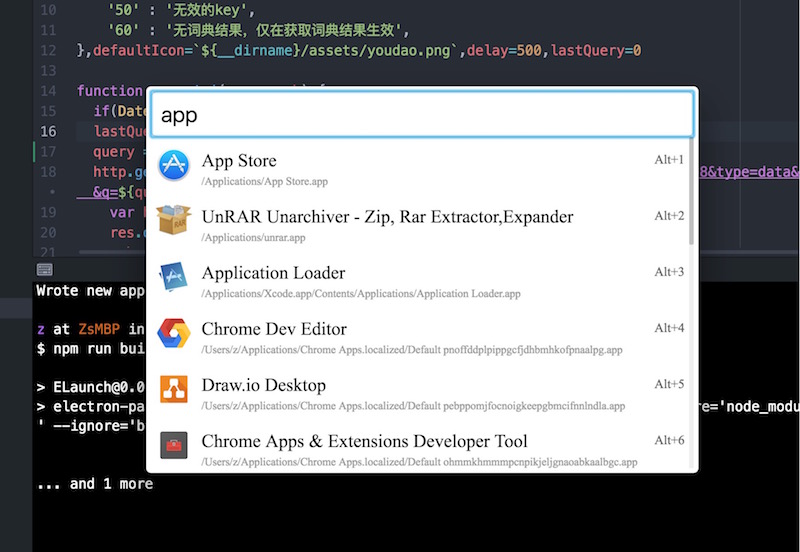
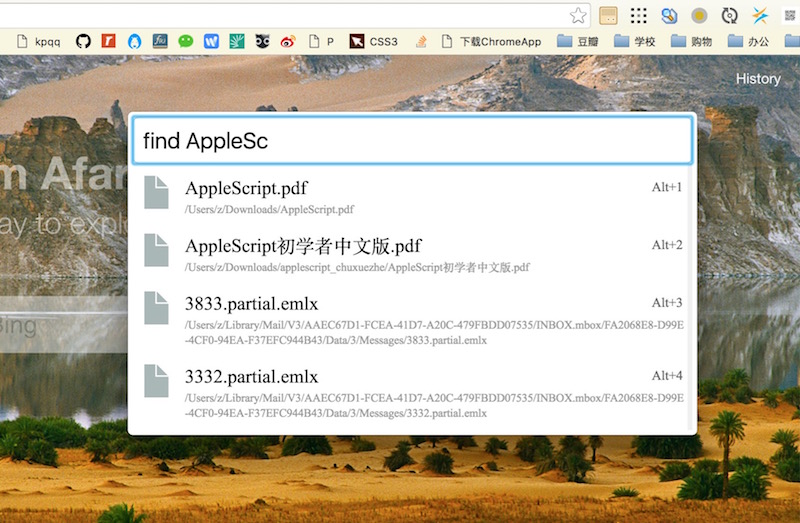
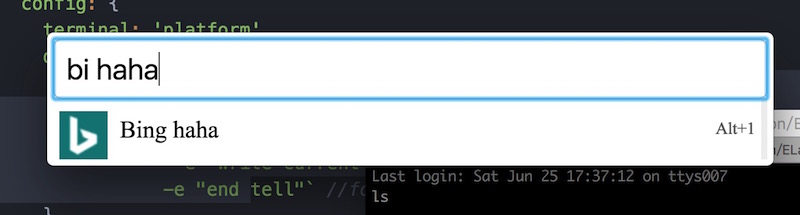
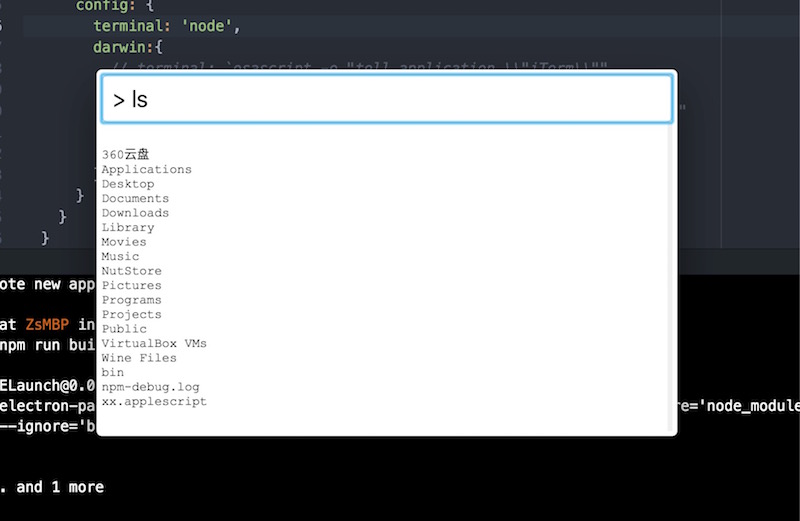
Then you can type in app names or commands, see [Screen Captures](#screen-captures) below.
# Install plugins
You can find a plugin list on [wiki](https://github.com/zaaack/ELaunch/wiki).
```sh
cd ~/.ELaunch
npm i --save
```
or
```sh
cd ~/.ELaunch
mkdir node_modules
cd node_modules
git clone --depth 1
```
Then, edit your ELaunch config file (path: `~/.ELaunch/config.js`),
add this plugin in plugins field, something like this:
```js
module.exports = {
//... other config fields
plugins: {
//... config for other plugins
devdocs: {
path: ``,
command: {
``: {}
}
}
}
}
```
Then, restart ELaunch or click `Reload config` on tray menu to reload the config file.
## Develop
You need install [nodejs](https://nodejs.org/en/) first, than run commands below
```sh
git clone https://github.com/zaaack/ELaunch.git
cd ELaunch/app && npm i
cd ../ && npm i
# build native modules (node-inspector)
./node_modules/.bin/electron-rebuild
```
then you can start it by
```sh
npm start
```
or
```sh
npm i -g electron-prebuilt
electron ./app/index.js
```
## Debug
see: http://electron.atom.io/docs/tutorial/debugging-main-process/
```js
npm run debug-brk
ELECTRON_RUN_AS_NODE=true node_modules/.bin/electron node_modules/node-inspector/bin/inspector.js
```
## Build
see [electron-builder](https://github.com/electron-userland/electron-builder)
```js
npm run dist
```
## Screen Captures
### Plugin app
### Plugin find
### Plugin websearch
### Plugin shell
#### node
#### iterm
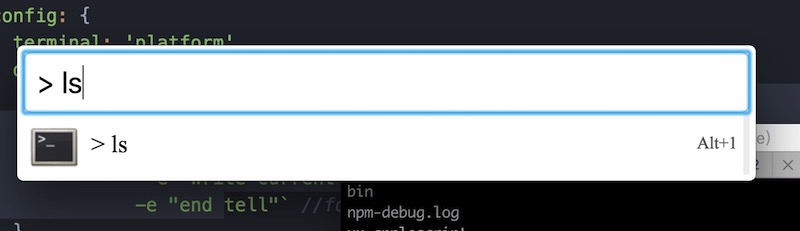
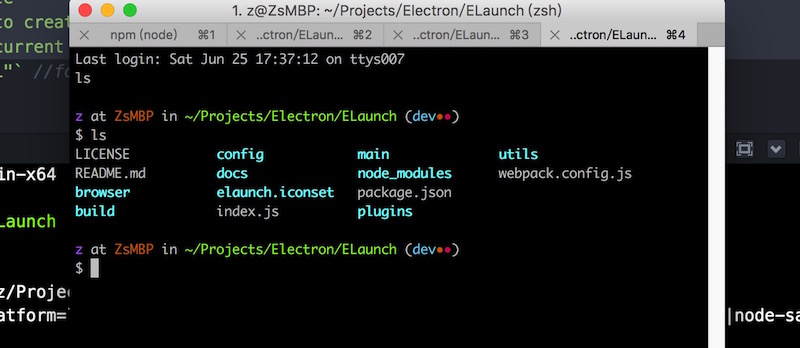
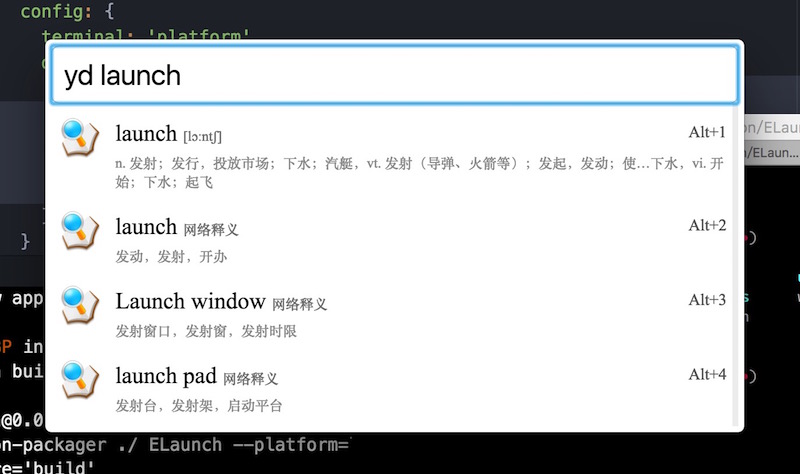
### Plugin youdao
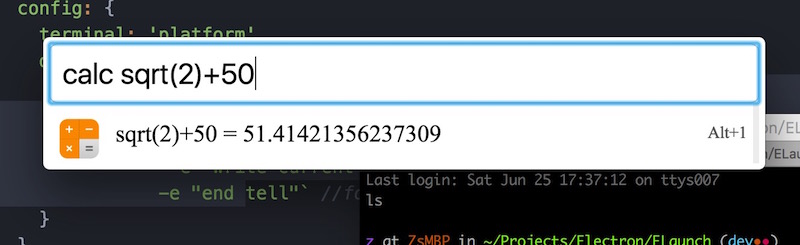
### Plugin calc
## Plugin Develop
see [plugin.md](https://github.com/zaaack/ELaunch/wiki/Plugin-Development)
## Plan
[Dev Plan](https://github.com/zaaack/ELaunch/issues/1)
## Welcome fork and contribute!
## Requirement
* Linux: none
* MacOS: none
* Windows:
* Everything.exe for fastly searching files, this is already packed in, what you need to do is not to quit it on tray.
* .NET Framework 2.0 for reading file icon. Usually this is already installed in most PCs, but in some old system like windowsXP it may not being installed, you can download it on [Microsoft's website](https://www.microsoft
* .com/zh-cn/download/confirmation.aspx?id=1639).
## Config
> Custom config path: `~/.ELaunch/config.js`
Plugins in default config are built-in plugins, you can overwrite them or add new plugin in custom config(`~/.ELaunch/config.js`). After the program started, it would automatically merge custom config.js to config.default.js. If you want to use platform-specific config, you can add `linux/darwin/win32` fields in plugin config and them would be merged into plugin config according to `process.platform`. This works in command config too. See [default config](app/config/config.default.js).
Notice: after you edit your config, you need to reload config(on tray menu) or restart the app to make config changes work.
## Usage
>Default Shotcut: Super+Space for linux and windows, Cmd+Space for MacOS
Then you can type in app names or commands, see [Screen Captures](#screen-captures) below.
# Install plugins
You can find a plugin list on [wiki](https://github.com/zaaack/ELaunch/wiki).
```sh
cd ~/.ELaunch
npm i --save
```
or
```sh
cd ~/.ELaunch
mkdir node_modules
cd node_modules
git clone --depth 1
```
Then, edit your ELaunch config file (path: `~/.ELaunch/config.js`),
add this plugin in plugins field, something like this:
```js
module.exports = {
//... other config fields
plugins: {
//... config for other plugins
devdocs: {
path: ``,
command: {
``: {}
}
}
}
}
```
Then, restart ELaunch or click `Reload config` on tray menu to reload the config file.
## Develop
You need install [nodejs](https://nodejs.org/en/) first, than run commands below
```sh
git clone https://github.com/zaaack/ELaunch.git
cd ELaunch/app && npm i
cd ../ && npm i
# build native modules (node-inspector)
./node_modules/.bin/electron-rebuild
```
then you can start it by
```sh
npm start
```
or
```sh
npm i -g electron-prebuilt
electron ./app/index.js
```
## Debug
see: http://electron.atom.io/docs/tutorial/debugging-main-process/
```js
npm run debug-brk
ELECTRON_RUN_AS_NODE=true node_modules/.bin/electron node_modules/node-inspector/bin/inspector.js
```
## Build
see [electron-builder](https://github.com/electron-userland/electron-builder)
```js
npm run dist
```
## Screen Captures
### Plugin app

### Plugin find

### Plugin websearch

### Plugin shell
#### node

#### iterm


### Plugin youdao

### Plugin calc

## Plugin Develop
see [plugin.md](https://github.com/zaaack/ELaunch/wiki/Plugin-Development)
## Plan
[Dev Plan](https://github.com/zaaack/ELaunch/issues/1)
## Welcome fork and contribute!