


开源鸿蒙模拟器
https://gitee.com/openharmony-emu/vendor_emulator_emulator_x86_64/blob/weekly_20231010/README.md
https://www.msys2.org/pacman -S base-devel git unzip wget mingw-w64-x86_64-binutils mingw-w64-x86_64-crt-git mingw-w64-x86_64-headers-git mingw-w64-x86_64-gcc-libs mingw-w64-x86_64-gcc mingw-w64-x86_64-gdb mingw-w64-x86_64-make mingw-w64-x86_64-tools-git mingw-w64-x86_64-pkg-config mingw-w64-x86_64-winpthreads-git mingw-w64-x86_64-libwinpthread-git mingw-w64-x86_64-winstorecompat-git mingw-w64-x86_64-libmangle-git mingw-w64-x86_64-pixman mingw-w64-x86_64-SDL2 mingw-w64-x86_64-glib2 mingw-w64-x86_64-capstone mingw-w64-x86_64-lzo2 mingw-w64-x86_64-libxml2 mingw-w64-x86_64-libjpeg-turbo mingw-w64-x86_64-libpng mingw-w64-x86_64-ffmpeg mingw-w64-x86_64-ninja
cp /mingw64/bin/ar.exe /mingw64/bin/x86_64-w64-mingw32-ar.exe & cp /mingw64/bin/ranlib.exe /mingw64/bin/x86_64-w64-mingw32-ranlib.exe & cp /mingw64/bin/windres.exe /mingw64/bin/x86_64-w64-mingw32-windres.exe & cp /mingw64/bin/objcopy.exe /mingw64/bin/x86_64-w64-mingw32-objcopy.exe & cp /mingw64/bin/nm.exe /mingw64/bin/x86_64-w64-mingw32-nm.exe & cp /mingw64/bin/strip.exe /mingw64/bin/x86_64-w64-mingw32-strip.exe
wget https://github.com/VirtualSoC/vsoc/releases/download/deps/deps_win.zip
unzip deps_win.zip
git clone https://github.com/VirtualSoC/vsoc.git
cd vsoc
git submodule update --init --recursive
cd ..
export BASE_DIR=`pwd`
export LIBRARY_PATH="$BASE_DIR/lib/"
export PKG_CONFIG_PATH="$BASE_DIR/lib/pkgconfig/"
cd vsoc
./configure --cross-prefix=x86_64-w64-mingw32- --extra-cflags="-I$BASE_DIR/include" --extra-ldflags="-L$BASE_DIR/lib" --prefix="$BASE_DIR" --bindir="$BASE_DIR/bin" --disable-gtk --enable-sdl --target-list=x86_64-softmmu --disable-werror
make install -j$(nproc)
cd ..
wget https://github.com/VirtualSoC/vsoc/releases/download/beta-2408/vsoc_ohos_win_amd64.zip
unzip vsoc_ohos_win_amd64.zip img/* run.sh
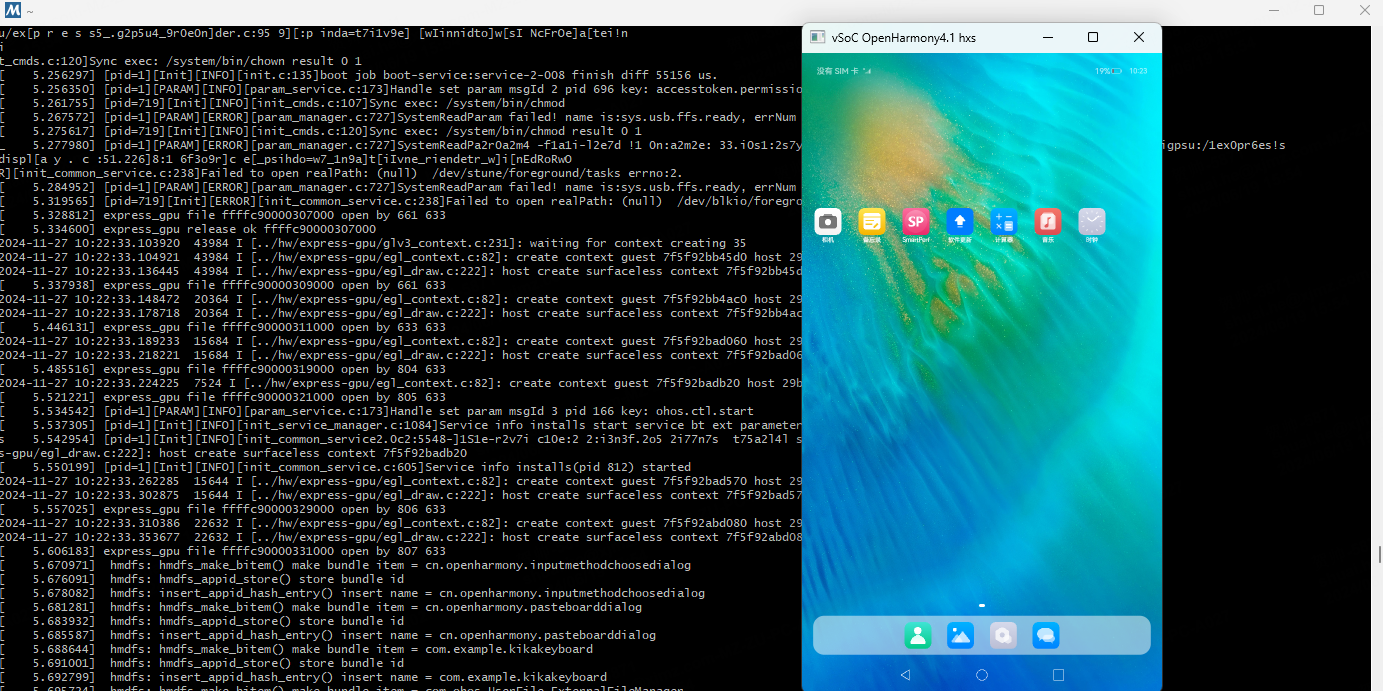
bash run.sh
